


HomeHabit - Smart Home Panel
Juega en PC con BlueStacks: la plataforma de juegos Android, en la que confían más de 500 millones de jugadores.

Página modificada el: Jun 9, 2025
Play HomeHabit - Smart Home Panel on PC
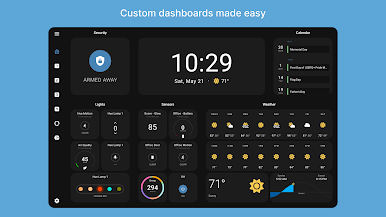
Custom Dashboards
Create personal dashboards with custom layout and 30 different widget types.
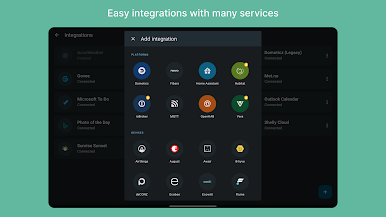
Easy Integrations
Quickly integrate with variety of platforms, services, and devices.
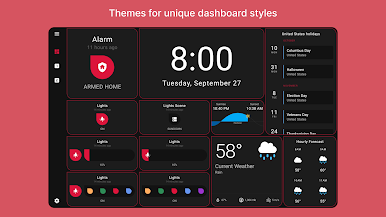
Personalization
Use themes to create a unique style for your dashboard.
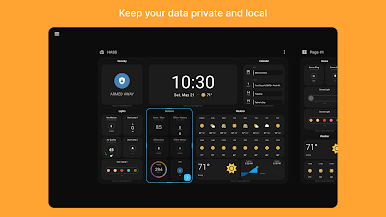
Privacy
Keep your data private and local on your device. No need for another online account.
SUPPORTED INTEGRATIONS
Platforms
• Home Assistant
• OpenHAB
• Domoticz
• Fibaro
• MQTT
• Hubitat (experimental)
• Vera (experimental)
Direct
• AccuWeather
• Airthings
• AirVisual
• August
• Awair
• deCONZ
• Ecobee
• Flume
• Foscam
• Govee
• IFTTT Webhooks
• LIFX
• Meteo-France
• Nanoleaf
• OpenWeatherMap
• Philips Hue
• Reolink
• Shelly Cloud
• SwitchBot
• Tile
• TP-Link Kasa
• Wyze
• Yeelight
• And many more...
Standard
• iCalendar
• Outlook Calendar
• Microsoft To Do
• Met.no
• Sunrise Sunset
• MJPEG
• RTSP
• HTTP
• RSS
• Photo of the Day
• Local images
Integrations have various levels of setup difficulty. Some might require setting up an account to receive an API key.
If you are experiencing any problems during the app setup or while connecting to your integrations, please send us a message to support@homehabit.app
Juega HomeHabit - Smart Home Panel en la PC. Es fácil comenzar.
-
Descargue e instale BlueStacks en su PC
-
Complete el inicio de sesión de Google para acceder a Play Store, o hágalo más tarde
-
Busque HomeHabit - Smart Home Panel en la barra de búsqueda en la esquina superior derecha
-
Haga clic para instalar HomeHabit - Smart Home Panel desde los resultados de búsqueda
-
Complete el inicio de sesión de Google (si omitió el paso 2) para instalar HomeHabit - Smart Home Panel
-
Haz clic en el ícono HomeHabit - Smart Home Panel en la pantalla de inicio para comenzar a jugar

