


Filtro de Llamadas
Juega en PC con BlueStacks: la plataforma de juegos Android, en la que confían más de 500 millones de jugadores.

Página modificada el: Aug 30, 2025
Run Call Filter on PC or Mac
Multitask effortlessly on your PC or Mac as you try out Call Filter, a Communication app by Callfilter.app on BlueStacks.
About the App
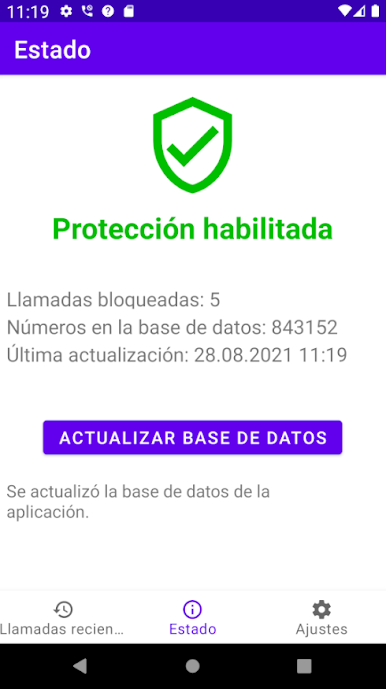
Tired of your phone lighting up with calls you just don’t want to deal with? Call Filter has your back. This handy Communication app by Callfilter.app helps you keep your conversations private and your phone nice and quiet. No distractions from telemarketers or random “unknown” numbers—just peace of mind and a much cleaner call log.
App Features
-
Automatic Call Blocking
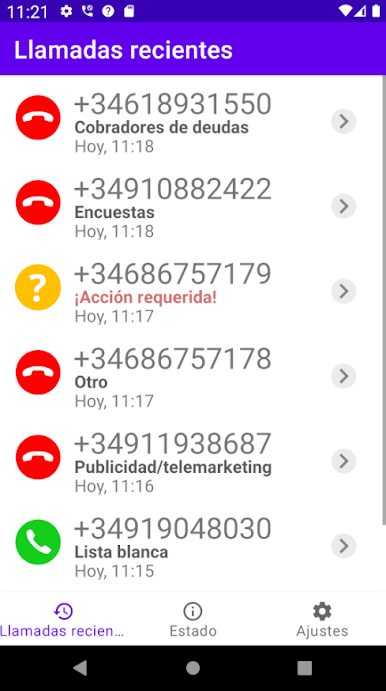
Say goodbye to robocalls, debt collectors, surveys, and persistent banks. Call Filter steps in to block these nuisance callers before your phone even buzzes. -
Blacklist That List
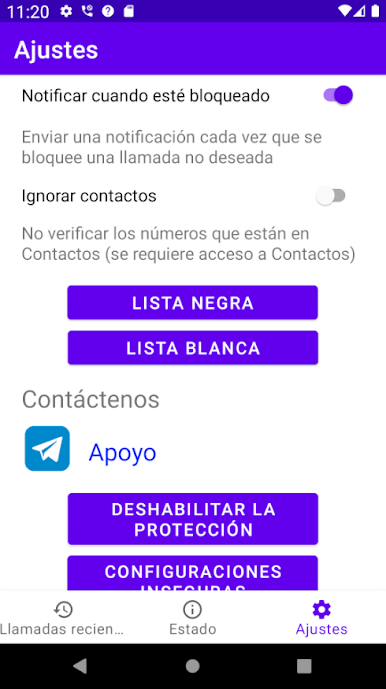
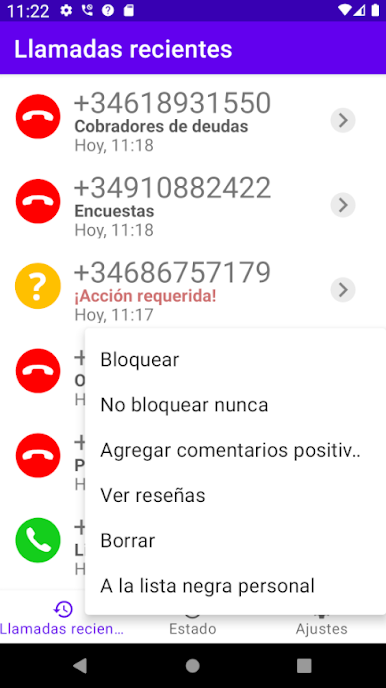
Got some numbers you really want to avoid? Pop them into your own personal blacklist. If you need some flexibility, wildcard support lets you block whole groups of numbers at once. -
No Contact Access Required
Unlike a lot of other apps, Call Filter never asks to access your contacts or personal information. Use it with confidence knowing your privacy stays untouched. -
Silent Call Protector
Ever get those calls that ring once and disappear? Call Filter catches and blocks “silent calls” so you’re not left wondering who keeps hanging up. -
Optional “Contacts Only” Mode
Want to play it extra safe? You can tell Call Filter to only allow calls from people you actually know—everyone else goes straight to voicemail. -
Regularly Updated Block List
The app refreshes its database of blocked numbers multiple times per day. It’s smart about it, too, working in the background so your battery and data don’t take a hit. -
Lightweight and Ad-Free
No annoying ads, no tracking—just an easy, streamlined experience. Launch it on your phone or even on BlueStacks if you like a bigger screen.
Ready to experience Call Filter on a bigger screen, in all its glory? Download BlueStacks now.
Juega Filtro de Llamadas en la PC. Es fácil comenzar.
-
Descargue e instale BlueStacks en su PC
-
Complete el inicio de sesión de Google para acceder a Play Store, o hágalo más tarde
-
Busque Filtro de Llamadas en la barra de búsqueda en la esquina superior derecha
-
Haga clic para instalar Filtro de Llamadas desde los resultados de búsqueda
-
Complete el inicio de sesión de Google (si omitió el paso 2) para instalar Filtro de Llamadas
-
Haz clic en el ícono Filtro de Llamadas en la pantalla de inicio para comenzar a jugar

