


Radio Tekno
Mainkan di PC dengan BlueStacks – platform Game-Game Android, dipercaya oleh lebih dari 500 juta gamer.

Run Techno Radio Favorites on PC or Mac
Get freedom from your phone’s obvious limitations. Use Techno Radio Favorites, made by MyIndieApp.com, a Music & Audio app on your PC or Mac with BlueStacks, and level up your experience.
About the App
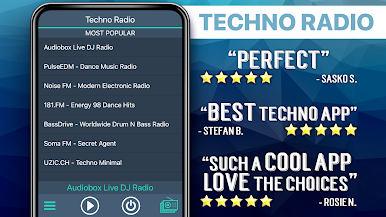
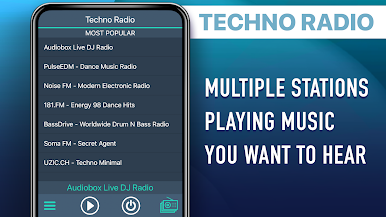
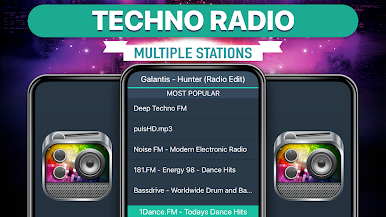
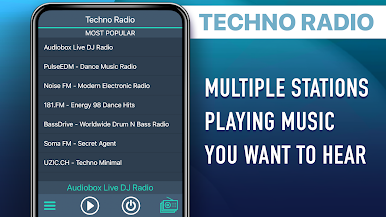
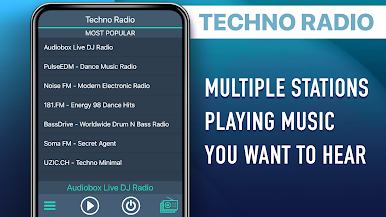
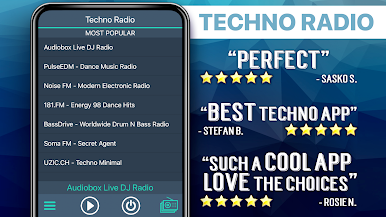
Techno Radio Favorites is a simple, no-fuss way to stream nonstop electronic music. Fire it up, pick a station, and you’re instantly in a groove—whether you’re into classic techno or something a bit heavier. It’s made by MyIndieApp.com and sits in the Music & Audio genre, so expect a smooth, music-first experience that just keeps playing while you do your thing. Prefer listening on your computer? It also runs nicely with BlueStacks.
App Features
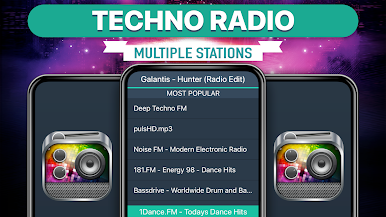
- Huge station variety: From techno, electro, house, and trance to dubstep, drum & bass, and chiptunes, there’s a ton to explore. You’ll even find a few dance, jazz, and world channels when you want to switch the vibe.
- Background listening: Keep the music going while you browse, message, or let the screen rest. Ideal for work sessions, workouts, or just zoning out with a steady beat.
- One-tap play and quick switching: Pick a channel and go. Jumping between stations is fast, so you can chase the sound you’re in the mood for without digging through menus.
- Live, real stations: Many channels are run by actual DJs and online radio platforms. If one goes quiet or a server hiccups, just hop to another—there’s always something playing.
- Free streaming: No paywalls or subscriptions. Open the app and listen.
- Light and focused: The app keeps things straightforward—less clutter, more music. It’s built to get out of the way so you can enjoy the stream.
Eager to take your app experience to the next level? Start right away by downloading BlueStacks on your PC or Mac.





Mainkan Radio Tekno di PC Mudah saja memulainya.
-
Unduh dan pasang BlueStacks di PC kamu
-
Selesaikan proses masuk Google untuk mengakses Playstore atau lakukan nanti
-
Cari Radio Tekno di bilah pencarian di pojok kanan atas
-
Klik untuk menginstal Radio Tekno dari hasil pencarian
-
Selesaikan proses masuk Google (jika kamu melewati langkah 2) untuk menginstal Radio Tekno
-
Klik ikon Radio Tekno di layar home untuk membuka gamenya

