


Instruments for Wear OS
Gioca su PC con BlueStacks: la piattaforma di gioco Android, considerata affidabile da oltre 500 milioni di giocatori.

Pagina modificata il: Mar 4, 2021
Play Instruments for Wear OS on PC
Features of the full version only:
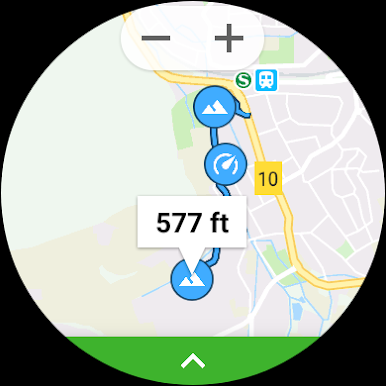
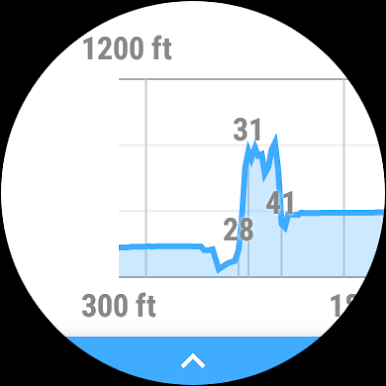
- Graph and map display on watch
- History of recordings
- Full customization options
This app is compatible with all Wear OS smart watches.
e.g.
- Sony SmartWatch 3
- Fossil Q (Explorist, Marshal, Founder, Venture, Wander, ...)
- Ticwatch (E, S)
- Michael Kors (Bradshaw, Sophie, ...)
- Huawei Watch (2, Leo-BX9, Leo-DLXX, ...)
- LG Watch (Urbane, Sport, R, Style)
- ASUS ZenWatch (1, 2, 3)
- Samsung Gear Live
- TAG Heuer
...and many more
If your watch doesn't have a barometer this app can use your phones barometer as well. If your watch doesn't have built-in GPS this app can use your phones GPS as well.
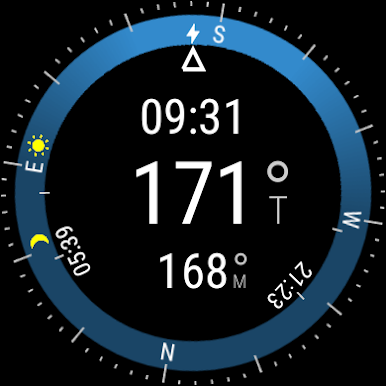
If your watch doesn't have a compass the astro functions will still work.
If your watch is not listed, please check if your Smartwatch runs Wear OS (former Android Wear).

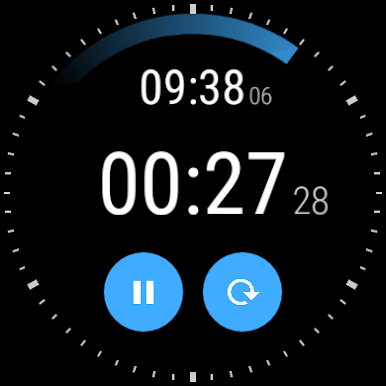
Gioca Instruments for Wear OS su PC. È facile iniziare.
-
Scarica e installa BlueStacks sul tuo PC
-
Completa l'accesso a Google per accedere al Play Store o eseguilo in un secondo momento
-
Cerca Instruments for Wear OS nella barra di ricerca nell'angolo in alto a destra
-
Fai clic per installare Instruments for Wear OS dai risultati della ricerca
-
Completa l'accesso a Google (se hai saltato il passaggio 2) per installare Instruments for Wear OS
-
Fai clic sull'icona Instruments for Wear OS nella schermata principale per iniziare a giocare

