


Circle Hunt
Juega en PC con BlueStacks: la plataforma de juegos Android, en la que confían más de 500 millones de jugadores.

Página modificada el: Apr 14, 2025
Play Circle Hunt on PC
How to Play
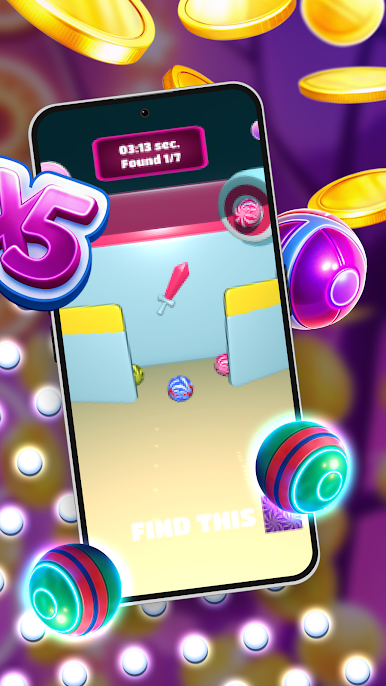
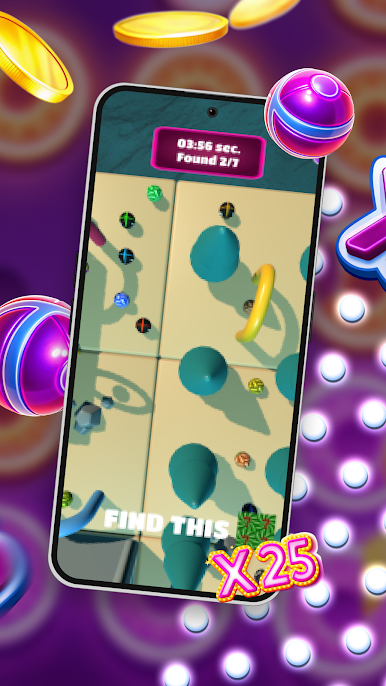
*Target Ball Display: The bottom of the screen shows which ball you need to find next.
*7 to Win: Locate all 7 correctly to complete the round.\
*Hidden Locations: Some balls are inside buildings—tap structures to search their interiors.
*Time Penalty: Wrong guesses add extra time to your total. Choose wisely!
The Challenge
*Deceptive Similarity: Many balls look almost identical—only sharp eyes will spot the differences.
*Fast Decisions: Hesitate too long, and your rivals might beat your score.
*Strategic Searching: Will you sweep the field or check buildings first?
Can You Master the Hunt?
Speed, accuracy, and a keen eye decide the winner. Start searching—the clock is ticking!




Juega Circle Hunt en la PC. Es fácil comenzar.
-
Descargue e instale BlueStacks en su PC
-
Complete el inicio de sesión de Google para acceder a Play Store, o hágalo más tarde
-
Busque Circle Hunt en la barra de búsqueda en la esquina superior derecha
-
Haga clic para instalar Circle Hunt desde los resultados de búsqueda
-
Complete el inicio de sesión de Google (si omitió el paso 2) para instalar Circle Hunt
-
Haz clic en el ícono Circle Hunt en la pantalla de inicio para comenzar a jugar

