


Top Draft for Dota 2
Mainkan di PC dengan BlueStacks – platform Game-Game Android, dipercaya oleh lebih dari 500 juta gamer.

Run Top Draft for Dota 2 on PC or Mac
What’s better than using Top Draft for Dota 2 by Colin White Android Apps? Well, try it on a big screen, on your PC or Mac, with BlueStacks to see the difference.
About the App
Ever wish you had an edge when picking heroes in your Dota 2 matches? Top Draft for Dota 2 is here to make that decision a whole lot easier. This unofficial companion app packs real stats into a clean, user-friendly design, so you can quickly see which heroes are most likely to give you the upper hand. No guesswork, no fuss—just hard numbers to back you up every time you queue.
App Features
-
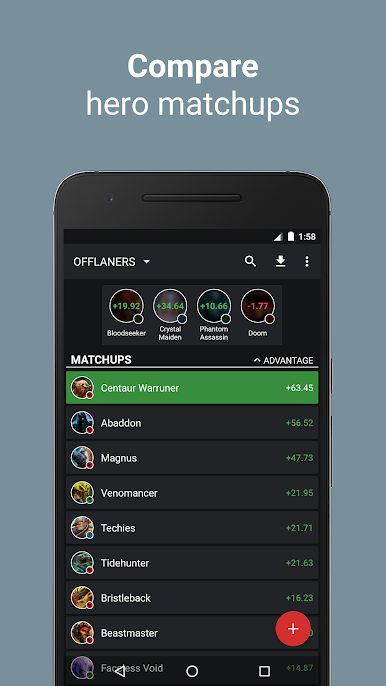
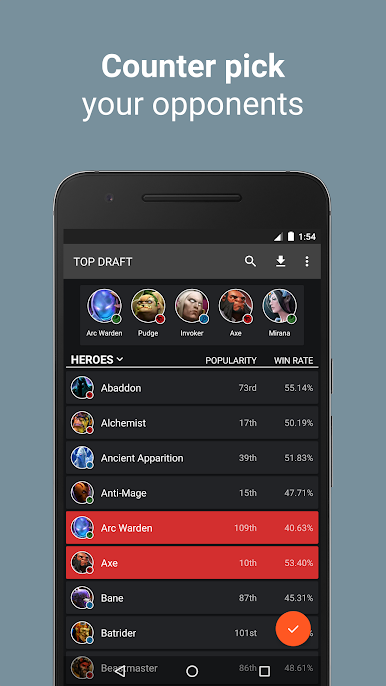
Counter Picks in a Snap
See which heroes are statistically most effective against your opponents—handy when you want to make smart calls and avoid painful mismatches. -
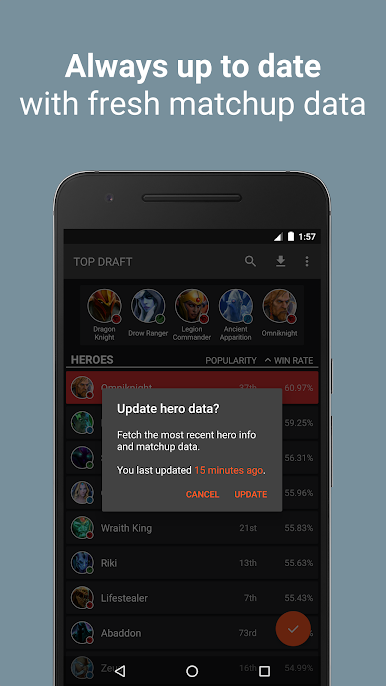
Updated Hero Data
With regular updates pulled from Dota 2’s own servers, you’re always working with the latest matchup info. You can even trigger updates manually, so your stats are fresh before every draft. -
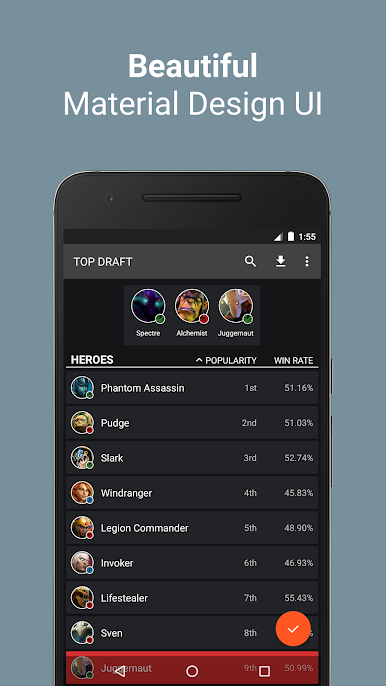
Win Rate & Popularity at a Glance
Curious who’s on top? Check out both win rates and hero popularity fast. This makes it easy to spot trending picks or steer clear of anything underperforming. -
Easy on the Eyes (and Fingers)
The interface is simple, modern, and doesn’t get in your way. Everything’s organized, quick to load, and feels right at home on your Android device. -
Totally Uncluttered
No ads, no in-app purchases—just the info you need, right when you need it. -
Optimized for Modern Devices
Built to take full advantage of newer versions of Android, so everything is smooth and responsive.
And if you prefer using your favorite Entertainment apps, like this one from Colin White Android Apps, on a bigger screen, Top Draft for Dota 2 also works with BlueStacks for a more comfortable experience.
Ready to experience Top Draft for Dota 2 on a bigger screen, in all its glory? Download BlueStacks now.
Mainkan Top Draft for Dota 2 di PC Mudah saja memulainya.
-
Unduh dan pasang BlueStacks di PC kamu
-
Selesaikan proses masuk Google untuk mengakses Playstore atau lakukan nanti
-
Cari Top Draft for Dota 2 di bilah pencarian di pojok kanan atas
-
Klik untuk menginstal Top Draft for Dota 2 dari hasil pencarian
-
Selesaikan proses masuk Google (jika kamu melewati langkah 2) untuk menginstal Top Draft for Dota 2
-
Klik ikon Top Draft for Dota 2 di layar home untuk membuka gamenya

