

Loops By CDUB
Juega en PC con BlueStacks: la plataforma de juegos Android, en la que confían más de 500 millones de jugadores.

Página modificada el: Aug 5, 2025
Run Loops By CDUB on PC or Mac
Let BlueStacks turn your PC, Mac, or laptop into the perfect home for Loops By CDUB, a fun Music & Audio app from The C-Dub Brand.
About the App
If you’re a gospel musician, you know how hectic preparing for a service can be—there’s always one more thing to set up. Loops By CDUB steps in to make life way less stressful. Whether you’re a keyboardist, drummer, or running audio for a choir, this handy Music & Audio app gives you fast, easy access to high-quality gospel drum loops and click tracks, all tailored for worship settings. You can quickly find what you need for any moment in the service, right from your phone or tablet.
App Features
-
Vast Loop Library
Dive into an ever-growing collection of drum loops and click tracks, all set up to fit the gospel songs you actually play in church. -
Download for Offline Use
Grab your favorite loops on Wi-Fi and use them later without worrying about a data connection. Your tracks are always ready, even if the church basement kills your signal. -
Tempo Control
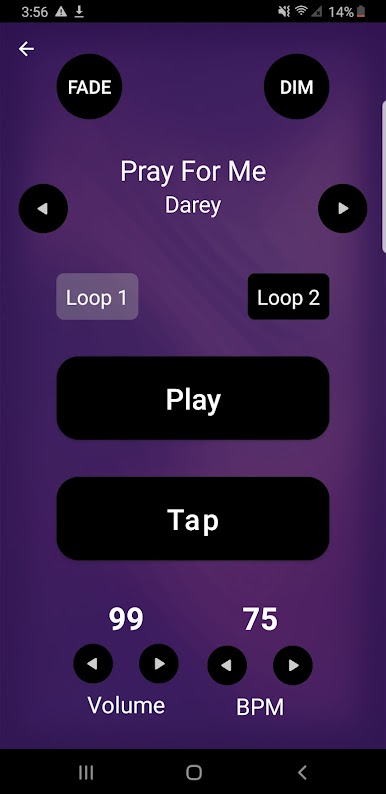
Not every choir sings at the same speed. Tweak the tempo of each loop easily so it matches your group or mood perfectly. -
Smooth Playback Tools
Use red/green light fade and dim buttons to make transitions in your worship service feel seamless—no awkward silences. -
Efficient Search
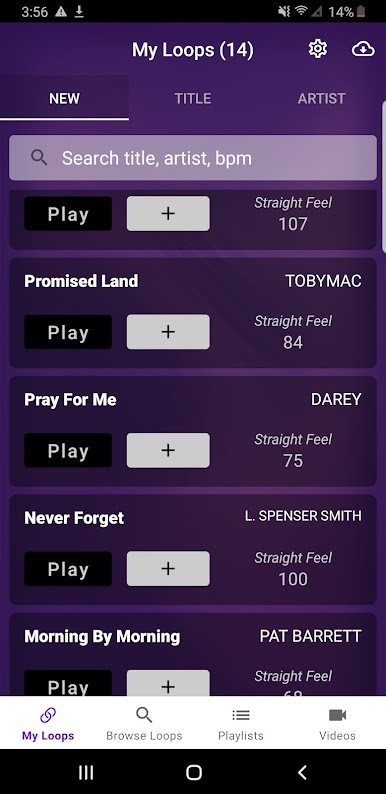
Looking for a loop by song title, artist, bpm, or even by the date you found it? The search options here make it pretty painless to find exactly what you need. -
Create Playlists
Get ready for Sunday by organizing your loops into playlists—have everything lined up so you’re never scrambling mid-service. -
Try Before You Subscribe
Check things out in the “MY LOOPS” section, with a few free loops to play around with before you choose to subscribe.
You can even run Loops By CDUB on a bigger screen using BlueStacks if you want more visibility for your setlist or quick adjustments during a live service.
The app’s all about cutting down prep time so you can focus on playing music, not shuffling files or fiddling with hardware.
BlueStacks gives you the much-needed freedom to experience your favorite apps on a bigger screen. Get it now.
Juega Loops By CDUB en la PC. Es fácil comenzar.
-
Descargue e instale BlueStacks en su PC
-
Complete el inicio de sesión de Google para acceder a Play Store, o hágalo más tarde
-
Busque Loops By CDUB en la barra de búsqueda en la esquina superior derecha
-
Haga clic para instalar Loops By CDUB desde los resultados de búsqueda
-
Complete el inicio de sesión de Google (si omitió el paso 2) para instalar Loops By CDUB
-
Haz clic en el ícono Loops By CDUB en la pantalla de inicio para comenzar a jugar

