


Note list - Notes & Reminders
Gioca su PC con BlueStacks: la piattaforma di gioco Android, considerata affidabile da oltre 500 milioni di giocatori.

Pagina modificata il: Oct 31, 2025
Play Note list - Notes & Reminders on PC
Free functions
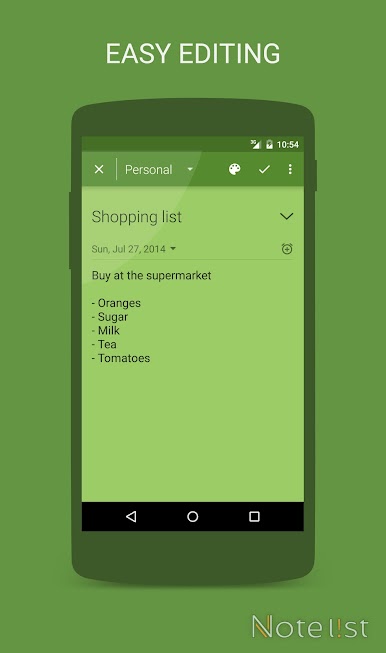
• Easy to use - Large notepad for writing notes, optimized for phones and tablets
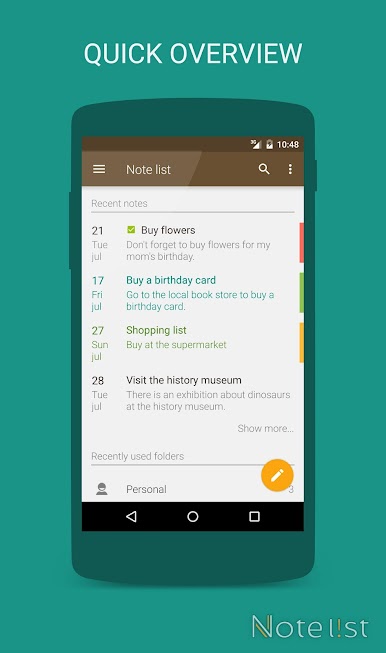
• Organize notes - Store your notes in folders and archive folders.
• Sync notes - Synchronize notes on multiple devices with Google Drive™
• Quick access - Add a shortcut to your home screen to quickly open the notepad editor to write new notes.
• Reminders - Add reminders to notes and check completed tasks.
• Backup/Restore - Keep your notes save by using the backup manager or automatically backup your notes with the synchronization function.
• Calendar view - Note list a great note app and you can also use it to write down todo items.
• Language support for: English, Dutch, German, Spanish, Italian.
Gioca Note list - Notes & Reminders su PC. È facile iniziare.
-
Scarica e installa BlueStacks sul tuo PC
-
Completa l'accesso a Google per accedere al Play Store o eseguilo in un secondo momento
-
Cerca Note list - Notes & Reminders nella barra di ricerca nell'angolo in alto a destra
-
Fai clic per installare Note list - Notes & Reminders dai risultati della ricerca
-
Completa l'accesso a Google (se hai saltato il passaggio 2) per installare Note list - Notes & Reminders
-
Fai clic sull'icona Note list - Notes & Reminders nella schermata principale per iniziare a giocare

