


Guns of Glory: Lost Island
Juega en PC con BlueStacks: la plataforma de juegos Android, en la que confían más de 500 millones de jugadores.

Página modificada el: Sep 18, 2026
Juega a Guns of Glory: Lost Island en PC o Mac
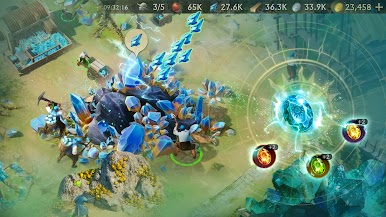
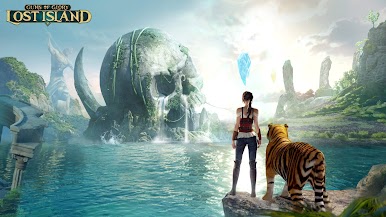
Guns of Glory: Lost Island es un juego de estrategia desarrollado por FunPlus International AG. El emulador de BlueStacks es la mejor plataforma para jugar este juego de Android en tu PC o Mac y obtener una experiencia de juego inmersiva.
Un reino consumido por la oscuridad
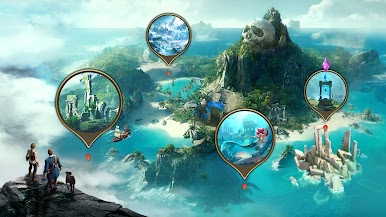
Descarga Guns of Glory: Lost Island en PC. La paz del reino ha llegado a su fin. Antiguos aliados se han convertido en amenazas mortales, mientras la magia prohibida y las criaturas oscuras avanzan sin control. Los alquimistas buscan dominar los secretos de la vida y la muerte, y las brujas que antes protegían estas tierras ahora luchan junto a vampiros y hombres lobo para expandir el caos.
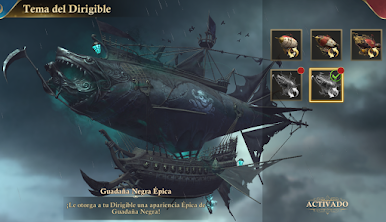
En medio de esta guerra, la corona desarrolla nuevas tecnologías impulsadas por vapor y poderosos cañones para resistir la invasión. El equilibrio entre ciencia y magia está colapsando, y el destino del reino depende de los héroes capaces de enfrentarse a esta amenaza.
Forja alianzas y conquista la batalla
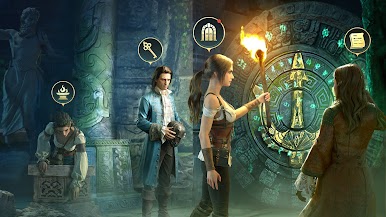
Tu misión será reunir guerreros legendarios, recuperar habilidades antiguas y liderar la resistencia contra las fuerzas oscuras. Cada combate pondrá a prueba tu estrategia mientras exploras un mundo lleno de secretos, enemigos peligrosos y desafíos épicos.
Características principales
- Batallas llenas de acción y fantasía oscura
- Héroes y aliados con habilidades únicas
- Armas legendarias y poderes ancestrales
- Un mundo donde magia y tecnología chocan constantemente
Prepárate para luchar por el futuro del reino y descubrir el verdadero poder de la Espada de los Reyes. Descarga Guns of Glory: Lost Island en PC con BlueStacks.
También puedes Jugar Guns of Glory: Lost Island en el navegador de tu PC o dispositivo móvil sin descargar. ¡Haz clic y juega al instante!


Juega Guns of Glory: Lost Island en la PC. Es fácil comenzar.
-
Descargue e instale BlueStacks en su PC
-
Complete el inicio de sesión de Google para acceder a Play Store, o hágalo más tarde
-
Busque Guns of Glory: Lost Island en la barra de búsqueda en la esquina superior derecha
-
Haga clic para instalar Guns of Glory: Lost Island desde los resultados de búsqueda
-
Complete el inicio de sesión de Google (si omitió el paso 2) para instalar Guns of Glory: Lost Island
-
Haz clic en el ícono Guns of Glory: Lost Island en la pantalla de inicio para comenzar a jugar

