


WebDAV plugin-Total Commander
Gioca su PC con BlueStacks: la piattaforma di gioco Android, considerata affidabile da oltre 500 milioni di giocatori.

Pagina modificata il: Aug 8, 2025
Run WebDAV plugin-Total Commander on PC or Mac
Get freedom from your phone’s obvious limitations. Use WebDAV plugin-Total Commander, made by C. Ghisler, a Tools app on your PC or Mac with BlueStacks, and level up your experience.
About the App
WebDAV plugin-Total Commander by C. Ghisler is made for anyone who’s already using Total Commander and wants a super smooth way to manage files on WebDAV servers. Instead of juggling multiple apps or dealing with tricky setups, this plugin adds WebDAV support straight into your favorite file manager. It’s a niche but powerful tool—if you know you need it, you’ll appreciate how easy it makes connecting to servers and moving files around. (Heads up: you’ll need Total Commander to get this going. This one’s just the plugin.)
App Features
-
WebDAV Server Access
Bring your WebDAV servers, like those running Apache with WebDAV extensions, right into Total Commander. Once connected, you can handle files on your remote server as easily as local ones. -
Seamless Integration
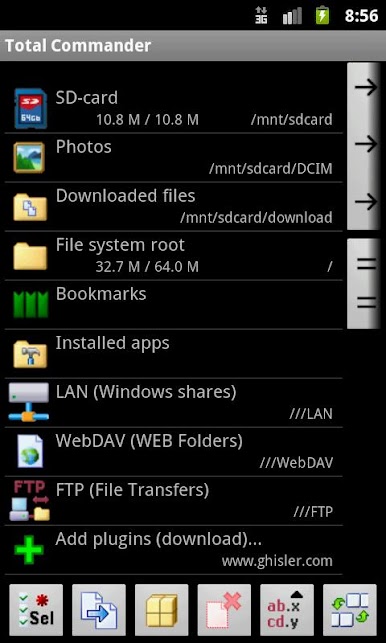
It blends right into the Total Commander interface, so there’s nothing new to learn—your remote files show up just like any other folder. -
Simple Connection Setup
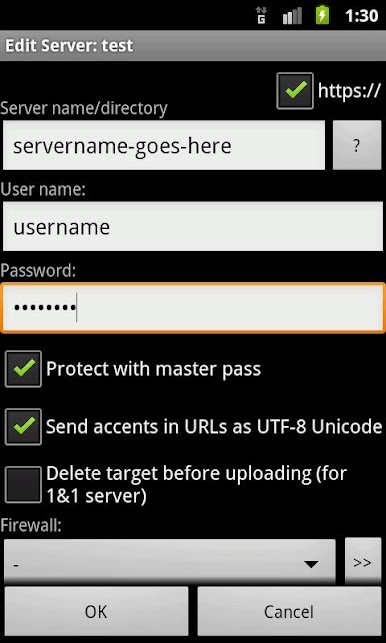
Adding a new server is straightforward—no complicated settings or confusing menus. Just enter your details and go. -
Flexible File Transfers
Transfer, copy, or manage files between your device and your WebDAV server, no matter where they are, all from within one app.
This little addition to Total Commander doesn’t just make remote storage possible—it makes it easy, especially if you’re running Android apps on BlueStacks.
Eager to take your app experience to the next level? Start right away by downloading BlueStacks on your PC or Mac.
Gioca WebDAV plugin-Total Commander su PC. È facile iniziare.
-
Scarica e installa BlueStacks sul tuo PC
-
Completa l'accesso a Google per accedere al Play Store o eseguilo in un secondo momento
-
Cerca WebDAV plugin-Total Commander nella barra di ricerca nell'angolo in alto a destra
-
Fai clic per installare WebDAV plugin-Total Commander dai risultati della ricerca
-
Completa l'accesso a Google (se hai saltato il passaggio 2) per installare WebDAV plugin-Total Commander
-
Fai clic sull'icona WebDAV plugin-Total Commander nella schermata principale per iniziare a giocare

