GuitarArpeggios

GuitarArpeggios

Música y Sonido | WeSoftLab

Juega en PC con BlueStacks: la plataforma de juegos Android, en la que confían más de 500 millones de jugadores.

Página modificada el: Aug 15, 2025

Run GuitarArpeggios on PC or Mac

What’s better than using GuitarArpeggios by WeSoftLab? Well, try it on a big screen, on your PC or Mac, with BlueStacks to see the difference.

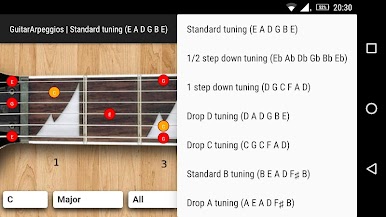
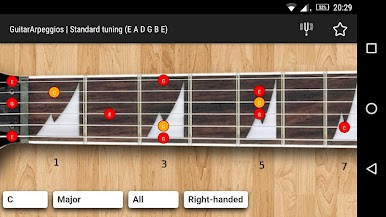
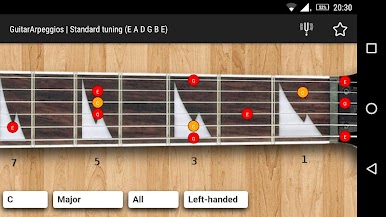
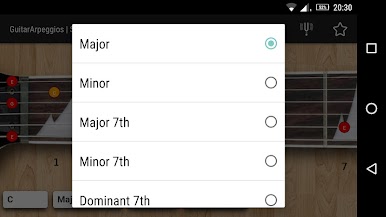
GuitarArpeggios feels like a clean little practice buddy that puts the whole fretboard in front of someone and lets them hear every note of an arpeggio as they click through it. Open it and there is a simple neck view, pick a chord type, and tap the dots to hear the tones ring out one by one, up or down. It covers standard tuning plus a few common drop tunings, and there is a switch for right handed or left handed layout, so the shapes line up the way a player expects. No clutter, no lessons stuffed everywhere, just the patterns and the sound. It is basically a quick way to see where the safe notes live over a chord, then train the ear to that smooth, flowing, broken chord feel.

On a PC with BlueStacks it is extra easy to see the shapes across the neck because the screen is big and the mouse makes slow, precise clicking simple. Someone can crawl through a pattern at their own pace, listen for clean intervals, then pick up the guitar and match it. It works well for short practice bursts, warmups, or sketching ideas for solos. It does not try to teach theory from scratch or hold a hand through full songs. Think of it more like a visual map with sound, a fast reference that helps connect the eyes, the hands, and the ear when arpeggios are the goal.

Eager to take your app experience to the next level? Start right away by downloading BlueStacks on your PC or Mac.

Juega GuitarArpeggios en la PC. Es fácil comenzar.

  • Descargue e instale BlueStacks en su PC

  • Complete el inicio de sesión de Google para acceder a Play Store, o hágalo más tarde

  • Busque GuitarArpeggios en la barra de búsqueda en la esquina superior derecha

  • Haga clic para instalar GuitarArpeggios desde los resultados de búsqueda

  • Complete el inicio de sesión de Google (si omitió el paso 2) para instalar GuitarArpeggios

  • Haz clic en el ícono GuitarArpeggios en la pantalla de inicio para comenzar a jugar

Ver video