


Hexnode Kiosk Browser
Mainkan di PC dengan BlueStacks – platform Game-Game Android, dipercaya oleh lebih dari 500 juta gamer.

Play Hexnode Kiosk Browser on PC
Features:
Auto launch: Open specific website automatically upon device boot.
Custom web view: Hexnode Kiosk browser provides fast and efficient but controlled custom view in the Kiosk mode.
Disable notifications: The device notifications can be disabled in the kiosk mode, preventing access to other apps by clicking on the notifications.
Disable software and hardware keys: The soft and hard keys can be disabled in the kiosk mode, which in turn, prevents users from exiting the web page that is currently on display.
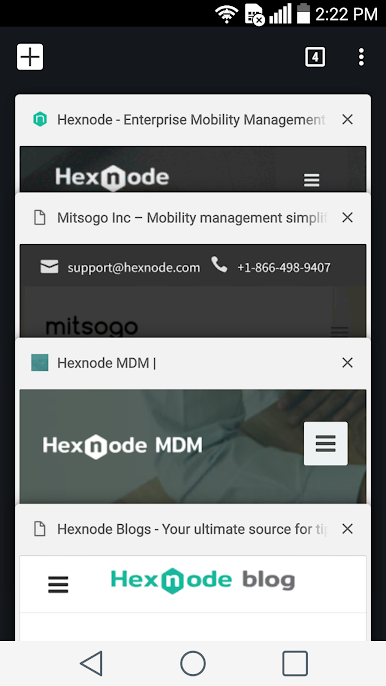
Multi-tabbed browsing: Enable multi-tabbed browsing for every web app that is added to the kiosk.
Remote management: Every action like adding web apps, whitelisting or blacklisting URLs, silent app installation etc. can be done completely over-the-air.
Update apps in kiosk mode: Update the apps to their latest version while in kiosk mode without the need to exit from kiosk.
Restrict peripherals: Peripherals like Bluetooth, Wi-Fi etc can be restricted in the kiosk mode.
URL blacklisting/whitelisting: Restrict access to URLs by blacklisting them or restrict browsing to a few whitelisted URLs alone.
Web-based kiosk: Restrict the kiosk devices to a few websites rather than just a handful of apps.
NOTE: The above features are meant to apply only to those devices which are already enrolled in Hexnode MDM and kiosk mode activated.

Mainkan Hexnode Kiosk Browser di PC Mudah saja memulainya.
-
Unduh dan pasang BlueStacks di PC kamu
-
Selesaikan proses masuk Google untuk mengakses Playstore atau lakukan nanti
-
Cari Hexnode Kiosk Browser di bilah pencarian di pojok kanan atas
-
Klik untuk menginstal Hexnode Kiosk Browser dari hasil pencarian
-
Selesaikan proses masuk Google (jika kamu melewati langkah 2) untuk menginstal Hexnode Kiosk Browser
-
Klik ikon Hexnode Kiosk Browser di layar home untuk membuka gamenya

