


NetSfere Secure Messaging
Gioca su PC con BlueStacks: la piattaforma di gioco Android, considerata affidabile da oltre 500 milioni di giocatori.

Pagina modificata il: Dec 2, 2025
Play NetSfere Secure Messaging on PC
As a mobile-first and enterprise-first messaging app, NetSfere offers a robust set of features that improve productivity and help enterprises comply with regulatory standards. Key Benefits include:
Security:
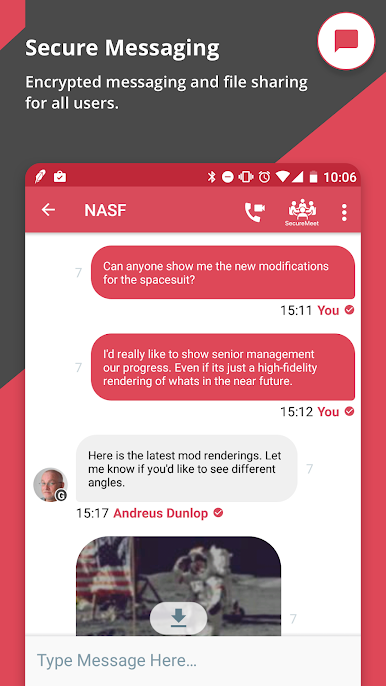
An industry-first Quantum-Proof Secure Communication Platform powered by ML-KEM 1024 end-to-end encryption that provides robust protection for sensitive business data and intellectual property, ensuring a secure communication environment for enterprises.
Control:
A centralized administrative control panel with comprehensive capabilities to manage all facets of the communication platform, encompassing user provisioning, end-user policies, and privileges as prescribed by the enterprise.
Compliance:
Comprehensive administrative, physical, and technical safeguards that enable enterprises to achieve complete regulatory compliance by adhering to the most stringent and dynamic global compliance and privacy standards of FedRAMP, SOC2, GDPR, HIPAA, FINRA, SOX, DFA, and other relevant regulations.
Engagement:
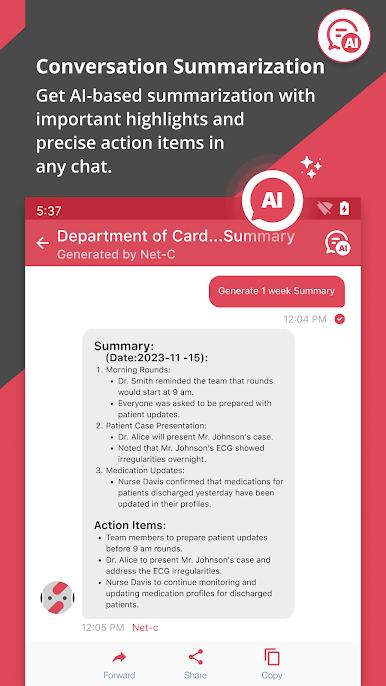
Drives collaboration and productivity by empowering employees to communicate securely and safely over their preferred channels for communication – text, voice, and video in an instantaneous, contextual, and highly engaging mobile messaging environment.



Gioca NetSfere Secure Messaging su PC. È facile iniziare.
-
Scarica e installa BlueStacks sul tuo PC
-
Completa l'accesso a Google per accedere al Play Store o eseguilo in un secondo momento
-
Cerca NetSfere Secure Messaging nella barra di ricerca nell'angolo in alto a destra
-
Fai clic per installare NetSfere Secure Messaging dai risultati della ricerca
-
Completa l'accesso a Google (se hai saltato il passaggio 2) per installare NetSfere Secure Messaging
-
Fai clic sull'icona NetSfere Secure Messaging nella schermata principale per iniziare a giocare

