


eCharge+
Mainkan di PC dengan BlueStacks – platform Game-Game Android, dipercaya oleh lebih dari 500 juta gamer.

Play eCharge+ on PC
continuously expanding network of public charging stations. Start quick and easy charging with your
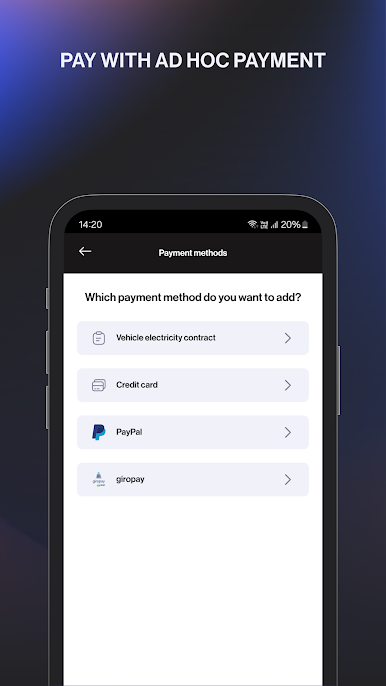
preferred payment methods, such as PayPal, credit card, your personal electricity contract or a voucher.
The eCharge+ App is free and there is no registration required for public charging stations.
Download the eCharge+ app now!
FEATURES
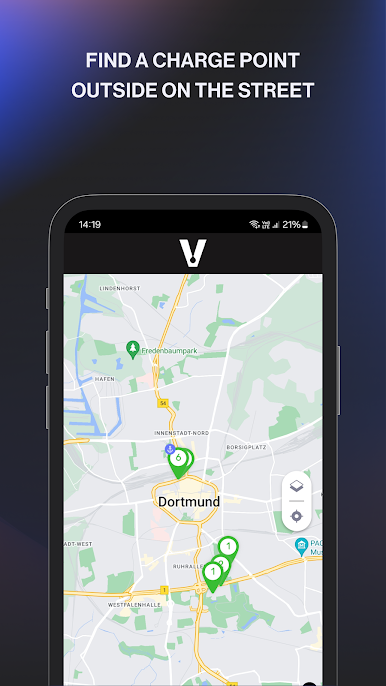
• Find charging stations in your area or close to a specific address.
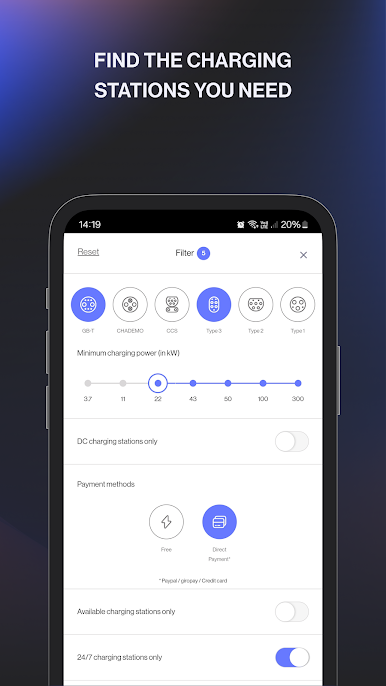
• Filter your overview map according to your relevant charging station.
• Check availability of charging points in real time.
• Add your payment method once and start charging even faster in the future.
• Pay via PayPal, credit card, your electricity contract or a voucher directly via your eCharge App.
• Monitor your active charging session and track your charging progress.
• Save your regularly used charging stations as favorites.
• Check your past charging sessions and costs at any time
• Find out more about your contribution to the environment by using an electric vehicle.
• Report a problem with your charging station directly via the eCharge+ App or use the respective charging station hotline.
CHARGE ON THE GO
• Connect your electric vehicle with a suitable charging cable with the charging station.
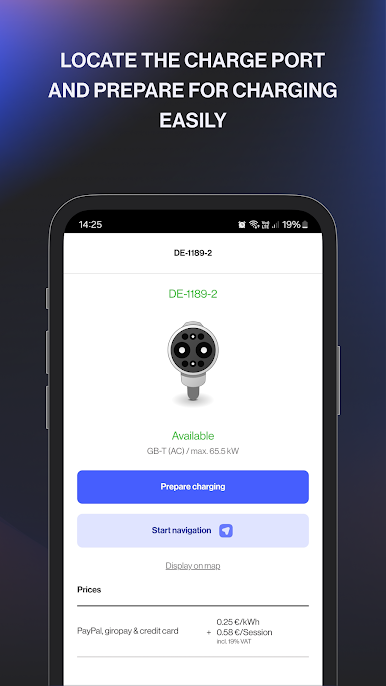
• Select the required charging point in the app. Enter your charging point number into the search box.
• Select “Prepare charging”, choose your desired payment method and charging options and start charging.
• As soon as the charging session has been approved, both cable ends will be locked. The cables can only be removed by you.
• You can stop your charging session at any time.
Mainkan eCharge+ di PC Mudah saja memulainya.
-
Unduh dan pasang BlueStacks di PC kamu
-
Selesaikan proses masuk Google untuk mengakses Playstore atau lakukan nanti
-
Cari eCharge+ di bilah pencarian di pojok kanan atas
-
Klik untuk menginstal eCharge+ dari hasil pencarian
-
Selesaikan proses masuk Google (jika kamu melewati langkah 2) untuk menginstal eCharge+
-
Klik ikon eCharge+ di layar home untuk membuka gamenya

