


OP:Voyage Chronicles
Juega en PC con BlueStacks: la plataforma de juegos Android, en la que confían más de 500 millones de jugadores.

Página modificada el: Nov 21, 2025
Visión general
-Relive all the epic scenes and conquer the grand line
Bring a straw hat for Nami, the unyielding words of Chopper, one last moment of Going Merry...We shall bring you all of these epic moments
-Popular heroes, free to choose and combine setups
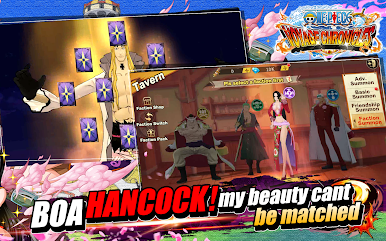
Hundreds of popular heroes from OP with different skills and abilities. Use tactics and strategies to build your own team!
-Tactics and Strategies
By using different skills and setups, counter your opponents and defeat them to win rewards! Also, talents can be enhanced by selecting a specific bonus, like ATK or DEF, even revival!
-Easy game play, auto battle 24/7
Newbie friendly, free to play at any time. Free your hands, win rewards just by tapping a few buttons.
-Multiple game modes
Apart from main stag, you may also play in different game modes. Some of them emphasis on different tactics, and others are on entertainment
-Play with your friends and fight together
Together, with you friends to build your own clan, and more events also rewards are coming for you!












Juega OP:Voyage Chronicles en la PC. Es fácil comenzar.
-
Descargue e instale BlueStacks en su PC
-
Complete el inicio de sesión de Google para acceder a Play Store, o hágalo más tarde
-
Busque OP:Voyage Chronicles en la barra de búsqueda en la esquina superior derecha
-
Haga clic para instalar OP:Voyage Chronicles desde los resultados de búsqueda
-
Complete el inicio de sesión de Google (si omitió el paso 2) para instalar OP:Voyage Chronicles
-
Haz clic en el ícono OP:Voyage Chronicles en la pantalla de inicio para comenzar a jugar

