


Video Live Wallpaper
Mainkan di PC dengan BlueStacks – platform Game-Game Android, dipercaya oleh lebih dari 500 juta gamer.

Run Video Live Wallpaper on PC or Mac
Upgrade your experience. Try Video Live Wallpaper, the fantastic Tools app from NAINGDroid, from the comfort of your laptop, PC, or Mac, only on BlueStacks.
About the App
Ever thought it’d be cool if your phone wallpaper moved? With Video Live Wallpaper by NAINGDroid, you can set your favorite memories—or even that funny clip you love—as your actual wallpaper. It’s super simple to use, and suddenly your home screen feels a lot more personal and, well, alive.
App Features
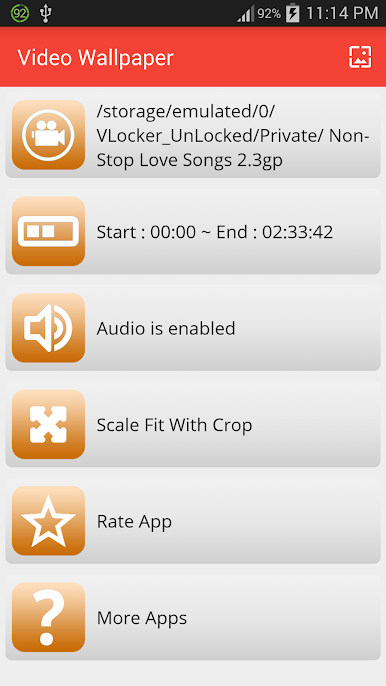
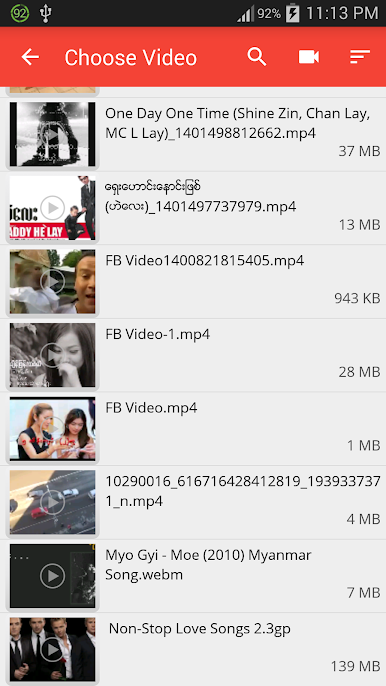
Choose Your Favorite Video
Pick any video you want from your device and set it right on your home or lock screen. Birthdays, vacations, goofy moments—if it’s on your phone, it can be your wallpaper.
Trim to the Best Part
Don’t want the whole clip on loop? No problem. Easily choose just the section of the video you want playing, so only your favorite moments make it onto your screen.
Fits Any Screen Size
Whether you’re on a tablet or phone, the video will automatically adjust itself to fit. No more weird cropping or awkward stretching.
Sound On (or Off—it’s Up to You)
You get to decide if you want the audio from your video to play or if you’d rather keep things quiet. It’s just a quick toggle to suit your moment.
If you ever want a dynamic background while using BlueStacks, Video Live Wallpaper gives you that extra dash of personality—right on your desktop, just like on your phone.
BlueStacks brings your apps to life on a bigger screen—seamless and straightforward.
Mainkan Video Live Wallpaper di PC Mudah saja memulainya.
-
Unduh dan pasang BlueStacks di PC kamu
-
Selesaikan proses masuk Google untuk mengakses Playstore atau lakukan nanti
-
Cari Video Live Wallpaper di bilah pencarian di pojok kanan atas
-
Klik untuk menginstal Video Live Wallpaper dari hasil pencarian
-
Selesaikan proses masuk Google (jika kamu melewati langkah 2) untuk menginstal Video Live Wallpaper
-
Klik ikon Video Live Wallpaper di layar home untuk membuka gamenya

