


Parchisi: Offline Parchis Game
Juega en PC con BlueStacks: la plataforma de juegos Android, en la que confían más de 500 millones de jugadores.

Página modificada el: Nov 11, 2025
Juega Parchisi: Offline Parchis Game en PC
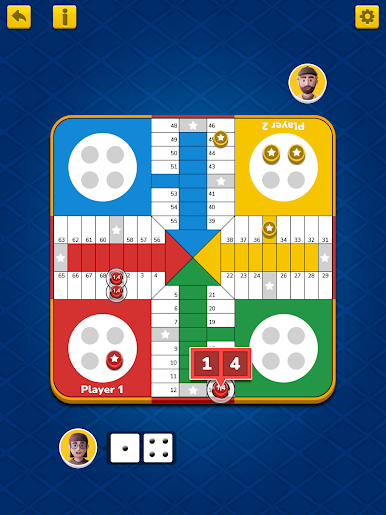
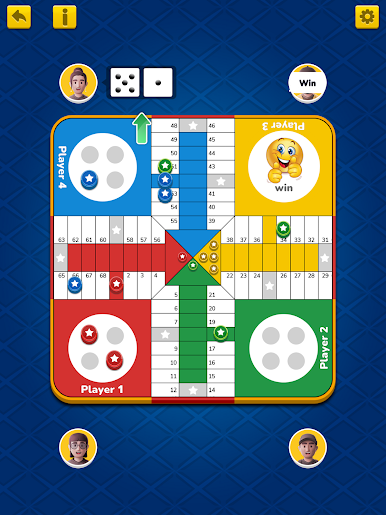
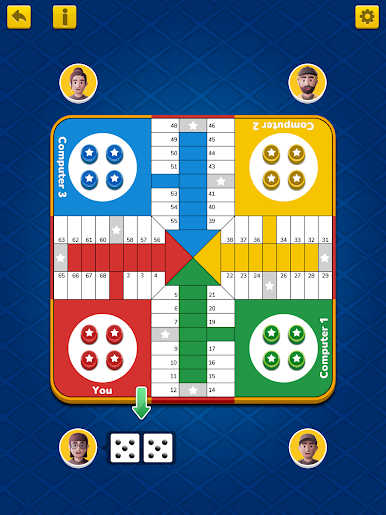
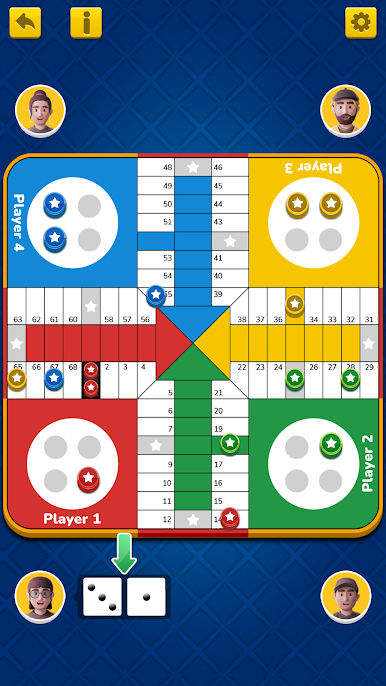
El parchís es un juego de mesa que se juega en familia, con amigos y con niños.
Recompensas por movimientos extra:
- La recompensa por enviar una pieza del oponente al nido es un movimiento gratuito de veinte casillas indivisibles.
- La recompensa por colocar una pieza en la casilla de inicio es un movimiento gratuito de diez casillas indivisibles.
El juego Parchis Ludo incluye:
- Jugar contra la computadora
- Jugar con amigos (Multijugador local)
El parchís es un juego de mesa español de la familia de las cruces y círculos. Es una adaptación del juego indio Pachisi. El parchís fue un juego muy popular en España en su momento, así como en Estados Unidos, Europa y Marruecos.
El parchís es un juego de mesa rey.
Características:
🎲 Reglas clásicas de Parchisi: ¡Fácil de aprender, divertido de dominar!
🤖 Oponentes inteligentes con IA: Juega sin conexión cuando quieras (Juegos sin wifi).
🎨 Gráficos espectaculares: Jugabilidad fluida y diseño espectacular.
🏆 Múltiples modos de juego: Elige tu nivel de dificultad.
🎶 Efectos de sonido relajantes: Mejora tu experiencia de juego.
¡Descarga Parchisi sin conexión ahora y disfruta de diversión sin límites con este juego de mesa atemporal! 🚀



Juega Parchisi: Offline Parchis Game en la PC. Es fácil comenzar.
-
Descargue e instale BlueStacks en su PC
-
Complete el inicio de sesión de Google para acceder a Play Store, o hágalo más tarde
-
Busque Parchisi: Offline Parchis Game en la barra de búsqueda en la esquina superior derecha
-
Haga clic para instalar Parchisi: Offline Parchis Game desde los resultados de búsqueda
-
Complete el inicio de sesión de Google (si omitió el paso 2) para instalar Parchisi: Offline Parchis Game
-
Haz clic en el ícono Parchisi: Offline Parchis Game en la pantalla de inicio para comenzar a jugar

