


RAID: Shadow Legends
Juega en PC con BlueStacks: la plataforma de juegos Android, en la que confían más de 500 millones de jugadores.

Página modificada el: Sep 4, 2026
Juega a RAID: Shadow Legends en PC o Mac
RAID: Shadow Legends es un juego de rol desarrollado por Plarium Global Ltd. El emulador de BlueStacks es la mejor plataforma para jugar este juego de Android en tu PC o Mac y obtener una experiencia de juego inmersiva.
Recluta campeones legendarios y salva Teleria
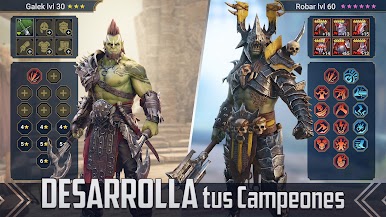
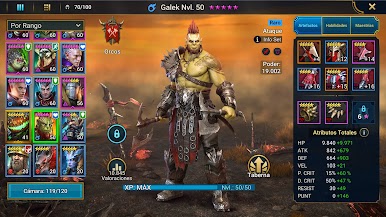
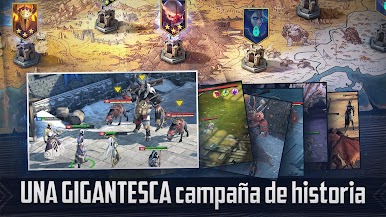
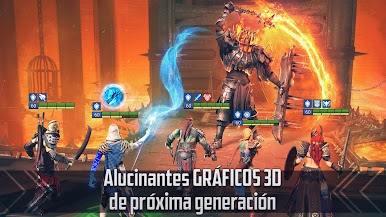
Descarga RAID: Shadow Legends en PC, un RPG de fantasía oscura por turnos que te lleva al mundo de Teleria, un reino amenazado por el poderoso señor oscuro Siroth. Para detener su avance, deberás reunir un ejército formado por cientos de campeones legendarios pertenecientes a 16 facciones diferentes, cada uno con habilidades, atributos y estilos de combate únicos.
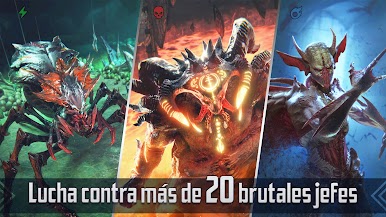
A lo largo de la aventura explorarás mazmorras repletas de desafíos, combatirás contra enormes jefes como dragones y demonios colosales, y fortalecerás a tus héroes para afrontar enemigos cada vez más peligrosos. La enorme variedad de personajes permite experimentar con diferentes composiciones de equipo y descubrir nuevas estrategias para cada batalla.
Con años de actualizaciones y una comunidad activa, el juego ofrece una experiencia RPG profunda y repleta de contenido.
Domina el combate táctico y el modo multijugador
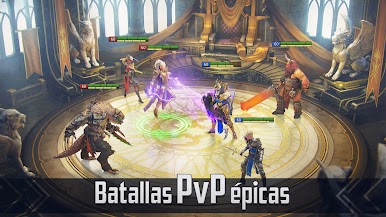
Además de la campaña principal, RAID: Shadow Legends incluye modos competitivos donde podrás enfrentarte a jugadores de todo el mundo. La Arena pone a prueba tu capacidad para crear equipos equilibrados y aprovechar las fortalezas de cada campeón para alcanzar la victoria.
Características principales
- Más de 800 campeones repartidos en 16 facciones
- Combates estratégicos por turnos con gran profundidad táctica
- Mazmorras, jefes épicos y abundante contenido PvE
- Arena multijugador para competir contra otros jugadores
Con una enorme colección de héroes, combates estratégicos y constantes desafíos, RAID: Shadow Legends ofrece una experiencia imprescindible para los amantes de los RPG de fantasía. Descarga RAID: Shadow Legends en PC con BlueStacks.
También puedes Jugar RAID: Shadow Legends en el navegador de tu PC o dispositivo móvil sin descargar. ¡Haz clic y juega al instante!


Juega RAID: Shadow Legends en la PC. Es fácil comenzar.
-
Descargue e instale BlueStacks en su PC
-
Complete el inicio de sesión de Google para acceder a Play Store, o hágalo más tarde
-
Busque RAID: Shadow Legends en la barra de búsqueda en la esquina superior derecha
-
Haga clic para instalar RAID: Shadow Legends desde los resultados de búsqueda
-
Complete el inicio de sesión de Google (si omitió el paso 2) para instalar RAID: Shadow Legends
-
Haz clic en el ícono RAID: Shadow Legends en la pantalla de inicio para comenzar a jugar

