

Jungle Adventures Juegos
Juega en PC con BlueStacks: la plataforma de juegos Android, en la que confían más de 500 millones de jugadores.

Página modificada el: Jan 7, 2025
Play Jungle Adventures on PC or Mac
From the innovators and creators at Rendered Ideas, Jungle Adventures is another fun addition to the World of Action games. Go beyond your mobile screen and play it bigger and better on your PC or Mac. An immersive experience awaits you.
Jungle Adventures is one of those old-school platformer games where you’re running and jumping through a bunch of colorful jungle levels, trying to save the hero’s girlfriend from this cartoonish monster. The whole thing feels really bright and classic, with smooth, simple controls that get more fun if you play on PC with BlueStacks, since the keyboard works great for quick moves. There are over 80 levels, and each one throws a new obstacle or enemy at you, sometimes making you stop and figure out the best way to get through without falling into a trap or getting caught by some weird jungle creature.
What stands out are the boss fights—they actually make you pay attention since each boss has its own attack patterns, and you have to find the right time to dodge or jump. You get different characters to choose from, and as you collect fruit and other things in the world, you can unlock or upgrade power-ups. Some of the upgrades, like double or triple jump, actually make it feel a lot better when the game gets tricky. The art style is chill—not too flashy, just bright and clean. It’s pretty easy to pick up, but later levels can be tougher if you rush through. There’s always something new, like an ice world or random creatures popping up, so things don’t get too repetitive. It feels like something anyone can start, but staying alive through all these minions and traps keeps it interesting even if you’ve played a lot of platformers already.
Slay your opponents with your epic moves. Play it your way on BlueStacks and dominate the battlefield.


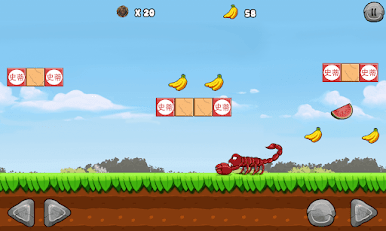
Juega Jungle Adventures Juegos en la PC. Es fácil comenzar.
-
Descargue e instale BlueStacks en su PC
-
Complete el inicio de sesión de Google para acceder a Play Store, o hágalo más tarde
-
Busque Jungle Adventures Juegos en la barra de búsqueda en la esquina superior derecha
-
Haga clic para instalar Jungle Adventures Juegos desde los resultados de búsqueda
-
Complete el inicio de sesión de Google (si omitió el paso 2) para instalar Jungle Adventures Juegos
-
Haz clic en el ícono Jungle Adventures Juegos en la pantalla de inicio para comenzar a jugar

