


Dominoes
Gioca su PC con BlueStacks: la piattaforma di gioco Android, considerata affidabile da oltre 500 milioni di giocatori.

Pagina modificata il: Jul 9, 2024
Gioca Dominoes per PC
Fatta eccezione per blocco domino, se un giocatore non può fare una mossa, essi devono disegnare domino dal boneyard fino a quando ottengono un domino che possono svolgere. Un giocatore che non può fare una mossa e non può disegnare perché il boneyard è vuota o che stanno giocando a domino del blocco, deve passare il loro turno.
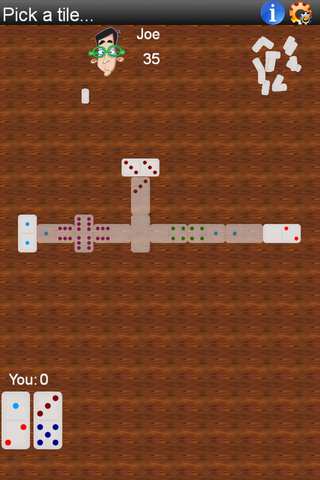
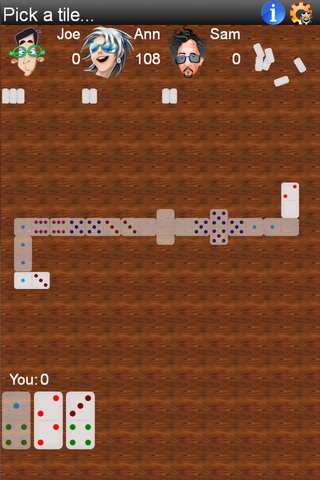
Nel domino Tutti i cinque anni, se un domino è giocato e la somma totale di tutti e quattro i lati è un multiplo di 5, il giocatore guadagna quei punti.
Il round termina quando un giocatore gioca tutte le loro tessere, o quando un gioco è bloccata e più mosse può essere fatto. Alla fine di un round, il giocatore con la mano più leggera (minor numero di punti sulle loro tessere rimanenti) conquista un bonus punto - somma di tutti i loro avversari domino netto di eventuali domino ancora rimaste nelle mani del vincitore.
Per spostare rubinetto un domino che si desidera inserire. Se c'è solo un posto che può andare, Verrà inserito automaticamente. In caso contrario, toccare o trascinare e rilasciare al domino di collegamento.
Questa versione gratuita è supportato da annunci 3rd party. Gli annunci possono utilizzare la connettività Internet, e quindi potrebbero essere applicate tariffe dati successivi. si richiede la licenza foto / media / file per consentire il gioco per salvare i dati di gioco per storage esterno, ed è talvolta utilizzato per gli annunci di cache.
Non dimenticare di controllare la nostra sezione di gioco per altri giochi divertenti ....
Gioca Dominoes su PC. È facile iniziare.
-
Scarica e installa BlueStacks sul tuo PC
-
Completa l'accesso a Google per accedere al Play Store o eseguilo in un secondo momento
-
Cerca Dominoes nella barra di ricerca nell'angolo in alto a destra
-
Fai clic per installare Dominoes dai risultati della ricerca
-
Completa l'accesso a Google (se hai saltato il passaggio 2) per installare Dominoes
-
Fai clic sull'icona Dominoes nella schermata principale per iniziare a giocare

