


Wireless Workbench Mobile
Juega en PC con BlueStacks: la plataforma de juegos Android, en la que confían más de 500 millones de jugadores.

Página modificada el: Oct 22, 2025
Play Wireless Workbench Mobile on PC
Wireless Workbench Mobile puts wireless control in your hands, wherever the job takes you. Built for professionals on the move, the app replaces ShurePlus Channels with a sleeker interface and powerful new tools. Whether on a walk test, working from a cart, or managing a live show, Wireless Workbench Mobile keeps you connected to your Shure Wireless and one step ahead.
Wireless Control, Always Within Reach:
• Control your Shure wireless systems on the go with fast, intuitive mobile access.
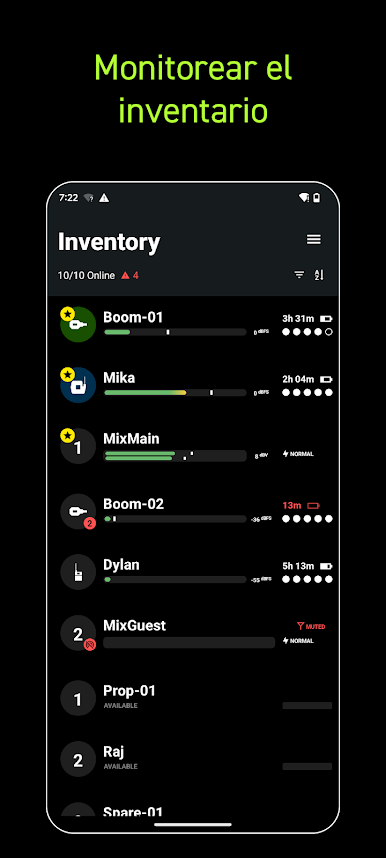
• Make quick, informed decisions with an interface that highlights key channel data.
• Receive guided alerts that show precisely what’s wrong and how to fix it.
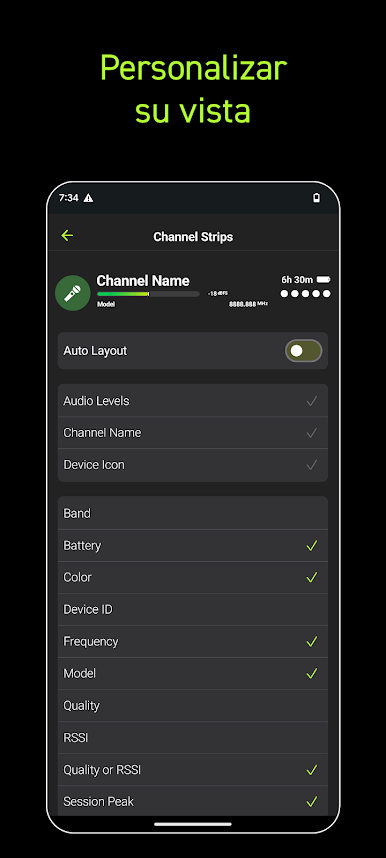
• Tag, color-label, and favorite channels to match your unique workflow.
• Connect over Wi-Fi or Ethernet for reliable performance in any environment.
How It Works:
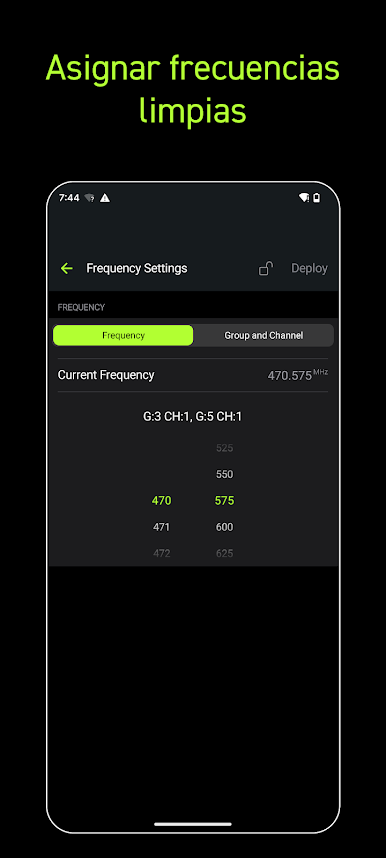
Wireless Workbench Mobile connects to supported Shure Wireless, displaying essential RF, battery, and audio data in real time. The streamlined layout adapts to your workflow, enabling you to focus on what matters most. Scan and deploy frequencies, monitor system performance, and troubleshoot directly from your tablet or phone.
Why It's Better:
Stay Ahead of Issues
Real-time alerts flag potential problems and provide guidance to resolve them, keeping your production on track.
Built for How You Work
Designed for speed and precision, the focused interface supports fast decisions in live production environments.

Juega Wireless Workbench Mobile en la PC. Es fácil comenzar.
-
Descargue e instale BlueStacks en su PC
-
Complete el inicio de sesión de Google para acceder a Play Store, o hágalo más tarde
-
Busque Wireless Workbench Mobile en la barra de búsqueda en la esquina superior derecha
-
Haga clic para instalar Wireless Workbench Mobile desde los resultados de búsqueda
-
Complete el inicio de sesión de Google (si omitió el paso 2) para instalar Wireless Workbench Mobile
-
Haz clic en el ícono Wireless Workbench Mobile en la pantalla de inicio para comenzar a jugar

