


Symphony Messaging BlackBerry
Juega en PC con BlueStacks: la plataforma de juegos Android, en la que confían más de 500 millones de jugadores.

Página modificada el: Nov 25, 2025
Play Symphony Messaging BlackBerry on PC
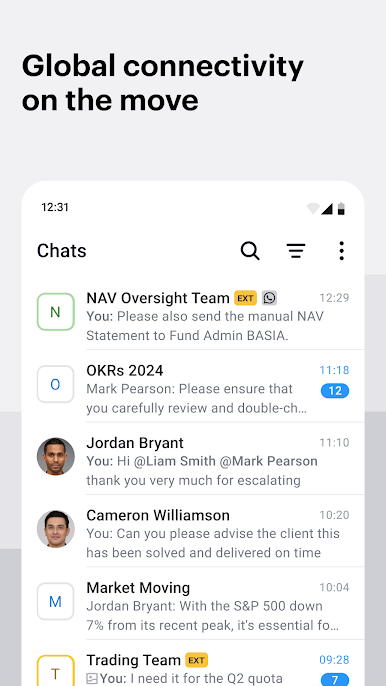
With the Symphony Messaging mobile app, conversations continue away from the desk - offering flexibility to securely connect with everyone you need, while on the move.
Community
• Connect with a community of over half a million users, both internally and externally, while maintaining global organizational controls.
Federation
• Compliance-enabled mobile communication across key external networks such as WhatsApp, WeChat, SMS, LINE, and voice.
• Symphony Virtual Numbers provide employees a convenient, centralized and compliance-friendly hub for communication across mobile voice, SMS and messaging applications.
Compliance
• Active surveillance, data loss protection, and internal/external expression filters.
Security
• Secure data with standard end-to-end encryption, and flexible hardware and cloud-based deployment options.
Stability
• Redundant architecture and real-time monitoring ensures continuity of critical financial workflows.
Symphony is a communication and markets technology company powered by interconnected platforms: messaging, voice, directory and analytics.
The modular technology - built for global finance - enables over 1,000 institutions to achieve data security, navigate complex regulatory compliance and optimize business interactions.
This version is specially designed for BlackBerry Dynamics to offer advanced enterprise security and management features, such as log recording, control for onward file sharing, session management and more.
Juega Symphony Messaging BlackBerry en la PC. Es fácil comenzar.
-
Descargue e instale BlueStacks en su PC
-
Complete el inicio de sesión de Google para acceder a Play Store, o hágalo más tarde
-
Busque Symphony Messaging BlackBerry en la barra de búsqueda en la esquina superior derecha
-
Haga clic para instalar Symphony Messaging BlackBerry desde los resultados de búsqueda
-
Complete el inicio de sesión de Google (si omitió el paso 2) para instalar Symphony Messaging BlackBerry
-
Haz clic en el ícono Symphony Messaging BlackBerry en la pantalla de inicio para comenzar a jugar

