


Tic Tac Toe: XOXO
Juega en PC con BlueStacks: la plataforma de juegos Android, en la que confían más de 500 millones de jugadores.

Página modificada el: Nov 13, 2025
Play Tic Tac Toe 2 player - XO on PC or Mac
Tic Tac Toe 2 player – XO is a puzzle game developed by MeeGame Studio. BlueStacks app player is the best platform to play this Android game on your PC or Mac for an immersive gaming experience.
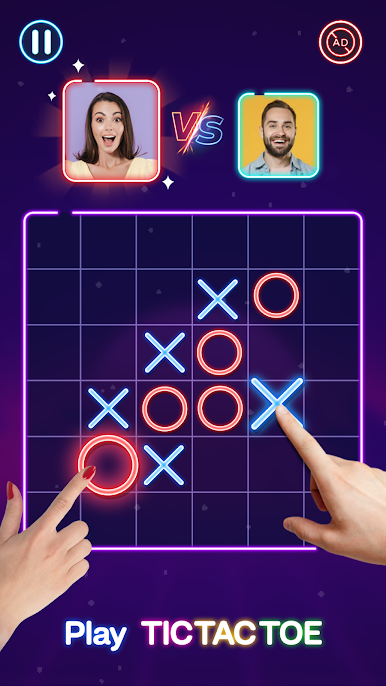
Tic Tac Toe is a classic puzzle game that has been beloved by many for years. The objective of the game is to arrange your symbols, either X or O, in a row of three on the game board. It is a game for two players, who take turns marking spaces on a square grid.
Tic Tac Toe 2 player – XO offers various difficulty levels in its game modes, ranging from the simple 3×3 grid to the more complex 11×11 grid. This addictive game requires no math skills, just strategy, tactics, and observation skills. You can play against the AI or challenge your friends to a game of XOXO.
One of the unique features of Tic Tac Toe 2 player – XO is its cool neon glow effect. This adds an extra layer of visual appeal to the game. Additionally, the AI difficulty can be adjusted with three levels: Easy, Medium, and Hard.
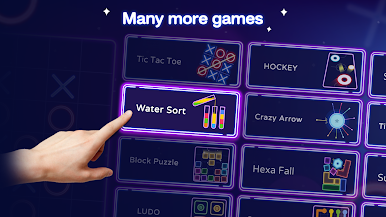
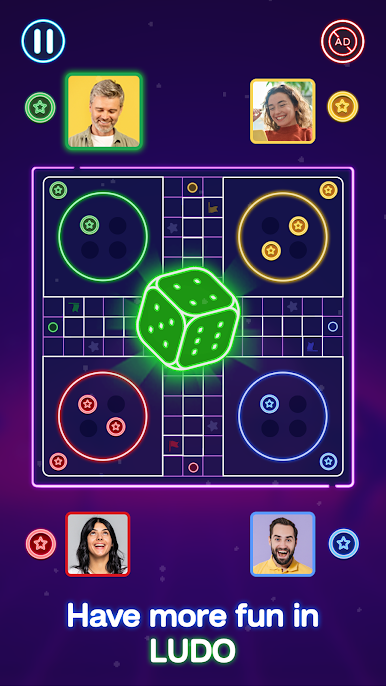
The game also offers a collection of other glowing puzzle games, such as Tic Tac Toe Glows, Glow Puzzle Blocks, and Glowing Sudoku, to name a few. New games are updated weekly to keep players engaged and entertained.


Juega Tic Tac Toe: XOXO en la PC. Es fácil comenzar.
-
Descargue e instale BlueStacks en su PC
-
Complete el inicio de sesión de Google para acceder a Play Store, o hágalo más tarde
-
Busque Tic Tac Toe: XOXO en la barra de búsqueda en la esquina superior derecha
-
Haga clic para instalar Tic Tac Toe: XOXO desde los resultados de búsqueda
-
Complete el inicio de sesión de Google (si omitió el paso 2) para instalar Tic Tac Toe: XOXO
-
Haz clic en el ícono Tic Tac Toe: XOXO en la pantalla de inicio para comenzar a jugar

