


Simple Clipboard Editor
Gioca su PC con BlueStacks: la piattaforma di gioco Android, considerata affidabile da oltre 500 milioni di giocatori.

Pagina modificata il: Sep 19, 2025
Run Simple Clipboard Editor on PC or Mac
What’s better than using Simple Clipboard Editor by TrianguloY? Well, try it on a big screen, on your PC or Mac, with BlueStacks to see the difference.
About the App
Ever wished you could tweak what’s on your clipboard right now, without jumping through a bunch of hoops? Simple Clipboard Editor from TrianguloY lets you do just that. It’s a straightforward tool for anyone who wants quick access to whatever text is currently copied, making editing or sharing snappy and hassle-free.
App Features
-
Live Clipboard Editing
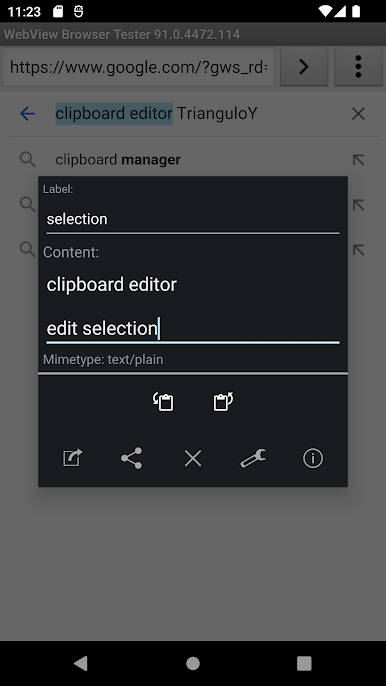
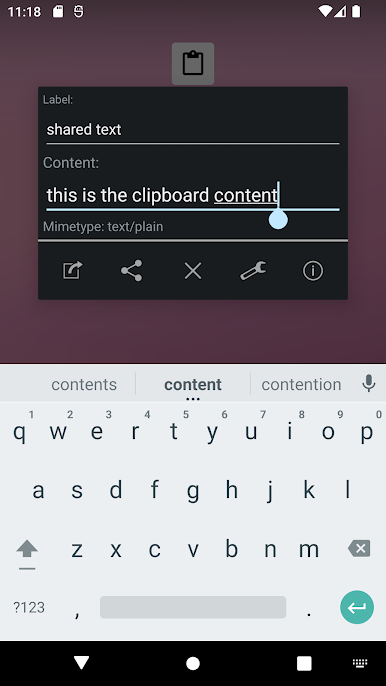
Check out your current clipboard text at a glance—then edit, replace, or clear it on the spot. Whatever’s copied, you control it in real time. -
Quick Text Sharing
Instantly share your clipboard content without having to paste it somewhere first. Just hit the share button and send it wherever you need—messages, email, you name it. -
Create Custom Notifications
Want to save a bit of text for easy access later? Pop it into a notification and pull it down anytime you need a reminder or a piece of info. -
No Distractions, No Extra Permissions
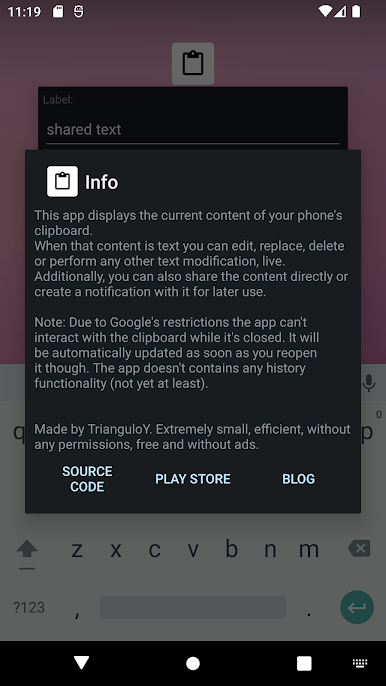
The app is super lightweight, doesn’t bug you with ads, and keeps things tidy by not asking for any unnecessary permissions. -
Works Seamlessly with BlueStacks
Perfect if you’re managing clipboard tasks on your desktop—using it through BlueStacks keeps things as smooth as possible. -
Automatic Clipboard Updates
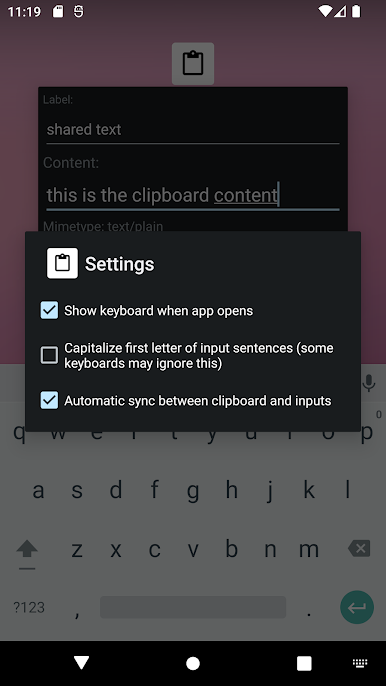
The clipboard content refreshes right when you reopen the app, so you’ll always see the latest thing you’ve copied. -
Focused and Simple
No complicated menus or confusing options. Just the basic, essential features for editing your clipboard, keeping it easy for everyone.
BlueStacks gives you the much-needed freedom to experience your favorite apps on a bigger screen. Get it now.
Gioca Simple Clipboard Editor su PC. È facile iniziare.
-
Scarica e installa BlueStacks sul tuo PC
-
Completa l'accesso a Google per accedere al Play Store o eseguilo in un secondo momento
-
Cerca Simple Clipboard Editor nella barra di ricerca nell'angolo in alto a destra
-
Fai clic per installare Simple Clipboard Editor dai risultati della ricerca
-
Completa l'accesso a Google (se hai saltato il passaggio 2) per installare Simple Clipboard Editor
-
Fai clic sull'icona Simple Clipboard Editor nella schermata principale per iniziare a giocare

