


Fake Snow Cam
Gioca su PC con BlueStacks: la piattaforma di gioco Android, considerata affidabile da oltre 500 milioni di giocatori.

Pagina modificata il: 8 lug 2019
Play Fake Snow Cam on PC
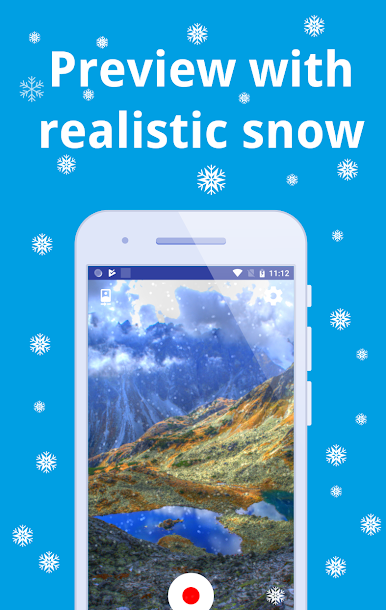
If you want to simulate the winter atmosphere even when there's no snow around, this app might be something for you.
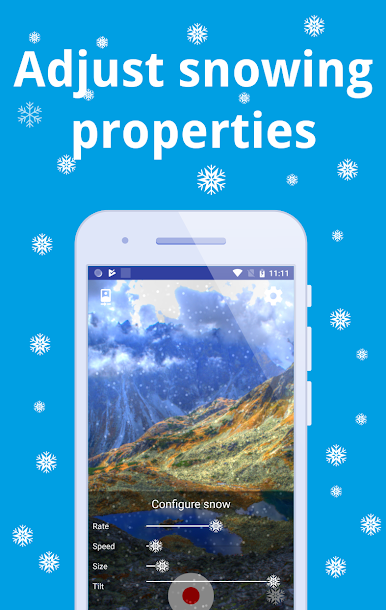
Tap & hold the snow icon at the right bottom of the screen to adjust the snow settings.
If you liked this app, please leave a review.
You can customize the snowing animation by changing the following
- speed & strength of snowfall
- size of individual snowflakes
- tilt at which the snow is falling (for example if you want to simulate wind or show snowing in landscape)
The snowing camera effect can be recorded live/real-time into an mp4 file. You can change the snow video effects even while recording video.

Gioca Fake Snow Cam su PC. È facile iniziare.
-
Scarica e installa BlueStacks sul tuo PC
-
Completa l'accesso a Google per accedere al Play Store o eseguilo in un secondo momento
-
Cerca Fake Snow Cam nella barra di ricerca nell'angolo in alto a destra
-
Fai clic per installare Fake Snow Cam dai risultati della ricerca
-
Completa l'accesso a Google (se hai saltato il passaggio 2) per installare Fake Snow Cam
-
Fai clic sull'icona Fake Snow Cam nella schermata principale per iniziare a giocare

