


Blocco note
Gioca su PC con BlueStacks: la piattaforma di gioco Android, considerata affidabile da oltre 500 milioni di giocatori.

Pagina modificata il: Nov 17, 2025
Play Notepad on PC
ATTENTION: If you lost your notes with the update, follow the link with the instructions. It takes three steps: recover your notes, create a backup, and revert to the new version.
Go to the instructions form:
https://jikansoftware2015.github.io/RespaldoNotas/
New version:
Advanced Notepad with Cloud Backup
This is more than just a simple notepad. Securely save your ideas, tasks, and reminders with local or Google Drive backup. Perfect for students, professionals, or anyone who values staying organized!
Main features:
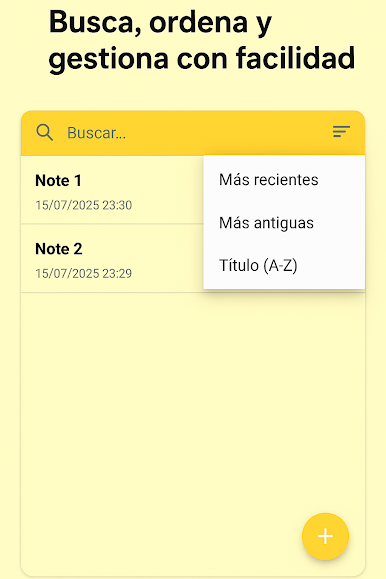
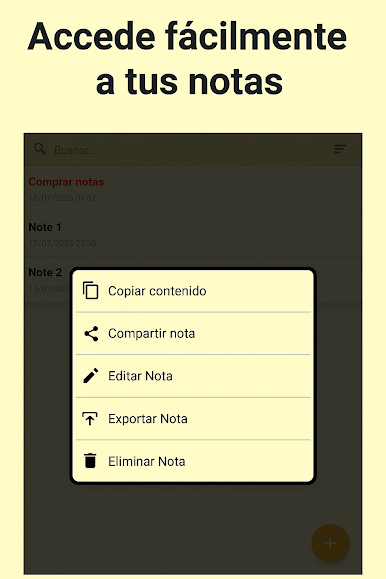
• Sort notes by title or date
• Import and export notes in .txt format (Windows compatible)
• Trash folder to recover deleted notes
• Easily share your notes
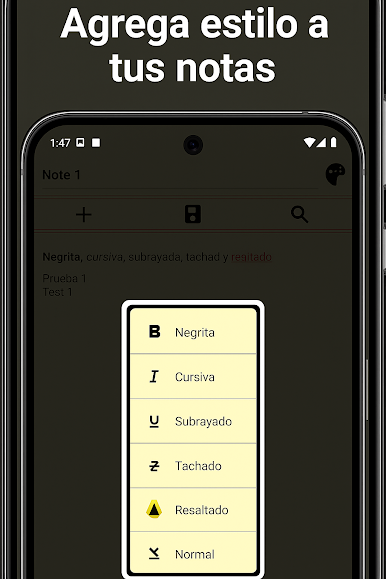
• Text styles: bold, italic, underline, strikethrough, highlight
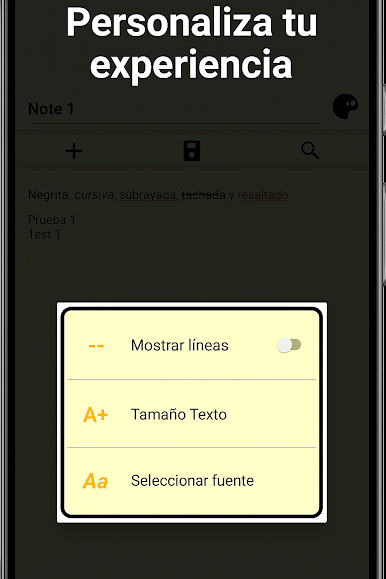
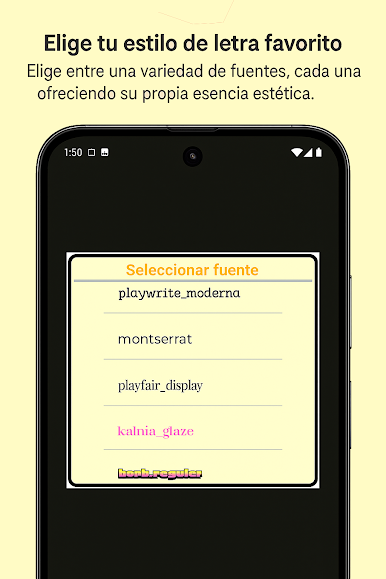
• Customize font size, font type, and title color
• Built-in search function
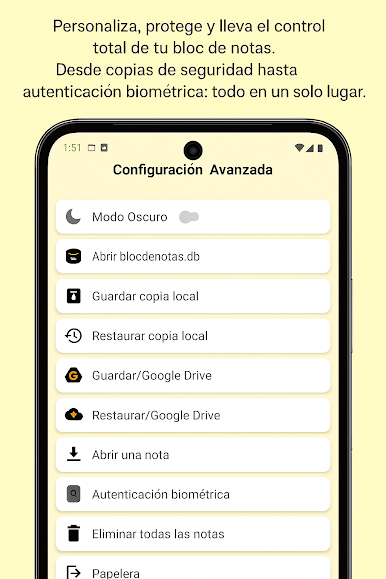
• Dark mode for comfortable viewing
• Open old Windows notepad (.txt) files
• Save and restore notes locally or using Google Drive
• Biometric authentication for added security
• Switch between Google accounts for backup flexibility
A complete, fast, and reliable app to keep your notes safe and organized.

Gioca Blocco note su PC. È facile iniziare.
-
Scarica e installa BlueStacks sul tuo PC
-
Completa l'accesso a Google per accedere al Play Store o eseguilo in un secondo momento
-
Cerca Blocco note nella barra di ricerca nell'angolo in alto a destra
-
Fai clic per installare Blocco note dai risultati della ricerca
-
Completa l'accesso a Google (se hai saltato il passaggio 2) per installare Blocco note
-
Fai clic sull'icona Blocco note nella schermata principale per iniziare a giocare

