


SkyPhone - Voice & Video Calls
Gioca su PC con BlueStacks: la piattaforma di gioco Android, considerata affidabile da oltre 500 milioni di giocatori.

Pagina modificata il: Nov 12, 2025
Run SkyPhone - Voice & Video Calls on PC or Mac
Why limit yourself to your small screen on the phone? Run SkyPhone – Voice & Video Calls, an app by QuadSystem Co., Ltd., best experienced on your PC or Mac with BlueStacks, the world’s #1 Android emulator.
About the App
Want to keep calls with close friends or family clear and super private? SkyPhone – Voice & Video Calls from QuadSystem Co., Ltd. is your go-to Social app for real conversations without any hassle. No sign-up headaches here—just download, make your profile, and you’re ready to chat or call, no strings attached. Whether you’re looking to catch up with someone face-to-face or just hear their voice, you’ll appreciate the simple interface and really crisp sound, even if your connection’s a little spotty.
App Features
-
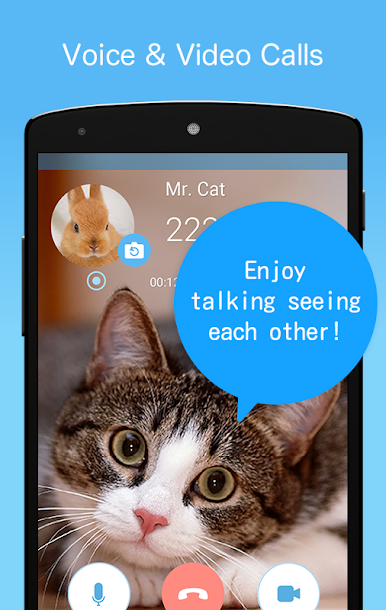
Free Voice & Video Calls
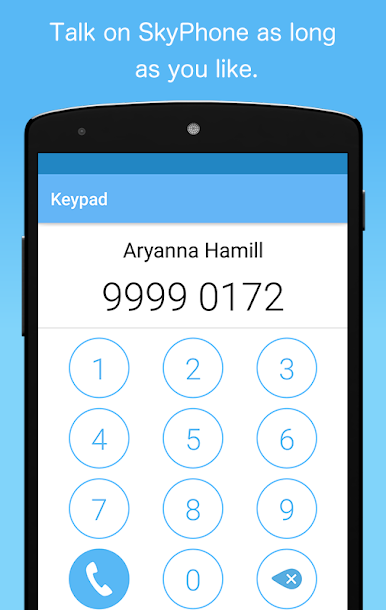
Connect with SkyPhone users worldwide and enjoy unlimited, high-quality voice or video calls at no cost. -
No Registration Needed
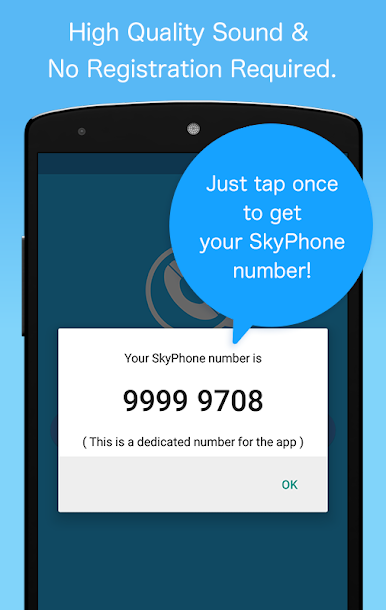
Skip the long forms—start chatting without sharing your email, phone number, or extra personal info. -
Easy Sharing with SkyPhone Numbers
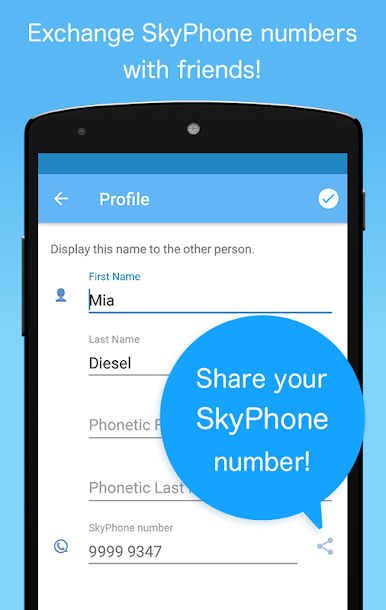
Each user gets a unique SkyPhone number, so you can add friends or family and keep your contact list private. -
Simple, Clean Interface
The app’s layout is intuitive. Call, message, or adjust settings without wading through confusing menus. -
Allow Contacts Only
Don’t like random calls? This feature blocks anyone who’s not on your approved contact list. -
Noise Cancel Feature
Taking a call in a noisy café or on a busy street? SkyPhone cuts down background noise so your voice comes through clearly. -
Flexible Call Quality
Toggle call quality settings to fit your situation; lower it if you’ve got spotty reception so your conversation doesn’t drop. -
Messaging Included
Not up for a call? You can send messages directly through the app to your contacts. -
Do Not Disturb
Need some quiet time? Turn on Do Not Disturb and take a break from notifications. -
Custom Ringtones
Pick your favorite ringtone so you always know when it’s a SkyPhone call. -
Mute & Speaker Options
Easily switch to speakerphone or mute yourself with a tap during calls. -
Call History & Contact List
Find your recent conversations and contacts with just a quick look, making it easy to stay organized. -
Number Transfer
Switching devices? Move your SkyPhone number over so you don’t lose touch.
You can check out SkyPhone – Voice & Video Calls on BlueStacks if you want to use your PC for calling and messaging—it works just as smoothly on a bigger screen.
BlueStacks gives you the much-needed freedom to experience your favorite apps on a bigger screen. Get it now.
Gioca SkyPhone - Voice & Video Calls su PC. È facile iniziare.
-
Scarica e installa BlueStacks sul tuo PC
-
Completa l'accesso a Google per accedere al Play Store o eseguilo in un secondo momento
-
Cerca SkyPhone - Voice & Video Calls nella barra di ricerca nell'angolo in alto a destra
-
Fai clic per installare SkyPhone - Voice & Video Calls dai risultati della ricerca
-
Completa l'accesso a Google (se hai saltato il passaggio 2) per installare SkyPhone - Voice & Video Calls
-
Fai clic sull'icona SkyPhone - Voice & Video Calls nella schermata principale per iniziare a giocare

