


RControl
Mainkan di PC dengan BlueStacks – platform Game-Game Android, dipercaya oleh lebih dari 500 juta gamer.

Run RControl on PC or Mac
Let BlueStacks turn your PC, Mac, or laptop into the perfect home for RControl, a fun Tools app from M2M Services Ltd.
About the App
Ever wished you could manage your home security without getting up or searching for the remote? RControl makes it simple to take charge of your alarm system (and even some connected gadgets) right from your phone or tablet. Designed for ease and flexibility, RControl puts all the essentials—like arming, disarming, or checking in on your zones—right at your fingertips. If you’ve got the right setup, you’ll get real-time updates and smart controls, all in one neat package by M2M Services Ltd.
App Features
-
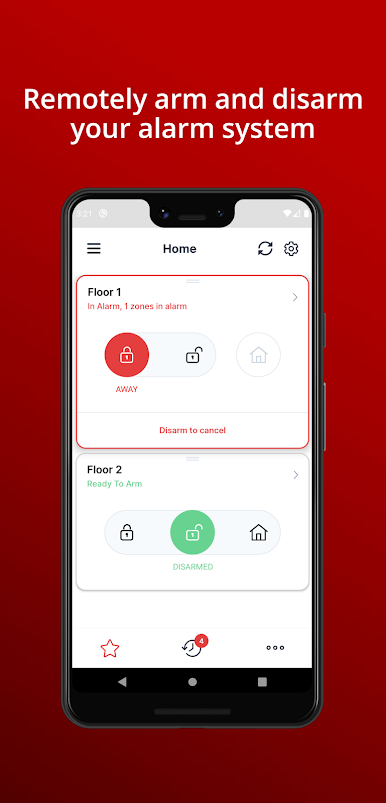
Remote Security Control
Whether you’re home or halfway across the world, you can arm or disarm your security system. Toggling between modes like Arm Stay or Arm Away only takes a couple taps, and you can handle multiple partitions if your system supports them. -
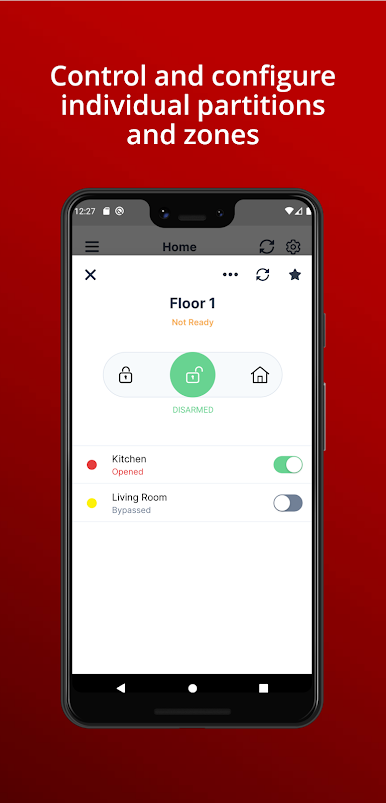
Zone Monitoring
Want to make sure all windows are shut or see what’s happening in specific rooms? RControl lets you monitor the status of each security zone, so you’re never out of the loop. -
Simple Zone Bypass
Need to let the dog out or deal with a false alarm sensor? Skip those zones for now with the bypass feature—no technical hurdles needed. -
Instant Notifications
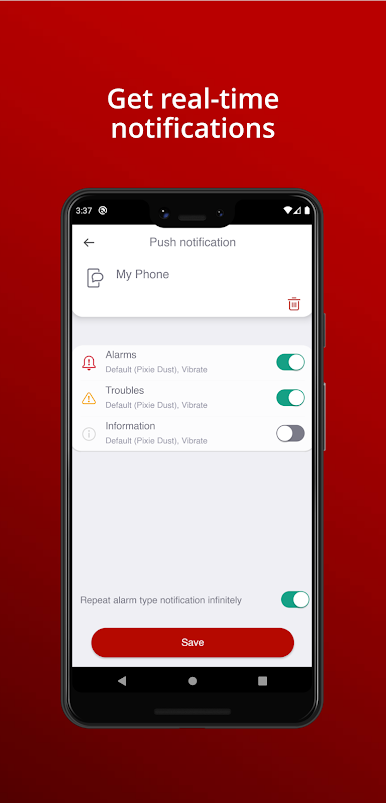
Stay in the know with alerts sent straight to your phone. You can pick which types of events you actually care about, so you aren’t getting buzzed for every little thing. -
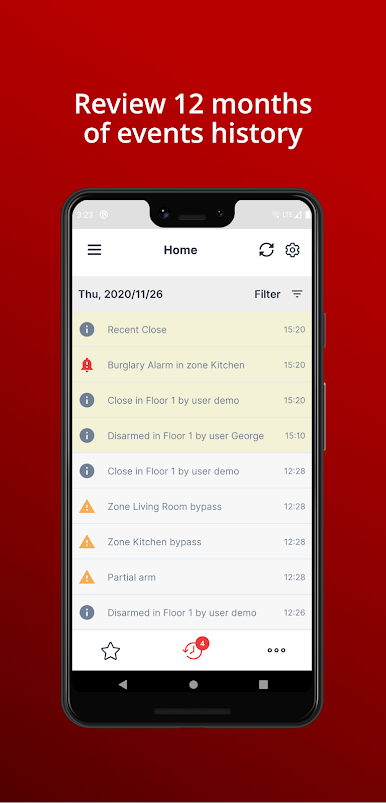
Easy Event History
Looking for something that happened last week—or six months ago? Browse up to a year’s worth of events, all logged and sorted for peace of mind. -
Smart Appliance Control
Open doors, turn on a light, or manage other home appliances straight through the app if your system lets you. Home automation doesn’t get much easier. -
One Account, Multiple Locations
Juggle more than one property? RControl keeps everything under one account, making it easy to check in on your house, business, or vacation spot from a single app.
And if you’re using BlueStacks, you’ll find the app works smoothly on your laptop or desktop, offering even more ways to keep tabs on your system.
Big screen. Bigger performance. Use BlueStacks on your PC or Mac to run your favorite apps.
Mainkan RControl di PC Mudah saja memulainya.
-
Unduh dan pasang BlueStacks di PC kamu
-
Selesaikan proses masuk Google untuk mengakses Playstore atau lakukan nanti
-
Cari RControl di bilah pencarian di pojok kanan atas
-
Klik untuk menginstal RControl dari hasil pencarian
-
Selesaikan proses masuk Google (jika kamu melewati langkah 2) untuk menginstal RControl
-
Klik ikon RControl di layar home untuk membuka gamenya

