


FTP Server - Multiple users
Juega en PC con BlueStacks: la plataforma de juegos Android, en la que confían más de 500 millones de jugadores.

Página modificada el: Jan 6, 2024
Run FTP Server - Multiple users on PC or Mac
Why limit yourself to your small screen on the phone? Run FTP Server – Multiple users, an app by Banana Studio, best experienced on your PC or Mac with BlueStacks, the world’s #1 Android emulator.
About the App
Ever wish you could grab or share files on your phone without plugging anything in? FTP Server – Multiple users by Banana Studio gives you that freedom—and a little more. This handy tool lets you turn your Android device into a mini FTP server, so you can connect to your stuff wirelessly from just about anywhere. Got files to move between friends, devices, or even operating systems? It’s got you covered. Whether you’re just trying to avoid wearing out your USB port or want geek-level control over wireless file management, this app’s got options for days.
App Features
-
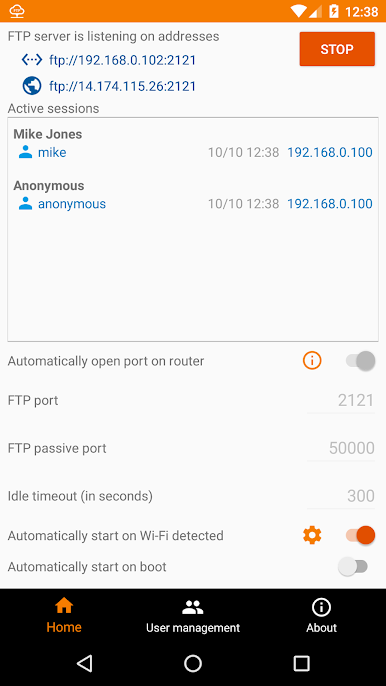
Flexible Network Support: Fires up an FTP server over any network your phone uses—WiFi, Ethernet, or even via tethering. No need to worry about getting stuck on one connection type.
-
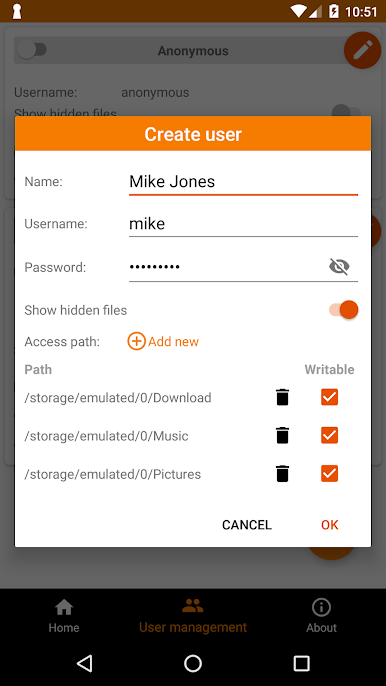
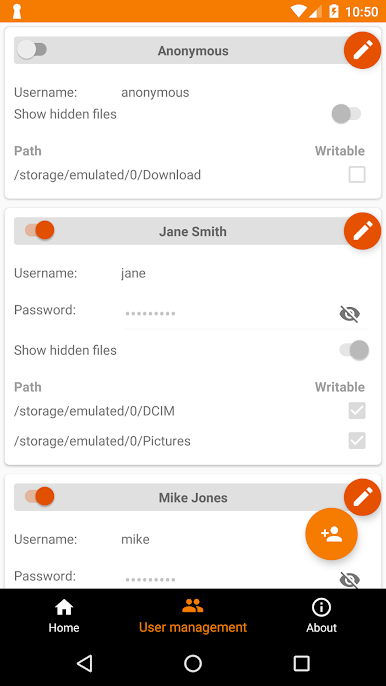
Multiple User Accounts: You can create multiple FTP users, including anonymous users, and pick what each person gets access to. Tweak settings so some users can see hidden files, while others can’t.
-
Custom Access Paths: Assign different folders or locations for each user—internal storage, SD cards, whatever you need. Plus, you decide who gets read-only or full access.
-
Simultaneous Connections: Handles multiple file transfers at once. Great for multitasking, or when more than one person needs files at the same time.
-
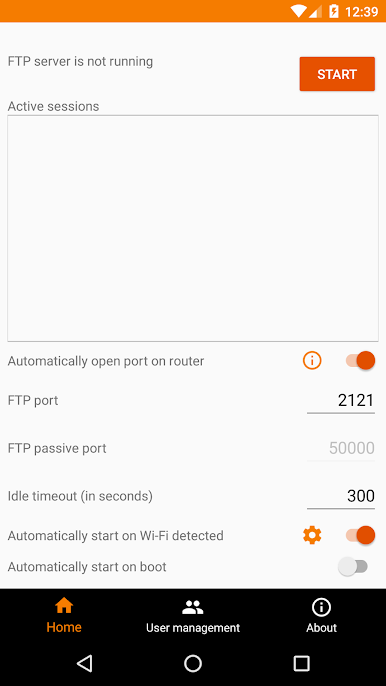
Remote Access Made Simple: The app can open ports on your router automatically, so you can reach your files from anywhere you have Internet. No tech degree required.
-
Automatic Start Options: Want the server up only when you’re on your home WiFi, or every time your device boots up? Configure it and forget it—the app can launch itself when those triggers happen.
-
Tasker Support and Scripting: For the automation fans, it’s easy to tie FTP Server – Multiple users into Tasker workflows using intents. Start, stop, or change settings on the fly.
-
Easy Client Compatibility: Use whatever FTP client you like—Windows Explorer, FileZilla, Finder on Mac, Linux file managers, Total Commander on Android, you name it. Even popular browsers can get you in for quick, read-only access.
-
Permission Controls: The app requires certain permissions to function, like storage and network access. You’ll also need location permission if you auto-start the server on WiFi (especially on newer versions of Android).
-
Ad-Free Upgrade: While all features come standard for free, those who want a cleaner experience can easily remove ads from the app’s About screen.
You can also run FTP Server – Multiple users on your PC with BlueStacks if that fits your setup or workflow better.
Big screen. Bigger performance. Use BlueStacks on your PC or Mac to run your favorite apps.

Juega FTP Server - Multiple users en la PC. Es fácil comenzar.
-
Descargue e instale BlueStacks en su PC
-
Complete el inicio de sesión de Google para acceder a Play Store, o hágalo más tarde
-
Busque FTP Server - Multiple users en la barra de búsqueda en la esquina superior derecha
-
Haga clic para instalar FTP Server - Multiple users desde los resultados de búsqueda
-
Complete el inicio de sesión de Google (si omitió el paso 2) para instalar FTP Server - Multiple users
-
Haz clic en el ícono FTP Server - Multiple users en la pantalla de inicio para comenzar a jugar

