

Home Button
Juega en PC con BlueStacks: la plataforma de juegos Android, en la que confían más de 500 millones de jugadores.

Página modificada el: Feb 16, 2024
Run Home Button on PC or Mac
Let BlueStacks turn your PC, Mac, or laptop into the perfect home for Home Button, a fun Tools app from Nu-Kob.
About the App
Home Button by Nu-Kob is a handy Tools app that puts a customizable on-screen button wherever you need it. If your physical home key is flaky—or you just prefer touch controls—this floating button gives you quick tap and long-press actions without fuss. It’s light, responsive, and easy to tailor so it feels like part of your screen.
App Features
- Floating home, anywhere: Keep a movable button on top of your apps so you can tap or long-press from any screen, no hardware key required.
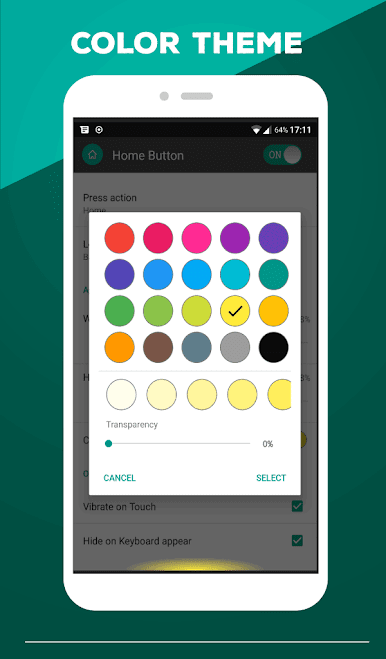
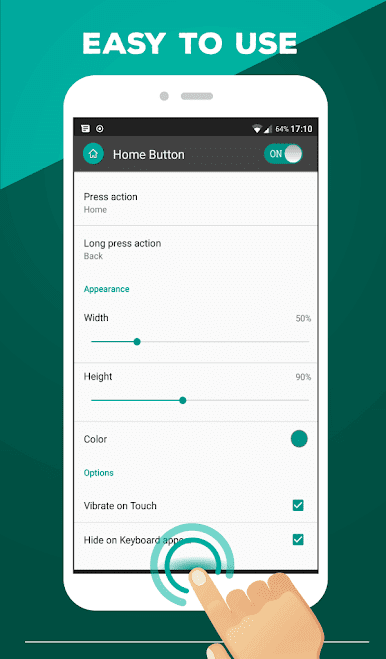
- Make it yours: Pick a color you like and adjust the button’s height and width until it fits your setup.
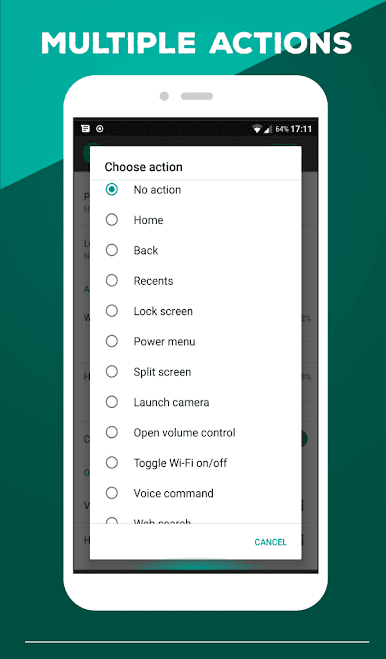
- Tap or long-press actions: Assign different commands to a quick tap and a long press for faster navigation.
- Core navigation controls: Jump to Home, go Back, or open Recents with a single touch.
- System and power options: Open the power menu, lock the screen (requires Device Administrator activation), or trigger split screen when supported.
- Quick toggles and panels: Toggle Wi‑Fi on/off, pull down the notification panel, or open the quick settings panel instantly.
- Instant tools: Launch the camera, open volume control, start a voice command, or run a web search right away.
- App shortcuts: Open the dialer, your web browser, Settings, or even relaunch Home Button itself.
- Haptic feedback: Turn on vibration on touch for a subtle, satisfying tap feel.
- Keyboard-aware: Set it to hide automatically when the keyboard shows up so it never blocks your typing.
- Uninstall help built in: If Device Administrator is enabled, just disable it first—there’s a simple uninstall option in the Help section to guide you.
- Plays nice on bigger screens: Using Android apps on your PC with BlueStacks? The floating button works great there too.
BlueStacks brings your apps to life on a bigger screen—seamless and straightforward.
Juega Home Button en la PC. Es fácil comenzar.
-
Descargue e instale BlueStacks en su PC
-
Complete el inicio de sesión de Google para acceder a Play Store, o hágalo más tarde
-
Busque Home Button en la barra de búsqueda en la esquina superior derecha
-
Haga clic para instalar Home Button desde los resultados de búsqueda
-
Complete el inicio de sesión de Google (si omitió el paso 2) para instalar Home Button
-
Haz clic en el ícono Home Button en la pantalla de inicio para comenzar a jugar

