


Ghost Detector Radar Simulator
Mainkan di PC dengan BlueStacks – platform Game-Game Android, dipercaya oleh lebih dari 500 juta gamer.

Run Ghost Detector Radar Simulator on PC or Mac
Upgrade your experience. Try Ghost Detector Radar Simulator, the fantastic Entertainment app from First Class Media B.V., from the comfort of your laptop, PC, or Mac, only on BlueStacks.
About the App
Ever wondered if there’s something lurking in the shadows of your house? Ghost Detector Radar Simulator by First Class Media B.V. puts the thrill of ghost hunting in the palm of your hand. This Entertainment app turns everyday spaces into playful, spooky adventures—just fire it up, start scanning, and let your curiosity lead the way. Whether you’re with friends or just want a fun solo scare, this app gives you a taste of the supernatural.
App Features
-
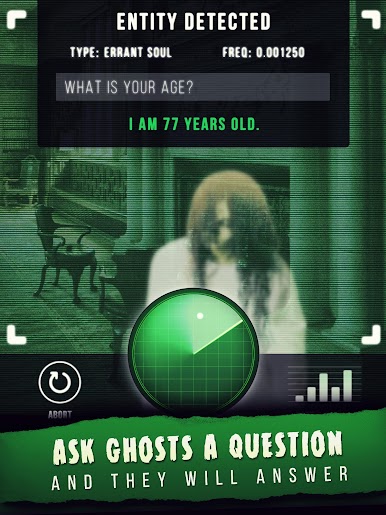
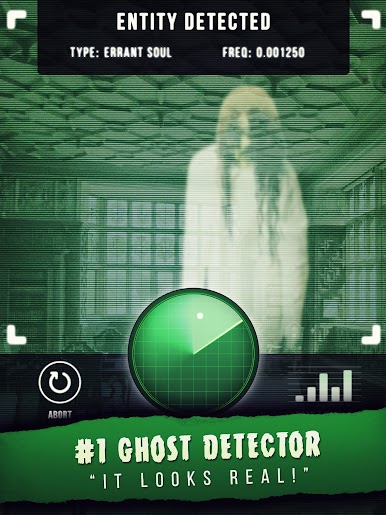
Interactive Ghost Radar
Roam around your place and watch as the radar scope reacts, pointing you toward mysterious “entities.” The experience feels like being in a ghost-hunting show, but without leaving your home. -
Paranormal Communication Tools
Get a kick out of asking questions once you’ve found a ghost. The simulator offers responses, mimicking classic techniques like EVP recorders and spirit boxes, adding to the suspense. -
Unnerving Visuals & Sounds
The app creates a spooky vibe with its combination of chilling sound effects and creepy ghost images. It’s all about setting the mood for a good scare. -
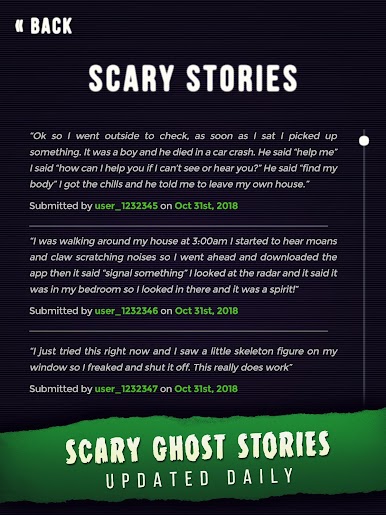
Discover Ghost Stories
Check out fresh horror tales that update daily. Even if you don’t spot a spirit, you’ll still get your fill of creepy stories. -
Multiple Ghost-Detecting Gadgets
Mess around with built-in tools inspired by ghost cams, PKE meters, and EMF detectors. It’s perfect for fans of ghost shows or just anyone who loves a good supernatural prank. -
Designed for Fun
It’s not just for believers—there’s a disclaimer that this is for entertainment, but it sure makes for some memorable moments.
P.S. Want to try it on a bigger screen? It runs smoothly on BlueStacks, making your ghost hunt extra immersive.
Switch to BlueStacks and make the most of your apps on your PC or Mac.
Mainkan Ghost Detector Radar Simulator di PC Mudah saja memulainya.
-
Unduh dan pasang BlueStacks di PC kamu
-
Selesaikan proses masuk Google untuk mengakses Playstore atau lakukan nanti
-
Cari Ghost Detector Radar Simulator di bilah pencarian di pojok kanan atas
-
Klik untuk menginstal Ghost Detector Radar Simulator dari hasil pencarian
-
Selesaikan proses masuk Google (jika kamu melewati langkah 2) untuk menginstal Ghost Detector Radar Simulator
-
Klik ikon Ghost Detector Radar Simulator di layar home untuk membuka gamenya

