


PDF Utils: Unisci e dividi
Gioca su PC con BlueStacks: la piattaforma di gioco Android, considerata affidabile da oltre 500 milioni di giocatori.

Pagina modificata il: Sep 10, 2023
Run PDF Utils: Merge, Reorder, Split, Extract & Delete on PC or Mac
Let BlueStacks turn your PC, Mac, or laptop into the perfect home for PDF Utils: Merge, Reorder, Split, Extract & Delete, a fun Productivity app from shash9989.
About the App
If you’ve ever felt the need to quickly tweak a PDF on your phone or streamline your paperwork, PDF Utils: Merge, Reorder, Split, Extract & Delete has your back. This handy Productivity app from shash9989 takes the headache out of handling PDFs, letting you edit, organize, and customize your documents right from your mobile device. Working with PDFs just got a whole lot simpler and more flexible.
App Features
-
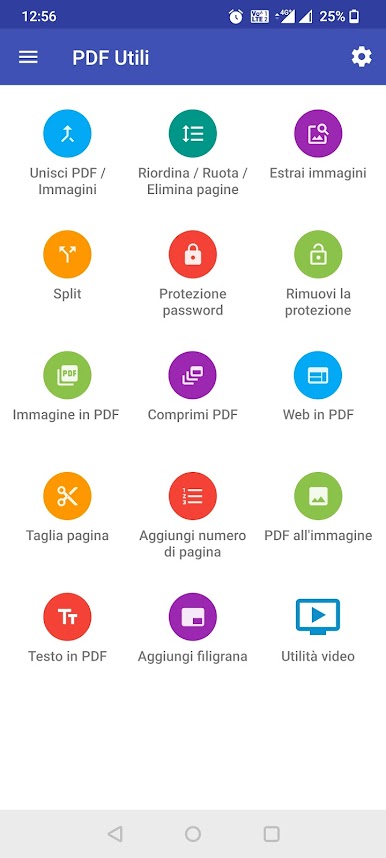
Merge PDFs and Images
Got a bunch of separate PDFs or images? Combine them into a single, tidy PDF with just a couple of taps. -
Image to PDF Converter
Turn your photos into PDFs—super useful for sharing scanned documents or photos all at once. -
Flexible Page Reordering
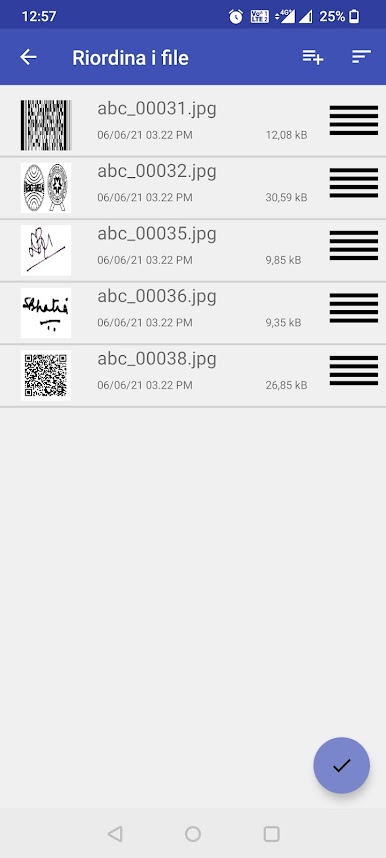
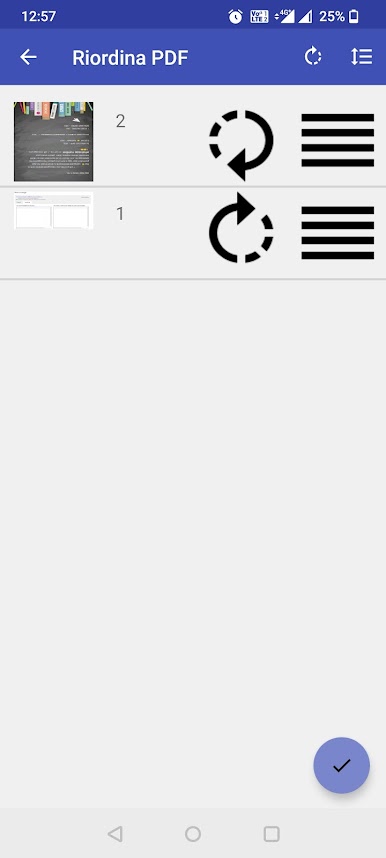
Drag and drop pages to put everything in just the right order, whether you’re organizing a report or shuffling personal notes. -
Rotate and Delete Pages
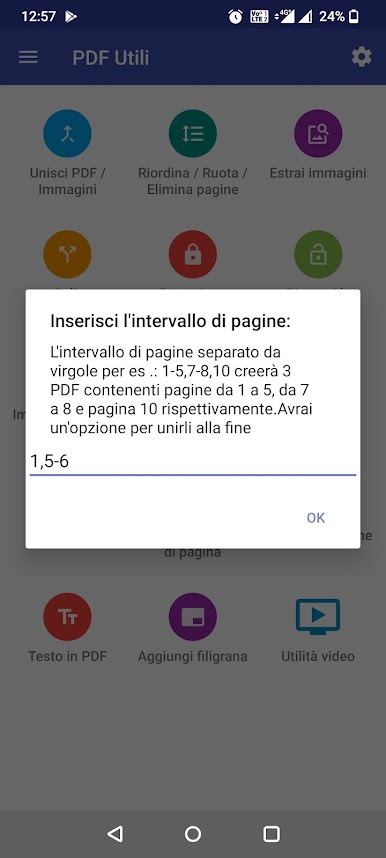
Quickly rotate, cut out, or even remove any annoying page you don’t need—just long press to delete. -
Split and Cut PDFs
Break up that massive PDF into smaller sections, or carve out just a few pages you actually want to keep. -
Extract Images from PDFs
Need that one picture from your PDF? Pull images out with ease so you can use them elsewhere. -
Watermarking Tools
Protect your docs or brand your stuff by adding custom text or image watermarks right onto your PDF pages. -
PDF Security Controls
Lock down sensitive files by encrypting or password-protecting them. Or, remove write protection when you need to make edits. -
Compress Large PDFs
Speed up sharing and save storage with the built-in PDF compressor. -
Webpage to PDF Conversion
Found something online you want to save? Snap entire web pages into PDF format, no fuss. -
Add Page Numbers
Automatically number your PDF pages so nothing gets lost in the shuffle. -
Cloud Storage Support
Pull files straight from Google Drive or OneDrive, keeping everything in sync and easy to access.
You can run PDF Utils: Merge, Reorder, Split, Extract & Delete on mobile, and if you like the big screen, it’s easy to use it via BlueStacks, too.
Eager to take your app experience to the next level? Start right away by downloading BlueStacks on your PC or Mac.
Gioca PDF Utils: Unisci e dividi su PC. È facile iniziare.
-
Scarica e installa BlueStacks sul tuo PC
-
Completa l'accesso a Google per accedere al Play Store o eseguilo in un secondo momento
-
Cerca PDF Utils: Unisci e dividi nella barra di ricerca nell'angolo in alto a destra
-
Fai clic per installare PDF Utils: Unisci e dividi dai risultati della ricerca
-
Completa l'accesso a Google (se hai saltato il passaggio 2) per installare PDF Utils: Unisci e dividi
-
Fai clic sull'icona PDF Utils: Unisci e dividi nella schermata principale per iniziare a giocare

