


Trwam TV
Juega en PC con BlueStacks: la plataforma de juegos Android, en la que confían más de 500 millones de jugadores.

Página modificada el: Oct 20, 2025
Run Trwam TV on PC or Mac
Upgrade your experience. Try Trwam TV, the fantastic News & Magazines app from Insys Video Technologies, from the comfort of your laptop, PC, or Mac, only on BlueStacks.
About the App
Trwam TV makes it easy to watch your favorite news, talk shows, and magazine programs anytime you feel like catching up. Designed by Insys Video Technologies, this app brings a fresh and user-friendly way to explore the Trwam TV channel. You can expect an updated look, simple navigation, and lots of options whether you’re into live broadcasts or browsing past episodes at your own pace.
App Features
-
Live Streaming at Your Fingertips
Tune in to the Trwam TV channel in real time. With just a tap, you’re connected to the latest happenings and discussions, so you’ll never feel out of the loop. -
Sleek, Updated Interface
The whole app has a modern makeover. Screens feel easy on the eyes, and menus are straightforward—everything’s where you’d expect. -
Full TV Schedule with Details
Want to know what’s on and when? The app gives you a clear guide, complete with descriptions for every show. Planning your viewing is a breeze. -
Catch-Up on Missed Shows
Didn’t catch a program live? No problem. You’ll find almost every show from the last three days ready to watch on your own time. -
Handpicked Recommendations
Not sure what to watch? Take a look at the curated section offering recommended broadcasts and can’t-miss reruns. -
Easy search
Looking for a specific episode or show? The built-in search makes it quick and painless to find exactly what you want. -
On-Demand Library
Sometimes you just want to browse—so dive into the catalog of on-demand programs, all organized and available whenever you’re in the mood.
Trwam TV runs smoothly whether you’re using your phone or enjoying a bigger screen with BlueStacks. The experience stays consistent and reliable, giving you more ways to watch the news and magazine genres you care about.
Eager to take your app experience to the next level? Start right away by downloading BlueStacks on your PC or Mac.
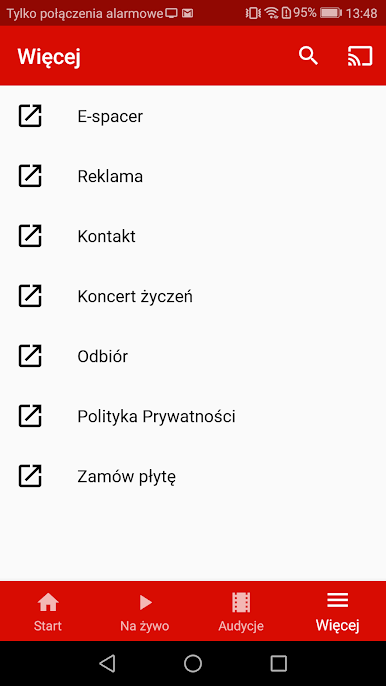
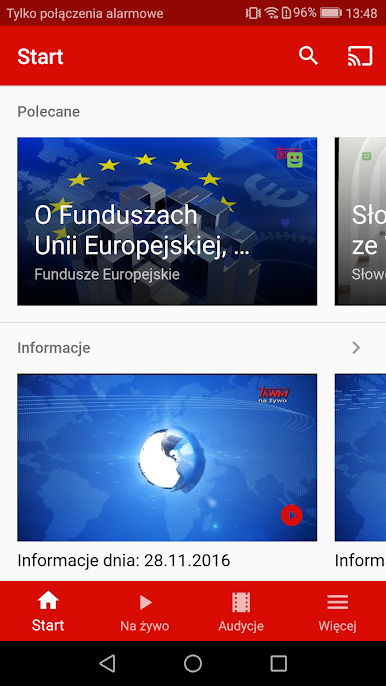


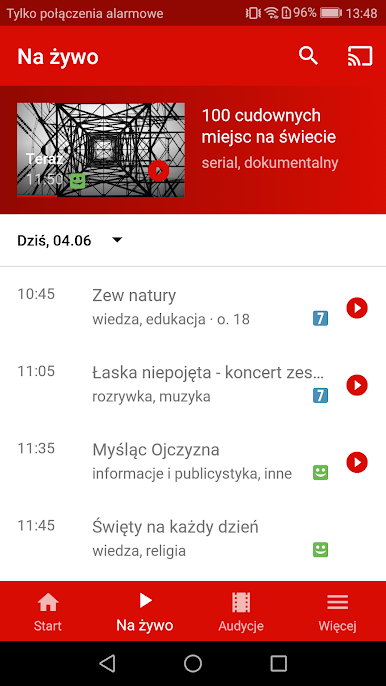
Juega Trwam TV en la PC. Es fácil comenzar.
-
Descargue e instale BlueStacks en su PC
-
Complete el inicio de sesión de Google para acceder a Play Store, o hágalo más tarde
-
Busque Trwam TV en la barra de búsqueda en la esquina superior derecha
-
Haga clic para instalar Trwam TV desde los resultados de búsqueda
-
Complete el inicio de sesión de Google (si omitió el paso 2) para instalar Trwam TV
-
Haz clic en el ícono Trwam TV en la pantalla de inicio para comenzar a jugar

