
그레이 사가
그레이 사가

그레이 사가

Role Playing

| Leniu Technology Co., Limited

Play on PC with BlueStacks or from our cloud

  • Overview
  • Game Features
  • How to Play

Page Modified On: July 06, 2026

Play 그레이 사가 on PC or Mac

그레이 사가 by Leniu Technology Co., Limited has plenty to keep you busy. BlueStacks lets you play it on PC or Mac with more screen space, better control, and fewer mobile limits.

About the Game

그레이 사가 is a gritty Role Playing MMO where nine kingdoms keep each other on edge and the strongest voice decides the rules. You step in as a figure everyone wants on their side, choosing whether to serve a crown or raise your own banner. Expect a harsh open world, sprawling wars, and systems that actually react to what players do—alliances, betrayals, the whole mess.

Game Features

  • Ruthless Open World: From wind-battered frontier forts to glittering palaces, the land’s wide open—and unforgiving. Exploration isn’t just sightseeing; it’s survival, power, and positioning.

  • Wars That Don’t Sleep: Log in and you’re right back in the thick of it. Territory skirmishes, city sieges, and continent-spanning campaigns collide, with chaotic clashes that can pack hundreds—sometimes a thousand—fighters into the same fight.

  • Switch-At-Will Classes: Your weapon defines your role. Swing a massive blade to break lines, swap to a staff to rain destruction, or try something in between. Change gear, change style—no single “right” build.

  • Strategy Over Scripts: Victories aren’t copy-paste. Coordinate flanks, hold choke points, bait defenses, or blitz the keep—there’s room for patient planners and bold risk-takers alike.

  • Player-Run Economy: Everything that matters moves through the market. Trade mythic gear and rare mats freely, read price swings, and turn a well-timed buy into server-shaking influence.

  • Politics, Oaths, and Backstabs: Make friends, keep rivals closer, and watch promises under pressure. Serve a king or spark a rebellion—either way, your decisions echo across the map.

  • PC Option with BlueStacks: Prefer keyboard, mouse, and a desk setup? You can jump in on PC using BlueStacks without changing how the game plays.

Ready to top the leaderboard? We bet you do. Let precise controls and sharp visuals optimized on BlueStacks lead you to victory.

Game Features

Enhancements

  • Macros
  • Rerolling
  • Eco Mode
  • Multi Instance Sync
  • Enhancements
Macros

Macros

Focus more on the fun part of the game, skip the tedious aspects. Master 그레이 사가 with Macros. Record yourself completing the monotonous tasks you wish to automate and replay them later with just one keypress.
Rerolling

Rerolling

Speed up the rerolling process in 그레이 사가. Perform multiple summons and keep looking for the best Heroes. Use Multi-Instance sync to replicate the rerolling mechanism in all instances.
Eco Mode

Eco Mode

Farm in-game resources with ease in 그레이 사가. Enable the Eco Mode when running the game in multiple instances. And lower your PC's resource consumption.
Multi Instance Sync

Multi Instance Sync

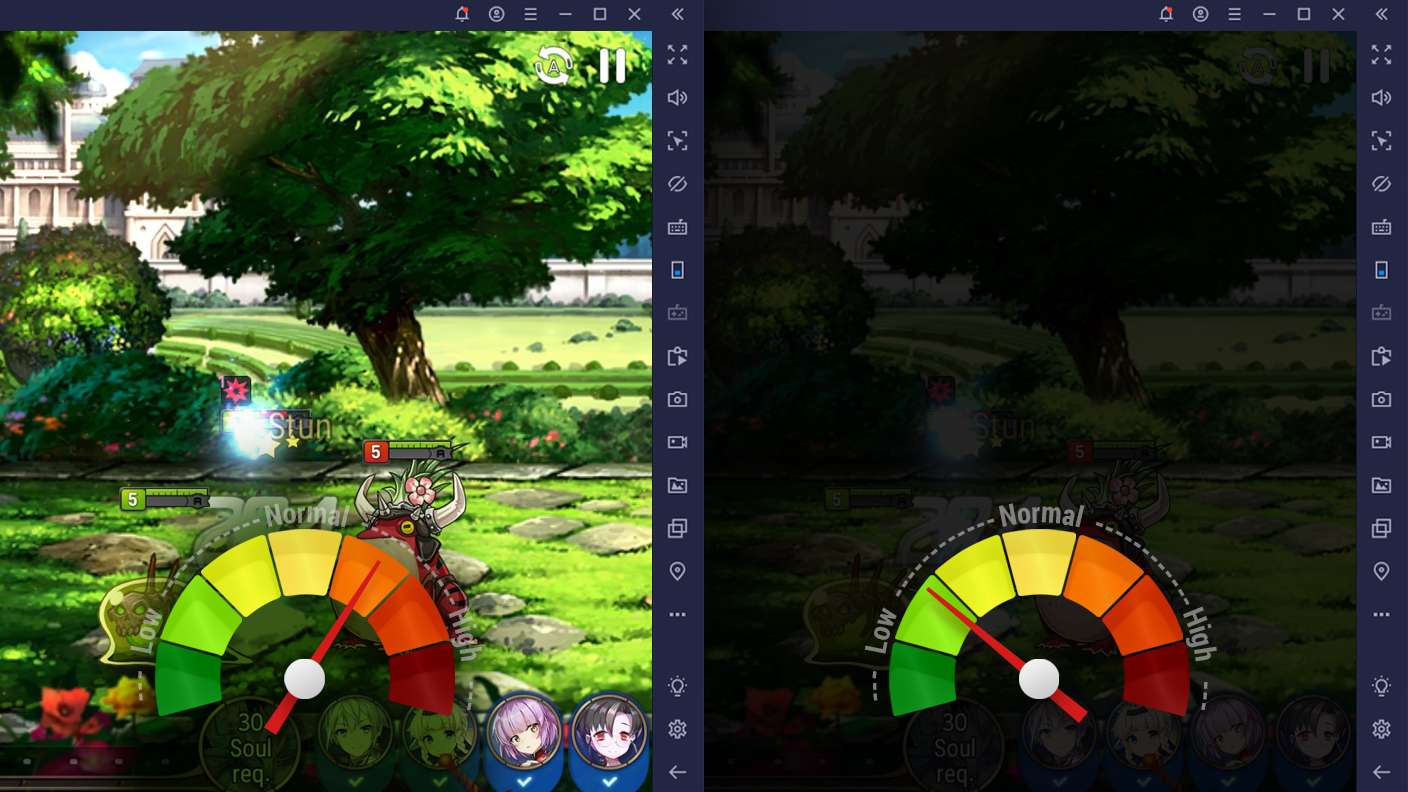
With the Multi-instance Sync, you can do even more in 그레이 사가. Sync the action of the main instance and repeat them in real time for all other instances. Sync and sit back, let the game progress unfold.
Read More

How to Download and Play 그레이 사가 on PC or Mac

  • Download and install BlueStacks on your PC or Mac

  • Complete Google sign-in to access the Play Store, or do it later

  • Look for 그레이 사가 in the search bar at the top right corner

  • Click to install 그레이 사가 from the search results

  • Complete Google sign-in (if you skipped step 2) to install 그레이 사가

  • Click the 그레이 사가 icon on the home screen to start playing

video
Watch Video

Minimum System Requirements

With BlueStacks 5, you can get started on a PC that fulfills the following requirements.

  • Operating System

    Microsoft Windows 7 or above, macOS 11 (Big Sur) or above

  • Processor

    Intel, AMD or Apple Silicon Processor

  • RAM

    at least 4GB

  • HDD

    10GB Free Disk Space

Note:

* You must be an Administrator on your PC. Up to date graphics drivers from Microsoft or the chipset vendor.

그레이 사가 - FAQs

  • How to play 그레이 사가 on Windows PC & Mac?

    Play 그레이 사가 on your PC or Mac by following these simple steps.

    • Click on 'Play 그레이 사가 on PC’ to download BlueStacks
    • Install it and log-in to Google Play Store
    • Launch and play the game.
  • Why is BlueStacks the fastest and safest platform to play games on PC?

    BlueStacks respects your privacy and is always safe and secure to use. It does not carry any malware, spyware, or any sort of additional software that could harm your PC.

    It is engineered to optimize speed and performance for a seamless gaming experience.

  • What are 그레이 사가 PC requirements?

    Minimum requirement to run 그레이 사가 on your PC

    • OS: Microsoft Windows 7 or above MacOS 11 (Big Sur) or above
    • Processor: Intel, AMD or Apple Silicon Processor
    • RAM: Your PC must have at least 4GB of RAM. (Note that having 4GB or more disk space is not a substitute for RAM)
    • HDD: 10GB Free Disk Space.
    • You must be an Administrator on your PC.