


Défi Tables
教育 | Christophe Auclair
在電腦上使用BlueStacks –受到5億以上的遊戲玩家所信任的Android遊戲平台。

暢玩 Défi Tables 電腦版
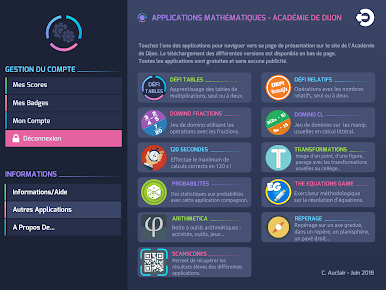
表挑戰賽是由第戎科學院出版。
類型:鍛煉
週期有關:第3輪
根據地:4
目標能力:計算 - 練習心算和自動化的計算
說明:挑戰表是對乘法表鍛煉從2至13。
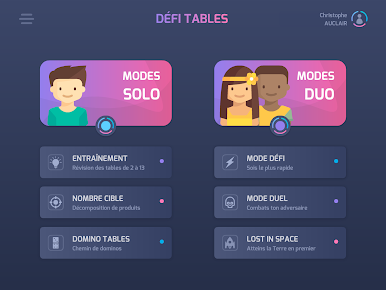
表挑戰有兩種遊戲模式:
一,單人遊戲
三練習可用
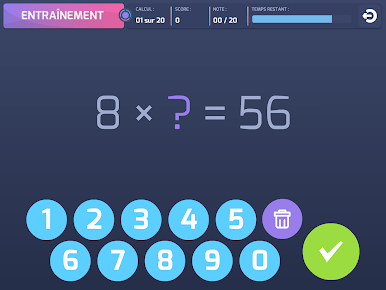
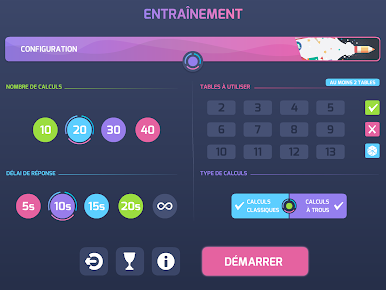
- 經典培訓
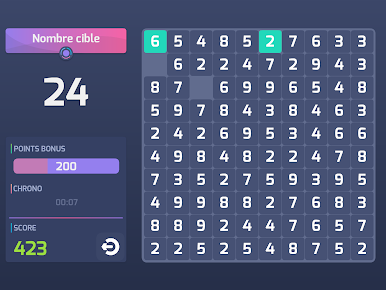
- 目標號碼
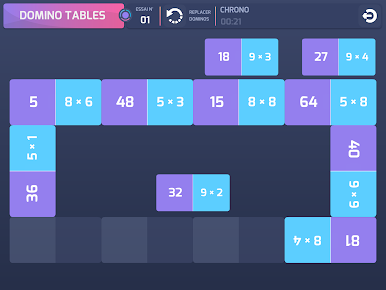
- 多米諾骨牌表
每次運動是可定制的(選擇表,計算的類型,並根據,的時間限制或困難的水平。
在每個會計年度結束時,將顯示一個資產負債表(一個分數或得分和註釋在桌子上,而不管響應的速度)。
根據所獲得的分數,徽章可以被解鎖,鼓勵進步和激勵球員...
II。挑戰模式
三練習可用
- 挑戰模式
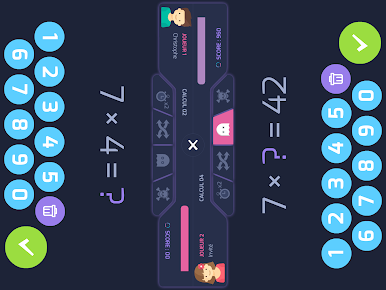
- 決鬥模式
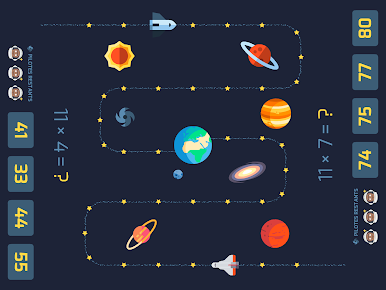
- 迷失太空
該演習同時實現了以共享模式,作為一個挑戰,戰勝他的對手必須更迅速地響應(最便宜!)比他。在今年年底,對策進行審查,如果有必要糾正,則顯示。
學習的監測:
這是可能的(但不要求)創造挑戰表的用戶帳戶。在這種情況下,這個帳戶的信息,每年單人模式為,是可用的。這是可以看到資產負債表或每次鍛煉的細節。
如果沒有表挑戰賬戶使用,管理徽章不活躍。
可能的用途:
表挑戰可以在正在進行的會話期間使用,作為完成工作的分化的培訓工具。
挑戰表也可以在自定義的方式使用伴奏:
- 作為獲取的加強/容量的訓練工具,允許進行的工作(使用的表,時間限制,直接計算或孔等)的分化;
- 由於“競爭”的工具,與其他學生競爭,通過挑戰模式和比賽的冠軍八分之一決賽,四分之一決賽等,與整個團隊,或者水平的雞,每如本週在房間分類顯示。
類型:鍛煉
週期有關:第3輪
根據地:4
目標能力:計算 - 練習心算和自動化的計算
說明:挑戰表是對乘法表鍛煉從2至13。
表挑戰有兩種遊戲模式:
一,單人遊戲
三練習可用
- 經典培訓
- 目標號碼
- 多米諾骨牌表
每次運動是可定制的(選擇表,計算的類型,並根據,的時間限制或困難的水平。
在每個會計年度結束時,將顯示一個資產負債表(一個分數或得分和註釋在桌子上,而不管響應的速度)。
根據所獲得的分數,徽章可以被解鎖,鼓勵進步和激勵球員...
II。挑戰模式
三練習可用
- 挑戰模式
- 決鬥模式
- 迷失太空
該演習同時實現了以共享模式,作為一個挑戰,戰勝他的對手必須更迅速地響應(最便宜!)比他。在今年年底,對策進行審查,如果有必要糾正,則顯示。
學習的監測:
這是可能的(但不要求)創造挑戰表的用戶帳戶。在這種情況下,這個帳戶的信息,每年單人模式為,是可用的。這是可以看到資產負債表或每次鍛煉的細節。
如果沒有表挑戰賬戶使用,管理徽章不活躍。
可能的用途:
表挑戰可以在正在進行的會話期間使用,作為完成工作的分化的培訓工具。
挑戰表也可以在自定義的方式使用伴奏:
- 作為獲取的加強/容量的訓練工具,允許進行的工作(使用的表,時間限制,直接計算或孔等)的分化;
- 由於“競爭”的工具,與其他學生競爭,通過挑戰模式和比賽的冠軍八分之一決賽,四分之一決賽等,與整個團隊,或者水平的雞,每如本週在房間分類顯示。
在電腦上遊玩Défi Tables . 輕易上手.
-
在您的電腦上下載並安裝BlueStacks
-
完成Google登入後即可訪問Play商店,或等你需要訪問Play商店十再登入
-
在右上角的搜索欄中尋找 Défi Tables
-
點擊以從搜索結果中安裝 Défi Tables
-
完成Google登入(如果您跳過了步驟2),以安裝 Défi Tables
-
在首頁畫面中點擊 Défi Tables 圖標來啟動遊戲

