


拆螺絲大师:解螺絲、拔螺絲遊戲3D
在電腦上使用BlueStacks –受到5億以上的遊戲玩家所信任的Android遊戲平台。

Play Screw Escape 3D: Screw Puzzle on PC or Mac
Step into the World of Screw Escape 3D: Screw Puzzle, a thrilling Puzzle game from the house of Easetouch. Play this Android game on BlueStacks App Player and experience immersive gaming on PC or Mac.
About the Game
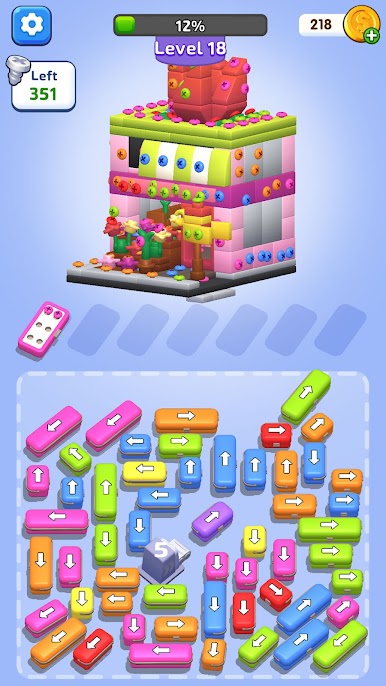
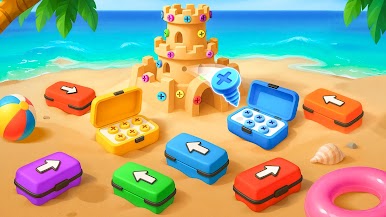
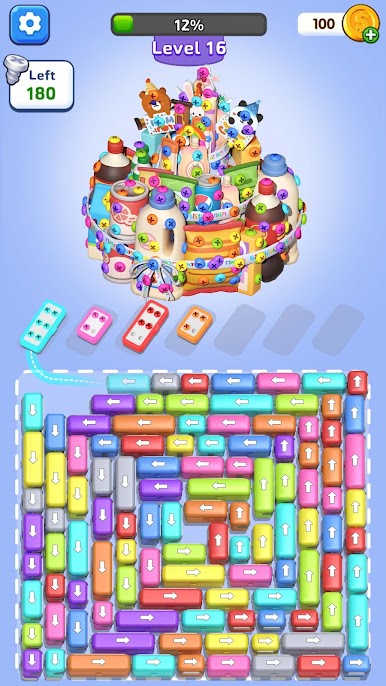
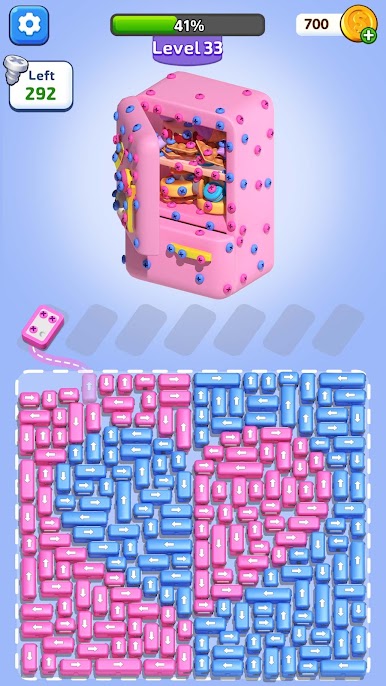
Screw Escape 3D: Screw Puzzle is a clever, laid‑back Puzzle game from Easetouch where you guide a tiny screw box through 3D builds and take them apart piece by piece. You’ll plan routes, collect nuts and bolts, and pop out color‑coded screws to clear each model. It’s easy to pick up, surprisingly strategic, and makes you feel like a screw master when a tricky path finally clicks. Prefer a bigger screen? It also plays nicely on BlueStacks.
Game Features
- Smart route planning: Follow arrowed paths and map out each move so you don’t lock yourself in. One wrong turn can cost a clean run.
- Move-and-collect flow: Scoop up nuts and bolts as you travel; missing one can block the final unscrew. It’s satisfyingly tidy when everything lines up.
- Color-matching screws: Match and remove colored screws to free panels and open new paths. Order matters more than you think.
- Car screw escape vibes: Thread your screw box through tight lanes and one‑way tracks—almost like a gentle parking puzzle with metal and gears.
- Ever-changing 3D builds: Go from simple frames to layered contraptions, each with new twists, obstacles, and route puzzles to untangle.
- screw sort 3d challenge: Treat each level like a sorting problem—collect in the right order for a smooth screw out without backtracking.
- Collection guide: Every model you dismantle gets saved, so you can admire completed designs or revisit favorites for a cleaner solution.
- Play-anytime pacing: Short stages fit a quick break; tougher layouts keep you thinking when you’ve got time to spare.
- Clear, colorful look: Bright colors and crisp shapes make it easy to read the board and spot smart paths at a glance.
- PC-friendly option: If you like mouse control and a big display, run it on BlueStacks and keep the same smooth feel.
Make your gaming sessions memorable with precise controls that give you an edge in close combats and visuals that pop up, bringing every character to life.





在電腦上遊玩拆螺絲大师:解螺絲、拔螺絲遊戲3D . 輕易上手.
-
在您的電腦上下載並安裝BlueStacks
-
完成Google登入後即可訪問Play商店,或等你需要訪問Play商店十再登入
-
在右上角的搜索欄中尋找 拆螺絲大师:解螺絲、拔螺絲遊戲3D
-
點擊以從搜索結果中安裝 拆螺絲大师:解螺絲、拔螺絲遊戲3D
-
完成Google登入(如果您跳過了步驟2),以安裝 拆螺絲大师:解螺絲、拔螺絲遊戲3D
-
在首頁畫面中點擊 拆螺絲大师:解螺絲、拔螺絲遊戲3D 圖標來啟動遊戲

