


Odle - 语音通话翻译
社交 | aodle.com
在電腦上使用BlueStacks –受到5億以上的遊戲玩家所信任的Android遊戲平台。

總覽
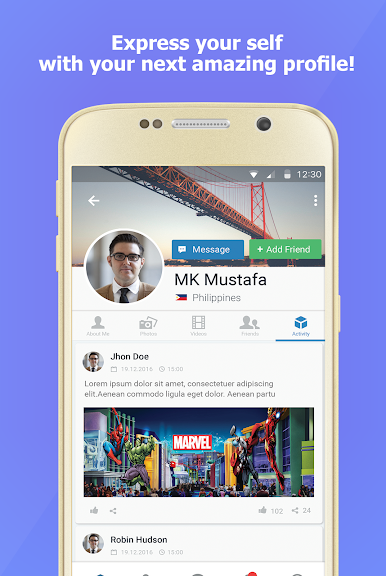
Odle 是一个新的社交网络,无论用户是否存在语言差异,都可以实现相互沟通。 Odle 正在改变 用户的联络方式,扩大其跨国界、文化和语言的友谊。通过实时、多语言的翻译,他们可以与世 界上任何地方的人聊天、分享和联络 - 无论他们使用什么语言。
用户可以在自己的家乡或世界任何地方搜索他们认识的人或找到新朋友。将沟通从一种用户语言 翻译成朋友的母语,因此他们可以体验到无缝沟通。 odle 消除了语言障碍,允许用户联络和共享 活动、经历、文化和语言的不同。
Most important features:
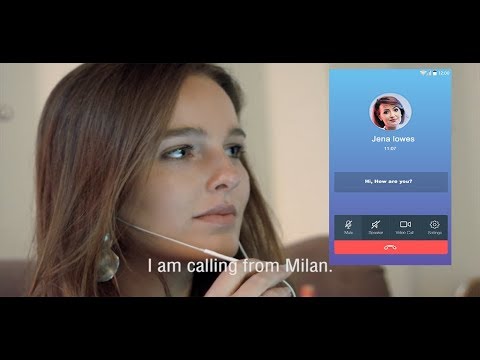
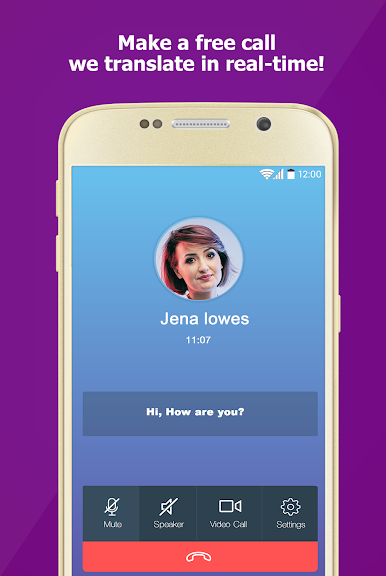
- Free audio calls with real-time translation
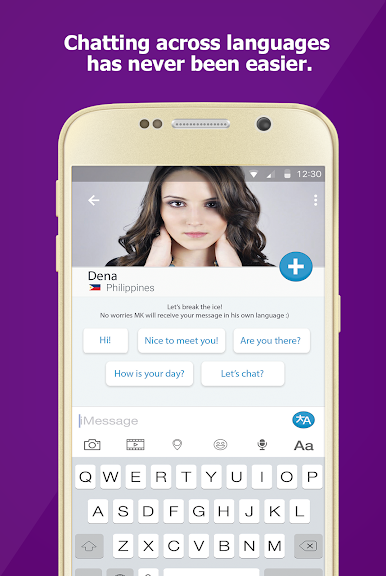
- Free text messaging with real-time translation
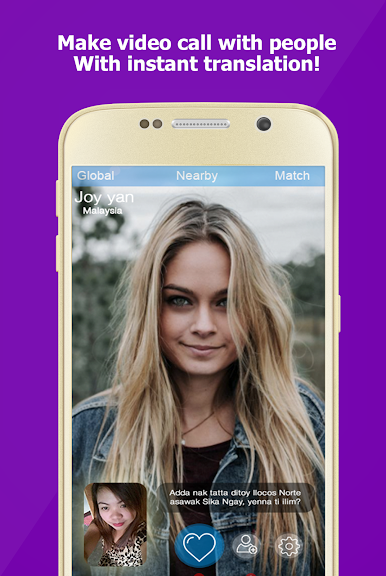
- Free video calls with real-time translation
- GoLive with random people with real-time translation
- Advanced search: Use advanced filter to find people with specific criteria like Gender, Age, country, Interest
- Easy communications: Use Chat-heads to communicate with people anywhere in your device
More features:
- Find nearby people and start chatting with them for free
- Built-in messenger allowing you to make unlimited free messaging
Use the Odle app to:
- Find people across the globe and speak with them in your mother tongue.
- Speak with your customers with real-time call translation.
- Post your images, video, Memes and make them readable in different languages.
- Find your next partner in a different taste :)
Permissions:
- Device files: In order for you to post images, Odle needs access to device files.
- Mic and Camera: To make calls with Odle, Odle needs access to the Mic and Camera.
- Location: Odle requires your real location through GPS when you use the filter feature to find people nearby.
- You may use Facebook or Google to easily create a new account.
支持的语言:
南非荷兰语
阿尔巴尼亚人
阿姆哈拉语
阿拉伯
亚美尼亚
阿塞拜疆
巴斯克
白俄罗斯
孟加拉
波斯尼亚
保加利亚语
缅甸语
加泰罗尼亚
宿务
奇切瓦
中文
科西嘉
克罗地亚
捷克
丹麦
荷兰人
英语
世界语
爱沙尼亚语
菲律宾
芬兰
法国
弗里斯兰
加利西亚
格鲁吉亚
德语
希腊语
古吉拉特语
海地克里奥尔人
豪萨语
夏威夷
希伯来语
印地语
苗族
匈牙利
冰岛的
伊博
印度尼西亚
爱尔兰的
意大利
日本
爪哇
卡纳达语
哈萨克人
高棉
朝鲜的
库尔德
吉尔吉斯
老挝
拉丁
拉脱维亚
立陶宛
卢森堡
马其顿
马尔加什
马来语
马拉雅拉姆语
马耳他语
毛利
马拉
蒙
尼泊尔
挪威
普什图语
波斯语
抛光
葡萄牙语
旁遮普
罗马尼亚
俄语
萨摩亚
苏格兰盖尔语
塞尔维亚
塞索托语
绍纳语
信德
僧伽罗语
斯洛伐克
斯洛文尼亚
索马里
西班牙语
巽
斯瓦希里
瑞典
塔吉克
泰米尔人
泰卢固语
泰国
土耳其
乌克兰
乌尔都语
乌兹别克
越南
威尔士语
科萨
意第绪语
约鲁巴
祖鲁
用户可以在自己的家乡或世界任何地方搜索他们认识的人或找到新朋友。将沟通从一种用户语言 翻译成朋友的母语,因此他们可以体验到无缝沟通。 odle 消除了语言障碍,允许用户联络和共享 活动、经历、文化和语言的不同。
Most important features:
- Free audio calls with real-time translation
- Free text messaging with real-time translation
- Free video calls with real-time translation
- GoLive with random people with real-time translation
- Advanced search: Use advanced filter to find people with specific criteria like Gender, Age, country, Interest
- Easy communications: Use Chat-heads to communicate with people anywhere in your device
More features:
- Find nearby people and start chatting with them for free
- Built-in messenger allowing you to make unlimited free messaging
Use the Odle app to:
- Find people across the globe and speak with them in your mother tongue.
- Speak with your customers with real-time call translation.
- Post your images, video, Memes and make them readable in different languages.
- Find your next partner in a different taste :)
Permissions:
- Device files: In order for you to post images, Odle needs access to device files.
- Mic and Camera: To make calls with Odle, Odle needs access to the Mic and Camera.
- Location: Odle requires your real location through GPS when you use the filter feature to find people nearby.
- You may use Facebook or Google to easily create a new account.
支持的语言:
南非荷兰语
阿尔巴尼亚人
阿姆哈拉语
阿拉伯
亚美尼亚
阿塞拜疆
巴斯克
白俄罗斯
孟加拉
波斯尼亚
保加利亚语
缅甸语
加泰罗尼亚
宿务
奇切瓦
中文
科西嘉
克罗地亚
捷克
丹麦
荷兰人
英语
世界语
爱沙尼亚语
菲律宾
芬兰
法国
弗里斯兰
加利西亚
格鲁吉亚
德语
希腊语
古吉拉特语
海地克里奥尔人
豪萨语
夏威夷
希伯来语
印地语
苗族
匈牙利
冰岛的
伊博
印度尼西亚
爱尔兰的
意大利
日本
爪哇
卡纳达语
哈萨克人
高棉
朝鲜的
库尔德
吉尔吉斯
老挝
拉丁
拉脱维亚
立陶宛
卢森堡
马其顿
马尔加什
马来语
马拉雅拉姆语
马耳他语
毛利
马拉
蒙
尼泊尔
挪威
普什图语
波斯语
抛光
葡萄牙语
旁遮普
罗马尼亚
俄语
萨摩亚
苏格兰盖尔语
塞尔维亚
塞索托语
绍纳语
信德
僧伽罗语
斯洛伐克
斯洛文尼亚
索马里
西班牙语
巽
斯瓦希里
瑞典
塔吉克
泰米尔人
泰卢固语
泰国
土耳其
乌克兰
乌尔都语
乌兹别克
越南
威尔士语
科萨
意第绪语
约鲁巴
祖鲁

在電腦上遊玩Odle - 语音通话翻译 . 輕易上手.
-
在您的電腦上下載並安裝BlueStacks
-
完成Google登入後即可訪問Play商店,或等你需要訪問Play商店十再登入
-
在右上角的搜索欄中尋找 Odle - 语音通话翻译
-
點擊以從搜索結果中安裝 Odle - 语音通话翻译
-
完成Google登入(如果您跳過了步驟2),以安裝 Odle - 语音通话翻译
-
在首頁畫面中點擊 Odle - 语音通话翻译 圖標來啟動遊戲

