


Astraware Acrostic
단어 | Astraware Limited
5억명 이상의 게이머가 신뢰하는 안드로이드 게임 플랫폼 BlueStacks으로 PC에서 플레이하세요.

Astraware Acrostic PC에서 즐겨보세요
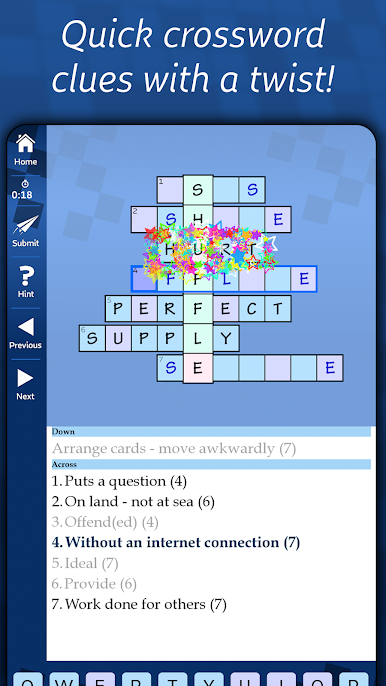
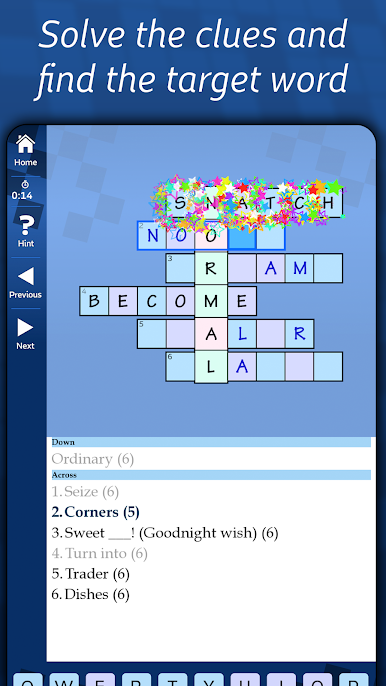
Astraware 아크로 스틱은 빠른 스타일의 단어 퍼즐 게임이다 - 단어를 공개하고 그들 모두를 연결하는 수직 대상 단어를 찾을 수있는 단서를 해결!
완벽한 당신이 낱말 맞추기하지만 당신은 짧은 휴식에 맞게 여전히 퍼즐을 완성 할 수있는 좀 더 빨리 뭔가처럼 사랑한다면!
이 내장 어려움과 크기의 범위 무료 퍼즐 (50)이있다, 그래서 당신은 언제든지 오프라인으로 재생할 수 있습니다.
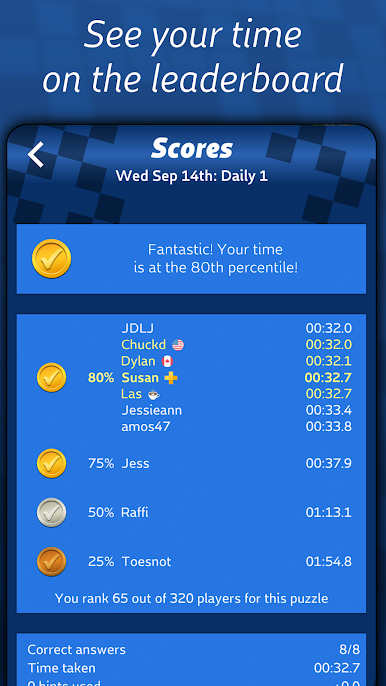
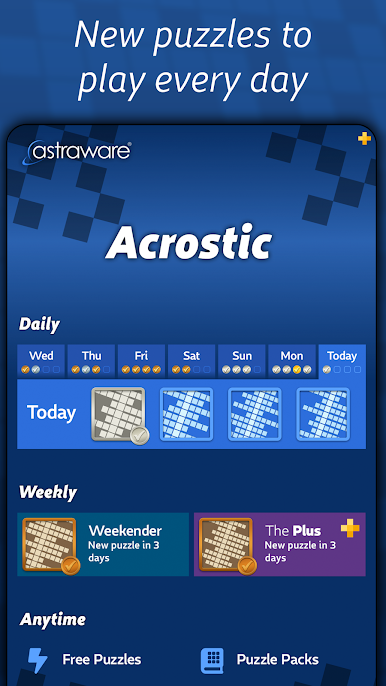
당신은 무료로 무제한 액세스가 새 일일 아크로 스틱 매일 퍼즐 네 플레이를 할 수, 글로벌 리더 보드에서 경쟁하고 자신의 연주를 참조하십시오! 여분의 반칙으로 큰 퍼즐과 난이도가 단서로 사용할 수있는 무료 위크 엔더 퍼즐 매주있다.
퍼즐에서 강조하는 것은 자음과 모음이 표시를 보여주고, 때마다 당신은 수평 단어 중 하나, 대상 문자 퍼즐을 통해 계시를 얻을 수 -이 게임에 독특한 트위스트 진행 상황을 높일 수있는 몇 가지 새로운 기능입니다! 아직 힌트를 조금해야합니까? (모든 사람은 때때로, 않습니다!) - 작은 시간 비용과 우리의 북 엔드 - 힌트 당신에게 우리가 큰 도움이됩니다 찾은 단어의 첫 번째와 마지막 문자를 제공하기위한 힌트를 요청!
Astraware 아크로 스틱 맨 위로 특징 :
- 우리의 일상과 위크 엔더 퍼즐 무료 무제한, 자신의 온라인 높은 점수 테이블과 각 당신이 당신의 배를 제출하고 비교 방식을 볼 수 있습니다!
- 다양한 크기의 50 완전 무료 퍼즐은 당신에게 놀이 시간을 제공합니다
- 지난 주에서 퍼즐의 플레이는 언제든지 잡을!
- 무제한 도움이되는 힌트
- 플레이 증폭 기능을 당신의 노력이 더 나아가도록!
- 새로운 끝없는 퍼즐 스트림 - 광고를 시청하거나 다음 스탬프를 적립 당신이 좋아하는 퍼즐을 재생하는 짧은 설문 조사를 받아!
- 단서과 답변은 호주, 영국, 미국 캐나다 여부를 국제 영어 관객 작성 또는 어쩌면 학생으로 영어를 배우고있다.
인앱 구매 가능합니다 :
- 팩의 다양한 그래서 당신은 어려움 범위를 선택하고, 쉽게 가족, 휴가, 힘든이나 재미 등 선호하는 크기 수 있습니다!
- 무료 매일 퍼즐은 각 게임 후 짧은 고라이 -하지만 당신은 옵션으로 구입이를 전환 할 수 있습니다.
Astraware Acrostics는 많은 주요 신문의 퍼즐 페이지에 인기있는 일반적인 지식을 사용하여 단서의 넓은 범위의 손으로 만들어진 빠른 스타일의 퍼즐입니다. 단서도 너무 동의어 및 철자 바꾸기, 그리고 가끔 약간 난해한 퍼즐을 포함 할 수 있습니다!
이 게임을 사랑한다면, 당신은 우리가이 범위에서 사용할 수있는 다른 응용 프로그램이 알고 기뻐할 것입니다 : Astraware 코드 워드, 크리스 크로스, 수 크로스, A-에-Z 및 Word 검색 및 전용 매니아 물론 Astraware 십자말 풀이의!
완벽한 당신이 낱말 맞추기하지만 당신은 짧은 휴식에 맞게 여전히 퍼즐을 완성 할 수있는 좀 더 빨리 뭔가처럼 사랑한다면!
이 내장 어려움과 크기의 범위 무료 퍼즐 (50)이있다, 그래서 당신은 언제든지 오프라인으로 재생할 수 있습니다.
당신은 무료로 무제한 액세스가 새 일일 아크로 스틱 매일 퍼즐 네 플레이를 할 수, 글로벌 리더 보드에서 경쟁하고 자신의 연주를 참조하십시오! 여분의 반칙으로 큰 퍼즐과 난이도가 단서로 사용할 수있는 무료 위크 엔더 퍼즐 매주있다.
퍼즐에서 강조하는 것은 자음과 모음이 표시를 보여주고, 때마다 당신은 수평 단어 중 하나, 대상 문자 퍼즐을 통해 계시를 얻을 수 -이 게임에 독특한 트위스트 진행 상황을 높일 수있는 몇 가지 새로운 기능입니다! 아직 힌트를 조금해야합니까? (모든 사람은 때때로, 않습니다!) - 작은 시간 비용과 우리의 북 엔드 - 힌트 당신에게 우리가 큰 도움이됩니다 찾은 단어의 첫 번째와 마지막 문자를 제공하기위한 힌트를 요청!
Astraware 아크로 스틱 맨 위로 특징 :
- 우리의 일상과 위크 엔더 퍼즐 무료 무제한, 자신의 온라인 높은 점수 테이블과 각 당신이 당신의 배를 제출하고 비교 방식을 볼 수 있습니다!
- 다양한 크기의 50 완전 무료 퍼즐은 당신에게 놀이 시간을 제공합니다
- 지난 주에서 퍼즐의 플레이는 언제든지 잡을!
- 무제한 도움이되는 힌트
- 플레이 증폭 기능을 당신의 노력이 더 나아가도록!
- 새로운 끝없는 퍼즐 스트림 - 광고를 시청하거나 다음 스탬프를 적립 당신이 좋아하는 퍼즐을 재생하는 짧은 설문 조사를 받아!
- 단서과 답변은 호주, 영국, 미국 캐나다 여부를 국제 영어 관객 작성 또는 어쩌면 학생으로 영어를 배우고있다.
인앱 구매 가능합니다 :
- 팩의 다양한 그래서 당신은 어려움 범위를 선택하고, 쉽게 가족, 휴가, 힘든이나 재미 등 선호하는 크기 수 있습니다!
- 무료 매일 퍼즐은 각 게임 후 짧은 고라이 -하지만 당신은 옵션으로 구입이를 전환 할 수 있습니다.
Astraware Acrostics는 많은 주요 신문의 퍼즐 페이지에 인기있는 일반적인 지식을 사용하여 단서의 넓은 범위의 손으로 만들어진 빠른 스타일의 퍼즐입니다. 단서도 너무 동의어 및 철자 바꾸기, 그리고 가끔 약간 난해한 퍼즐을 포함 할 수 있습니다!
이 게임을 사랑한다면, 당신은 우리가이 범위에서 사용할 수있는 다른 응용 프로그램이 알고 기뻐할 것입니다 : Astraware 코드 워드, 크리스 크로스, 수 크로스, A-에-Z 및 Word 검색 및 전용 매니아 물론 Astraware 십자말 풀이의!

PC에서 Astraware Acrostic 플레이해보세요.
-
BlueStacks 다운로드하고 설치
-
Google Play 스토어에 로그인 하기(나중에 진행가능)
-
오른쪽 상단 코너에 Astraware Acrostic 검색
-
검색 결과 중 Astraware Acrostic 선택하여 설치
-
구글 로그인 진행(만약 2단계를 지나갔을 경우) 후 Astraware Acrostic 설치
-
메인 홈화면에서 Astraware Acrostic 선택하여 실행

