


Anwar ul Bayan
在電腦上使用BlueStacks –受到5億以上的遊戲玩家所信任的Android遊戲平台。

Run Anwar ul Bayan - Maulana Aashiq Illahi Madani on PC or Mac
Why limit yourself to your small screen on the phone? Run Anwar ul Bayan – Maulana Aashiq Illahi Madani, an app by UsmanPervez, best experienced on your PC or Mac with BlueStacks, the world’s #1 Android emulator.
About the App
Ever wanted to understand the Quran on a deeper level, with clear explanations and an easy-to-read layout? Anwar ul Bayan – Maulana Aashiq Illahi Madani, brought to you by UsmanPervez, is an Education app designed for readers looking to explore Tafseer and Urdu translation side by side. Whether you’re a daily reader or just getting started, this app packs in thoughtful features to make your learning journey engaging and personal.
App Features
-
Full Tafseer Access
Read the complete Anwar ul Bayan Tafseer by Maulana Aashiq Illahi Madani, right on your device—no need to juggle between books or tabs. -
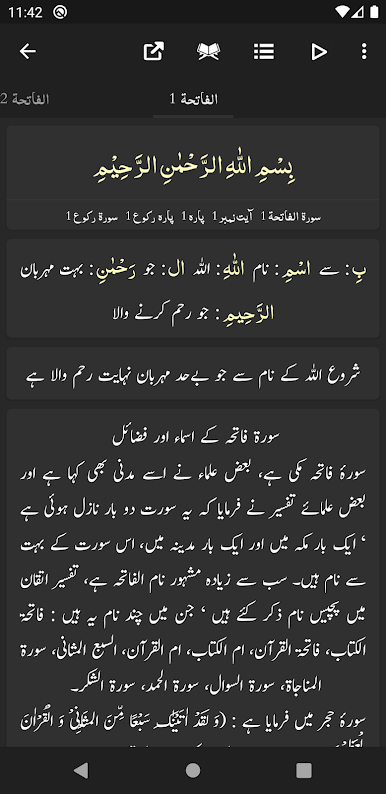
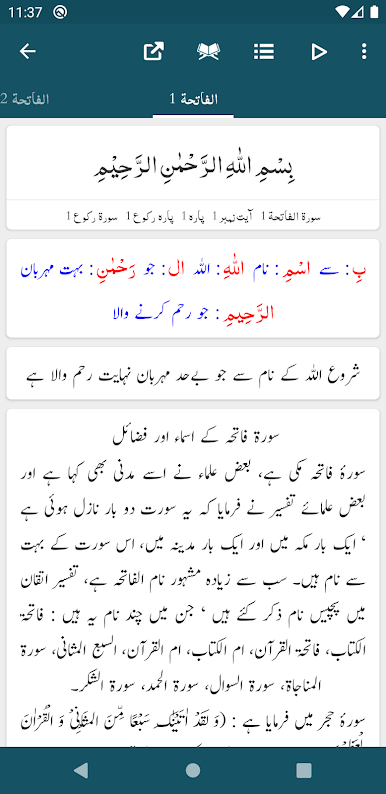
Colored Word-by-Word Translation
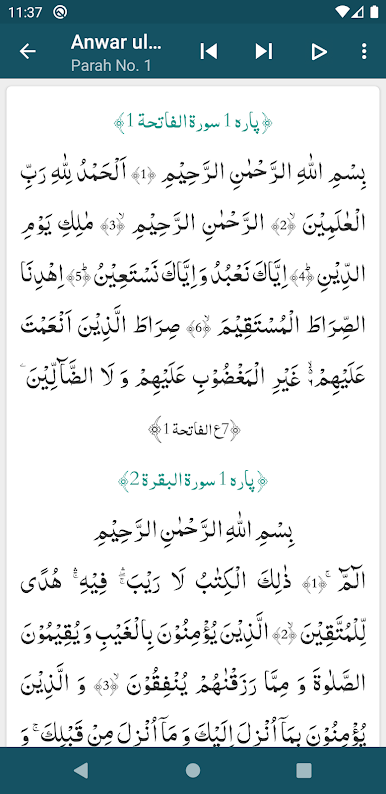
See every word from the Quran alongside its Urdu translation, with smart color-coding to make things super clear. -
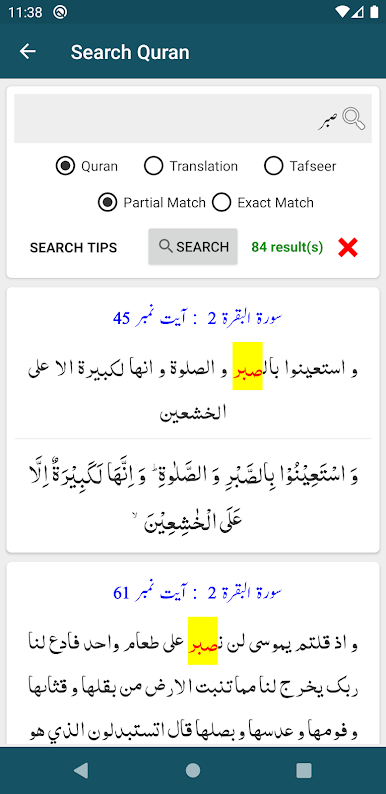
Advanced Search Tools
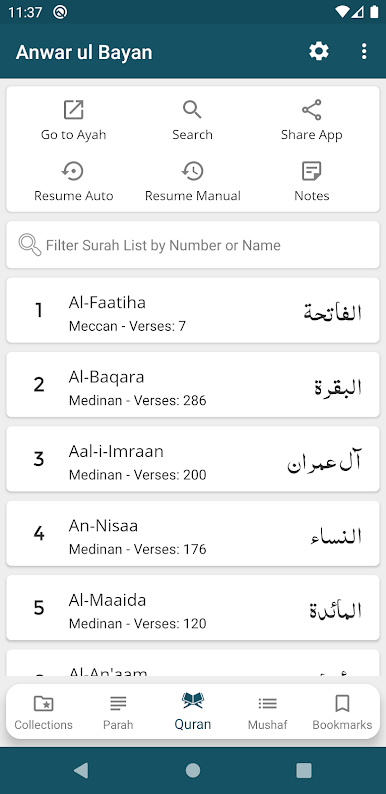
Curious about a specific verse or word? Use the powerful search function to browse the Quran, the translations, or the Tafseer without endless scrolling. -
Flexible Reading Styles
Flip between several Arabic and Urdu fonts, pick your color themes, and adjust font sizes or colors until reading feels just right. -
Bookmarks and Progress Tracking
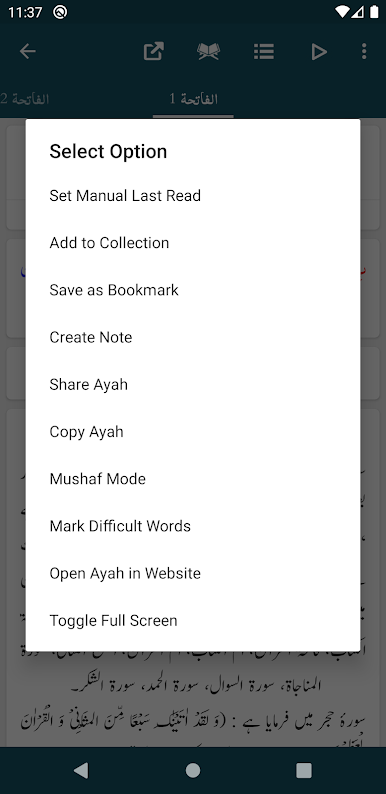
Bookmark unlimited verses and jump right back in where you left off—no more losing your place or trying to remember the last ayah you read. -
Easy Sharing Options
Send individual or multiple Ayat to friends and family, and choose if you want to include the translation or Tafseer with them. -
Customizable Layouts
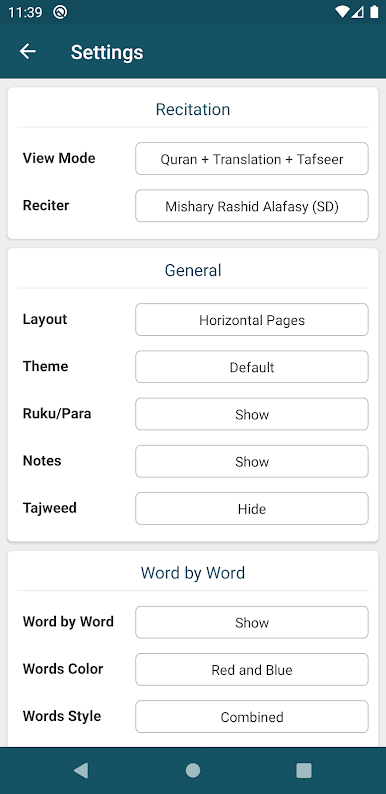
Switch between classic list view or swipe-ready slider mode—the app adjusts to your reading habits. -
Detailed Quran Info
Instantly check the Ruku, Para, or surah details for every verse, so you’re always aware of where you are. -
Reading Modes Galore
Choose from Mushaf Mode (Arabic with translation or Tafseer) or stick with just the Translation Mode if that’s more your style. -
Night and Dark Themes
Make those late-night reading sessions gentler on the eyes with dark or night themes. -
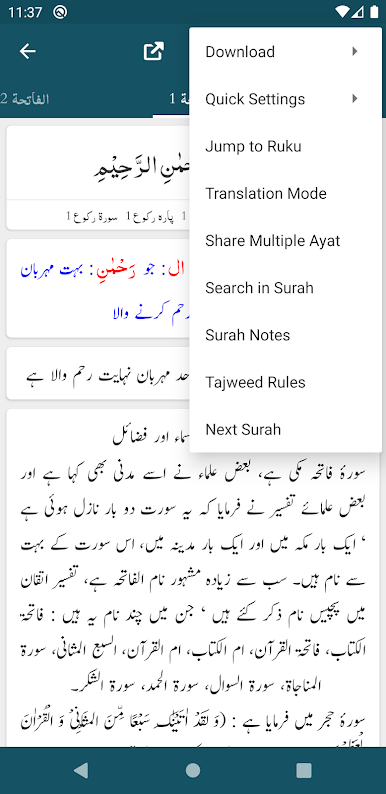
Quick Navigation
Jump straight to any Ayah or Ruku you want—no fussing around with long lists. -
Personalization Controls
Show or hide the word-by-word display, translation, and Tafseer for a clutter-free look.
For folks who like to read on desktop, Anwar ul Bayan – Maulana Aashiq Illahi Madani also works seamlessly on BlueStacks, making larger screens just as user-friendly.
Switch to BlueStacks and make the most of your apps on your PC or Mac.
在電腦上遊玩Anwar ul Bayan . 輕易上手.
-
在您的電腦上下載並安裝BlueStacks
-
完成Google登入後即可訪問Play商店,或等你需要訪問Play商店十再登入
-
在右上角的搜索欄中尋找 Anwar ul Bayan
-
點擊以從搜索結果中安裝 Anwar ul Bayan
-
完成Google登入(如果您跳過了步驟2),以安裝 Anwar ul Bayan
-
在首頁畫面中點擊 Anwar ul Bayan 圖標來啟動遊戲

