


MoboReader
Jogue no PC com BlueStacks - A Plataforma de Jogos Android, confiada por mais de 500 milhões de jogadores.

Página modificada em: Nov 28, 2025
Play MoboReader on PC
Book Genres
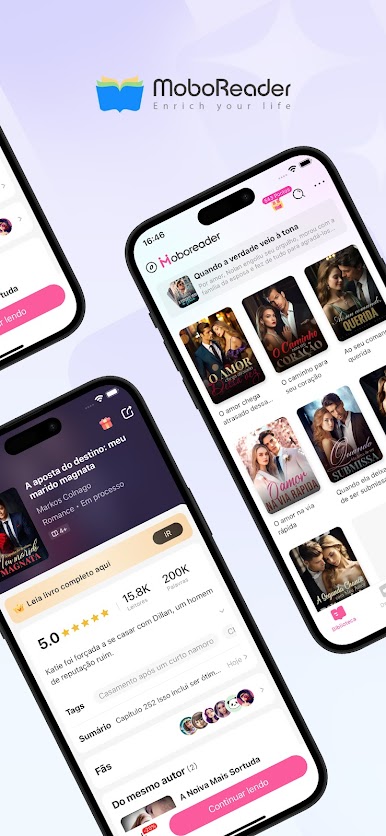
MoboReader offers a wide range of extraordinary stories for over a million readers all around the world. Are you looking to read romance stories—ranging from campus romance, erotica, billionaires, werewolves, modern life, paranormal, ancient society, monarchy, and lots more?
Worry no more! MoboReader has got you covered!
You can find thousands of awesome books, including copyrighted ones from extraordinary authors on the MoboReader app.
About Update
Our bestsellers are updated daily. You can even join activities to unlock new chapters. Not only that, you can also get additional bonus updates during weekends.
Personalization
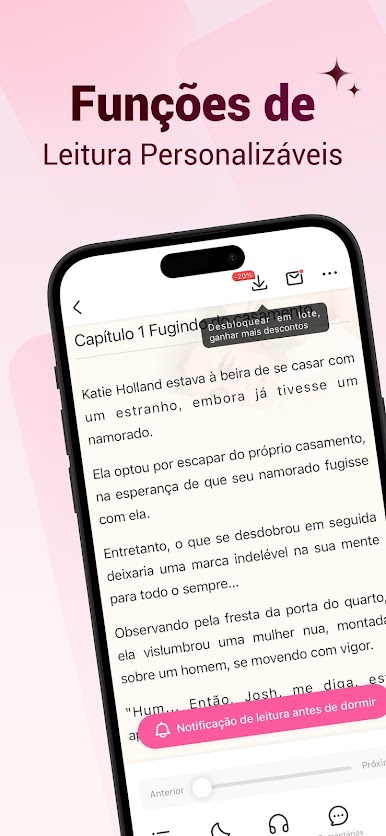
The MoboReader app can be personalized according to your preferences. You can adjust the font size, background color, screen brightness, and many more, for a comfortable reading experience.
About Payment
To enable the authors to earn a living, the books on the app are NOT free. A token is required to read the books. However, we provide various discounts and free coins for our paying readers.
Exclusive Discounts For Subscribers
Subscribers will automatically get additional Free Coins by logging into the app every day, and enjoy substantial discounts when purchasing Coins or other value-added services!
About Privacy Policy
The safety of your information and activities on the app is our priority. None of your personal details or information will be stolen or used for other purposes. You can rest assured that our system is safe. However, we cannot guarantee the safety of your information when your personal device is hacked by third parties. We are more than willing to help in the best way we can should any unwanted breach arise.
What are you waiting for? Download MoboReader Now!
If you have any questions or advice, please contact us: Email: support@moboreader.net Facebook: https://www.facebook.com/ereader.ebook/





Jogue MoboReader no PC. É fácil começar.
-
Baixe e instale o BlueStacks no seu PC
-
Conclua o login do Google para acessar a Play Store ou faça isso mais tarde
-
Procure por MoboReader na barra de pesquisa no canto superior direito
-
Clique para instalar MoboReader a partir dos resultados da pesquisa
-
Conclua o login do Google (caso você pulou a etapa 2) para instalar o MoboReader
-
Clique no ícone do MoboReader na tela inicial para começar a jogar

