


國際象棋組合百科全書,第 3 卷,由《國際象棋情報》編著
在電腦上使用BlueStacks –受到5億以上的遊戲玩家所信任的Android遊戲平台。

Play Encyclopedia Chess Combinations Vol. 3 Informant on PC or Mac
Explore a whole new adventure with Encyclopedia Chess Combinations Vol. 3 Informant, a Board game created by Chess King. Experience great gameplay with BlueStacks, the most popular gaming platform to play Android games on your PC or Mac.
About the Game
Got a thing for chess that’s more than casual? Encyclopedia Chess Combinations Vol. 3 Informant from Chess King isn’t your everyday tactics trainer—it’s absolutely packed for advanced players who love a real challenge. If you’re comfortable in the ELO 2400 territory and want to stretch your skills with hand-picked, theme-based puzzles, this game gives you plenty of material to chew on. Whether you’re working through combinations or testing your wits against tough setups, you’ll find everything methodically organized, so things escalate just when you think you’ve figured it out. Oh, and yes—you can really dig into the content on a bigger screen with BlueStacks, if you want that extra space for thinking.
Game Features
-
Hand-picked, Advanced Puzzles
Each challenge is specially selected for serious improvement, with a range of tactical themes to master. Say goodbye to random internet puzzles and try something purpose-built for advanced play. -
Theme-based Organization
Everything’s sorted by tactical motifs—stuff like annihilation of defense, clearance, discovered attack, and more. You always know what skill you’re working on, which makes focused practice possible. -
Interactive Learning Approach
The course isn’t just text—you’ll get to make moves on the board, try out your ideas, and even work through confusing spots with interactive lessons. -
Hints & Error Refutations
Stuck or make a misstep? The coach-like program offers hints, plus shows exactly why a move is wrong, not just that it is. -
Flexible Test Modes
Tweak the difficulty, set your challenge type, or just bookmark exercises you want to revisit. You’re in charge, so your learning feels personal. -
Rating Tracking
Watch your ELO change as you work through problems. It’s a great motivator when you’re looking for proof of progress. -
Play Positions Against Computer
Get curious about one of the exercise setups? Play it out against the computer, right then and there, to fully explore the possibilities. -
Cross-device Progress
Using the Chess King account, you can pick up where you left off—Android, iOS, or web. Take your learning anywhere. -
Offline Access
No WiFi needed. Practice wherever you like, no strings attached. -
Tablet-friendly Layout
The game takes advantage of extra screen real estate, giving your analysis more room to breathe—especially handy with BlueStacks.
Slay your opponents with your epic moves. Play it your way on BlueStacks and dominate the battlefield.

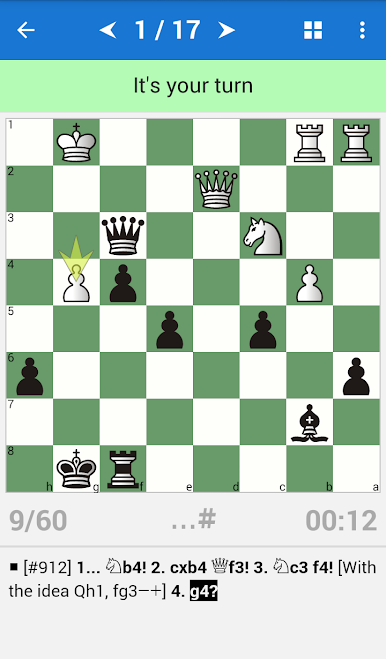
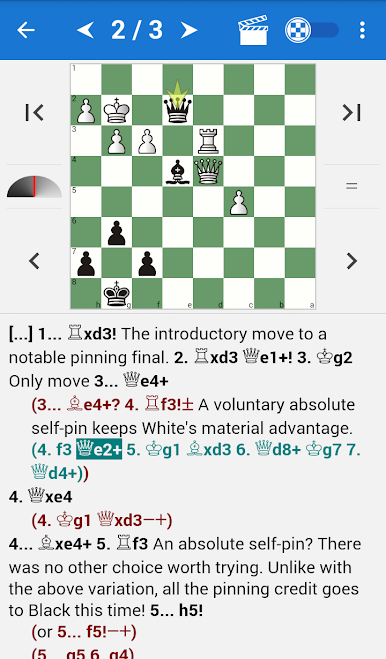
在電腦上遊玩國際象棋組合百科全書,第 3 卷,由《國際象棋情報》編著 . 輕易上手.
-
在您的電腦上下載並安裝BlueStacks
-
完成Google登入後即可訪問Play商店,或等你需要訪問Play商店十再登入
-
在右上角的搜索欄中尋找 國際象棋組合百科全書,第 3 卷,由《國際象棋情報》編著
-
點擊以從搜索結果中安裝 國際象棋組合百科全書,第 3 卷,由《國際象棋情報》編著
-
完成Google登入(如果您跳過了步驟2),以安裝 國際象棋組合百科全書,第 3 卷,由《國際象棋情報》編著
-
在首頁畫面中點擊 國際象棋組合百科全書,第 3 卷,由《國際象棋情報》編著 圖標來啟動遊戲

