


Ping Pong Battle -Table Tennis
Jogue no PC com BlueStacks - A Plataforma de Jogos Android, confiada por mais de 500 milhões de jogadores.

Página modificada em: Nov 25, 2025
Play Ping Pong Battle -Table Tennis on PC
You can play an exhilarating table tennis game with simple operations!
Keep on winning against the opponents that appear one after another and challenge the best score!
■How to play
Let's play a ping-pong game with increasingly stronger opponent.
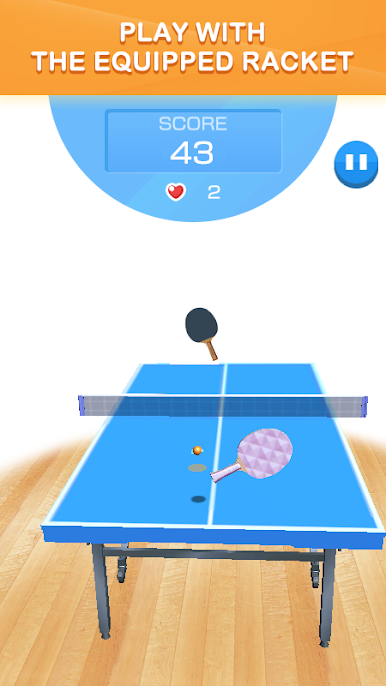
When you lose a point, your life is reduced and the game can continue until you run out of lives.
Don't lose your life, and aim for the best score by defeating one opponent after another!
You can play ping pong by hitting shots such as cuts, drives and smashes with simple operations!
Aim for the course and beat the opponent!
■Features
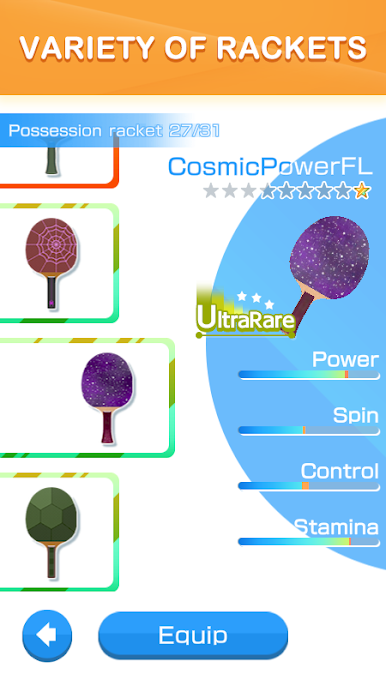
There are many table tennis rackets with various features!
Find your favorite racket and use it in a ping pong game!
You can easily play a ping pong game with simple operations!
We plan to add more features in the future, such as rankings where users compete against each other!
■Recommended
- People who like ping-pong games and ping-pong
- People looking for an easy game to play
- People who love sports games
- Those looking for a serious ping-pong game
- People who have played table tennis
- People who want to be good at table tennis



Jogue Ping Pong Battle -Table Tennis no PC. É fácil começar.
-
Baixe e instale o BlueStacks no seu PC
-
Conclua o login do Google para acessar a Play Store ou faça isso mais tarde
-
Procure por Ping Pong Battle -Table Tennis na barra de pesquisa no canto superior direito
-
Clique para instalar Ping Pong Battle -Table Tennis a partir dos resultados da pesquisa
-
Conclua o login do Google (caso você pulou a etapa 2) para instalar o Ping Pong Battle -Table Tennis
-
Clique no ícone do Ping Pong Battle -Table Tennis na tela inicial para começar a jogar

