


AngleCam Lite - Câmera angular
Jogue no PC com BlueStacks - A Plataforma de Jogos Android, confiada por mais de 500 milhões de jogadores.

Página modificada em: Oct 10, 2025
Play AngleCam Lite - Angular Camera on PC
■ The difference between "AngleCam Lite" and "AngleCam Pro."
(1) AngleCam Lite is a free App. AngleCam Pro is a paid App.
(2) AngleCam Lite has a "Powered by AngleCam" text (watermark) in photographs' bottom right corner.
(3) AngleCam Lite cannot store original photos. (No text photos; 2x storage time)
(4) AngleCam Lite can use 3 columns of comments. AngleCam Pro can use 10 columns of comments.
(5) AngleCam Lite keeps the last 10 comments. AngleCam Pro version keeps the last 30 comments.
(6) AngleCam Pro can use the text watermark, the graphic watermark, and the graphic central point.
(7) AngleCam Pro is ad-free.
Attention: If you cannot install this application, it means your mobile device doesn't have an accelerometer sensor or a magnetometer sensor. You may be interested in another application which is called "NoteCam." However, NoteCam doesn't include pitch angle information, azimuth angle information, and a horizontal line.
https://play.google.com/store/apps/details?id=com.derekr.NoteCam
■ If you have a problem with the coordinates (GPS), please read https://anglecam.derekr.com/gps/en.pdf for details.
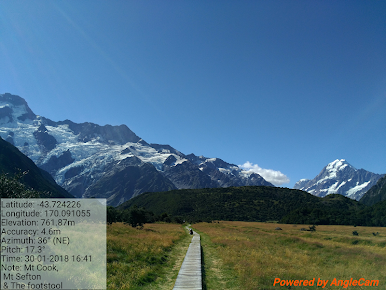
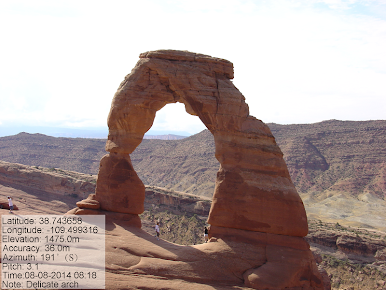


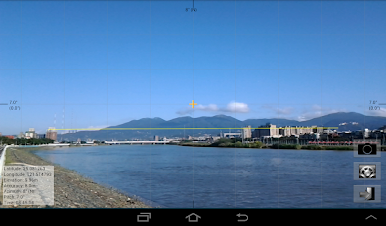
Jogue AngleCam Lite - Câmera angular no PC. É fácil começar.
-
Baixe e instale o BlueStacks no seu PC
-
Conclua o login do Google para acessar a Play Store ou faça isso mais tarde
-
Procure por AngleCam Lite - Câmera angular na barra de pesquisa no canto superior direito
-
Clique para instalar AngleCam Lite - Câmera angular a partir dos resultados da pesquisa
-
Conclua o login do Google (caso você pulou a etapa 2) para instalar o AngleCam Lite - Câmera angular
-
Clique no ícone do AngleCam Lite - Câmera angular na tela inicial para começar a jogar

