


Battery Tools & Widget
العب على الكمبيوتر الشخصي مع BlueStacks - نظام أندرويد للألعاب ، موثوق به من قبل أكثر من 500 مليون لاعب.

إلعب Battery Tools & Widget على جهاز الكمبيوتر
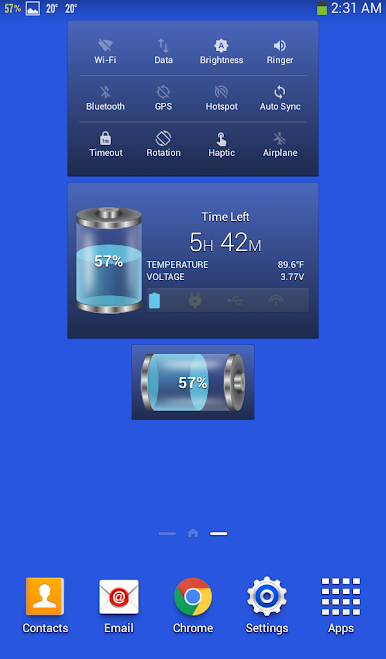
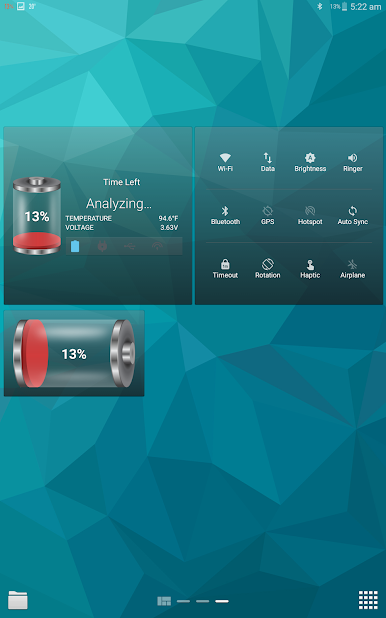
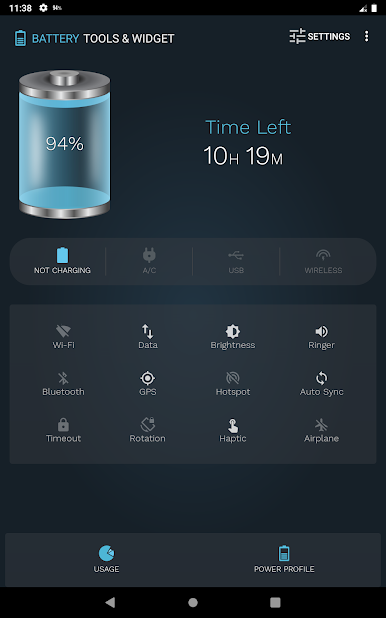
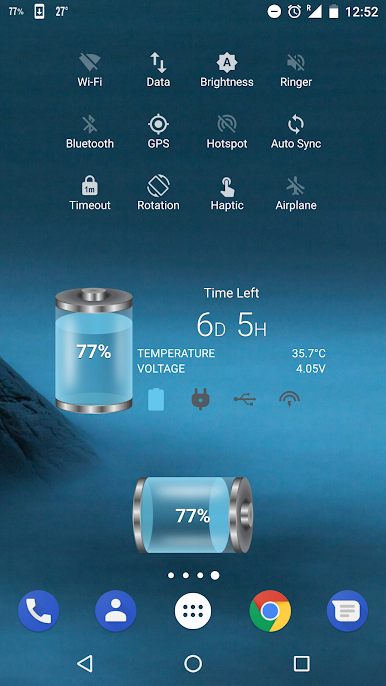
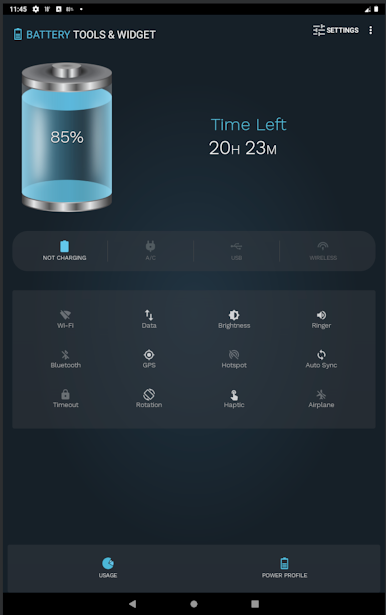
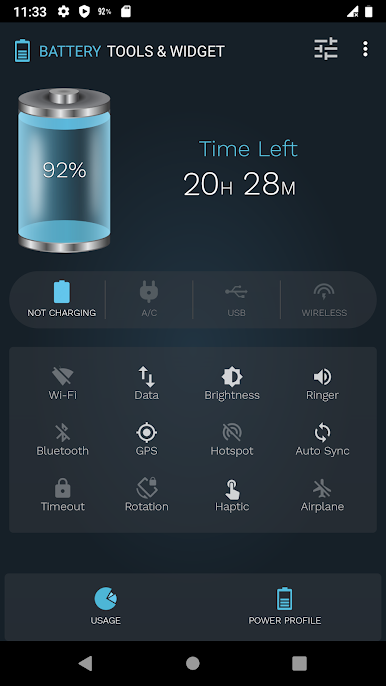
كما يستطيع التطبيق أيضا حساب الوقت المتبقي للشحن أو التفريغ ، ويقدر الوقت وفقا لاستهلاك الطاقة الخاصة بك، وبالتالي، أنها سوف تبقي متفاوتة على أساس استهلاك الطاقة الحالية.
والوقت المقدر لا يظهر على الفور، فالتطبيق يحتاج إلى بعض الوقت لرصد استهلاك الطاقة الخاصة بك لتكون قادرة على تقدير الوقت المتبقي.
الميزات:
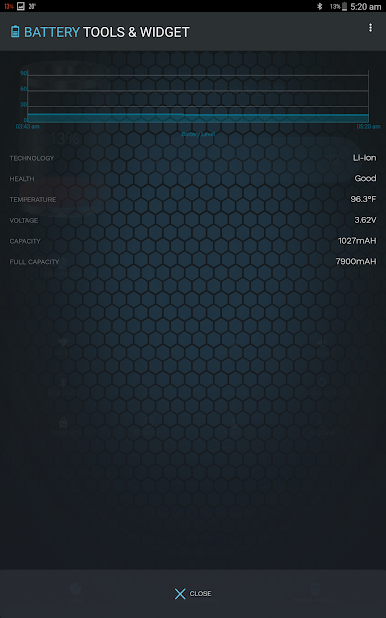
يعرض التطبيق المعلومات التالية:
- مستوى البطارية مع عدد ورمز البطارية.
- حالة البطارية.
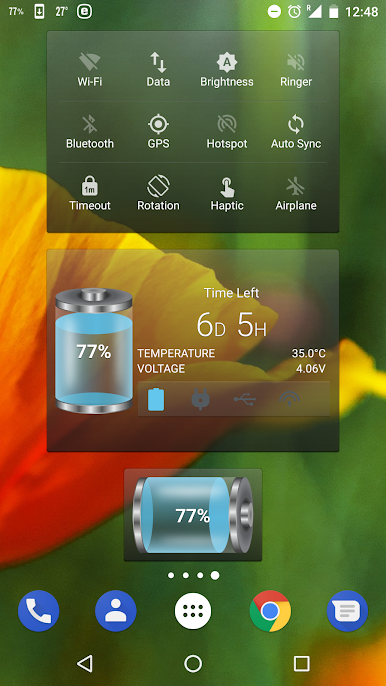
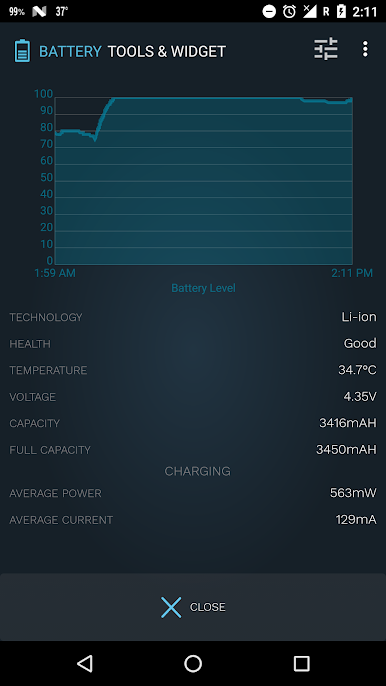
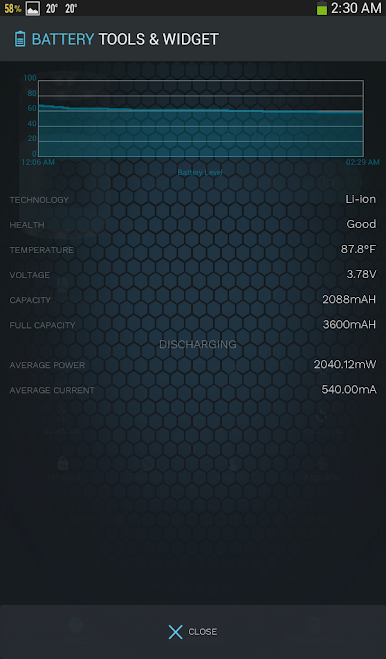
- درجة حرارة البطارية في كل من "مئوية" و "فهرنهايت".
- والوقت المقدر للشحن أو التفريغ .
- تقنية البطارية.
- صحة البطارية.
- جهد البطارية.
- التيار الكهربائي لمجموعة واسعة من الهواتف النقالة.
- زر ينقلك إلى نظام شاشة استخدام البطارية.
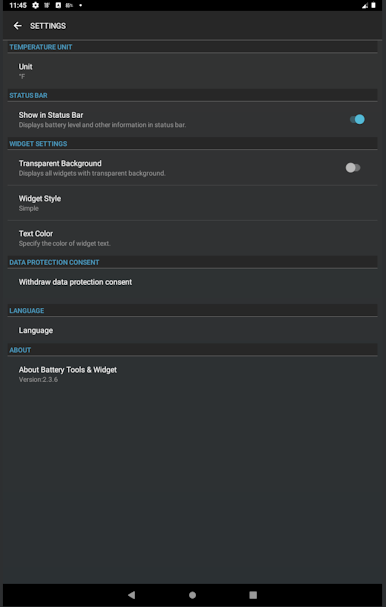
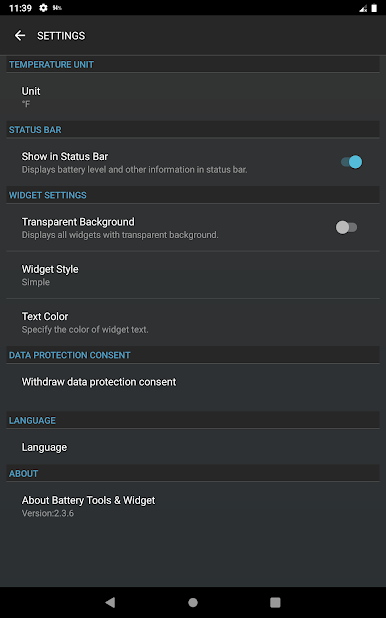
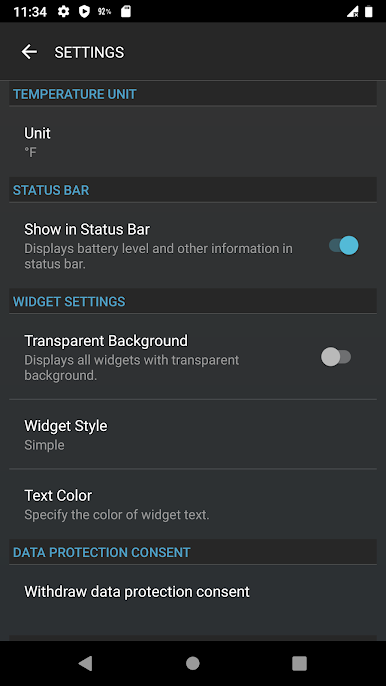
التطبيق يحتوي شاشة اعدادات والتي تسمح لك تحديد:
- وحدة درجة الحرارة.
- خلفية شفافة للودجت
- مشاهدة مستوى البطارية في شريط الحالة.
* ملحوظة: في الاستخدام الأول، يحتاج التطبيق إلى تحليل 2% من استهلاك البطارية من أجل تقدير الزمن المتبقي بشكل صحيح.
العب Battery Tools & Widget على جهاز الكمبيوتر. من السهل البدء.
-
قم بتنزيل BlueStacks وتثبيته على جهاز الكمبيوتر الخاص بك
-
أكمل تسجيل الدخول إلى Google للوصول إلى متجر Play ، أو قم بذلك لاحقًا
-
ابحث عن Battery Tools & Widget في شريط البحث أعلى الزاوية اليمنى
-
انقر لتثبيت Battery Tools & Widget من نتائج البحث
-
أكمل تسجيل الدخول إلى Google (إذا تخطيت الخطوة 2) لتثبيت Battery Tools & Widget
-
انقر على أيقونة Battery Tools & Widget على الشاشة الرئيسية لبدء اللعب

