


Sense flip clock & weather Pro
天氣 | MACHAPP Software Ltd
在電腦上使用BlueStacks –受到5億以上的遊戲玩家所信任的Android遊戲平台。

Play Sense flip clock & weather Pro on PC
A full featured weather app with a set of weather & clock widgets.
The app provides weather forecasts for your current location or any other location worldwide. You can add up to 10 locations and check the weather and time for any place in the world.
Note.
This version of the application does not display ads but includes options to upgrade to premium (with a monthly or yearly subscription) to gain access to additional features.
The weather app includes the following features:
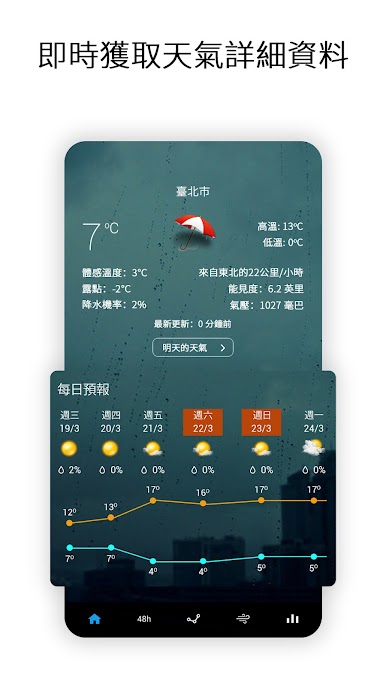
- Current conditions (temperature, wind speed, humidity, pressure, visibility, uv index, rain and snow)
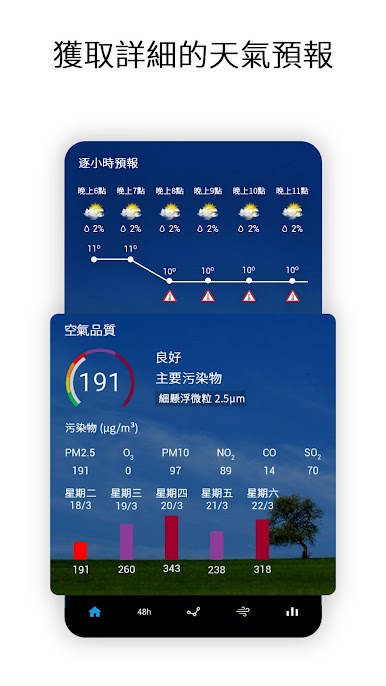
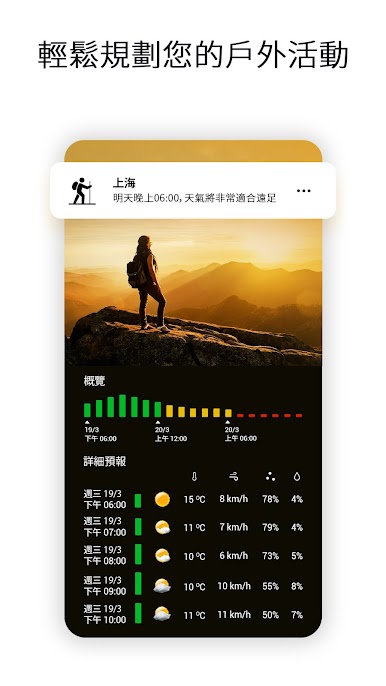
- Hourly conditions (12 hours)
- Automatic location detection
- Custom weather update intervals
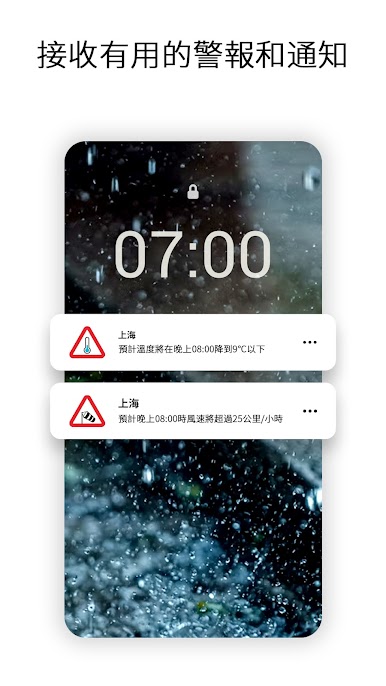
- Weather alerts and notifications
- Daily conditions (7 days)
- UV index and wind conditions for the following 12 hours
- Extended daily forecast
- Extended hourly forecast
- Extended wind forecast
- Sun and moon information
- Realistic weather background according to the current weather condition
- Different weather background and icons to customize the app and widgets the way you like
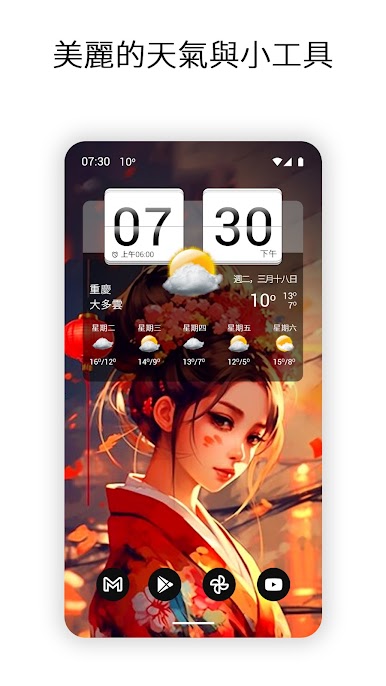
- Widgets that show the time and weather
- Many customization options
The application also provides widgets that include the following:
- Flip-clock style widgets in different sizes (4x1, 4x2, 4x3)
- Many options and skins to change the appearance
- Current time and date
- Current weather
- Daily forecast (only provided by the 4x3 widget)
- Next alarm
- Useful hot spots (launch the alarm app, calendar, application settings or a custom app)
Premium features:
Subscribe to the premium version and get the following:
- Remove all ads
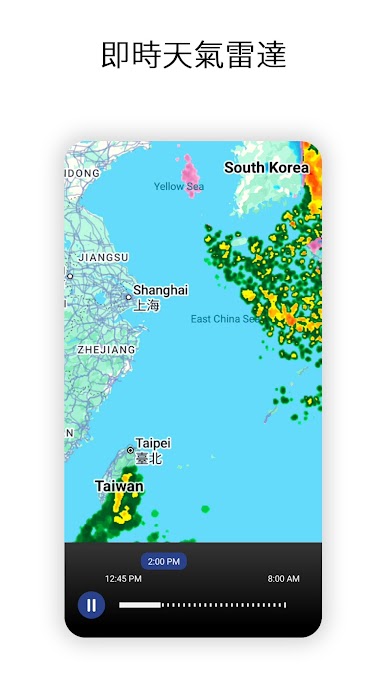
- Animated weather radar
- Air quality and forecast
- Hurricane tracker
- Severe weather alerts
- Additional backgrounds and icons
Website: https://www.machapp.net
Email us if you have any problems or suggestions. We are happy to help!
The app provides weather forecasts for your current location or any other location worldwide. You can add up to 10 locations and check the weather and time for any place in the world.
Note.
This version of the application does not display ads but includes options to upgrade to premium (with a monthly or yearly subscription) to gain access to additional features.
The weather app includes the following features:
- Current conditions (temperature, wind speed, humidity, pressure, visibility, uv index, rain and snow)
- Hourly conditions (12 hours)
- Automatic location detection
- Custom weather update intervals
- Weather alerts and notifications
- Daily conditions (7 days)
- UV index and wind conditions for the following 12 hours
- Extended daily forecast
- Extended hourly forecast
- Extended wind forecast
- Sun and moon information
- Realistic weather background according to the current weather condition
- Different weather background and icons to customize the app and widgets the way you like
- Widgets that show the time and weather
- Many customization options
The application also provides widgets that include the following:
- Flip-clock style widgets in different sizes (4x1, 4x2, 4x3)
- Many options and skins to change the appearance
- Current time and date
- Current weather
- Daily forecast (only provided by the 4x3 widget)
- Next alarm
- Useful hot spots (launch the alarm app, calendar, application settings or a custom app)
Premium features:
Subscribe to the premium version and get the following:
- Remove all ads
- Animated weather radar
- Air quality and forecast
- Hurricane tracker
- Severe weather alerts
- Additional backgrounds and icons
Website: https://www.machapp.net
Email us if you have any problems or suggestions. We are happy to help!
在電腦上遊玩Sense flip clock & weather Pro . 輕易上手.
-
在您的電腦上下載並安裝BlueStacks
-
完成Google登入後即可訪問Play商店,或等你需要訪問Play商店十再登入
-
在右上角的搜索欄中尋找 Sense flip clock & weather Pro
-
點擊以從搜索結果中安裝 Sense flip clock & weather Pro
-
完成Google登入(如果您跳過了步驟2),以安裝 Sense flip clock & weather Pro
-
在首頁畫面中點擊 Sense flip clock & weather Pro 圖標來啟動遊戲

