


AI Photo Editor Pic BG Eraser
Jogue no PC com BlueStacks - A Plataforma de Jogos Android, confiada por mais de 500 milhões de jogadores.

Página modificada em: Nov 18, 2025
Run MagiCut - Cut Paste Photo Editor|Cutout Background on PC or Mac
Upgrade your experience. Try MagiCut – Cut Paste Photo Editor|Cutout Background, the fantastic Photography app from Cut Out Photo Editor & Photo Maker Studio, from the comfort of your laptop, PC, or Mac, only on BlueStacks.
About the App
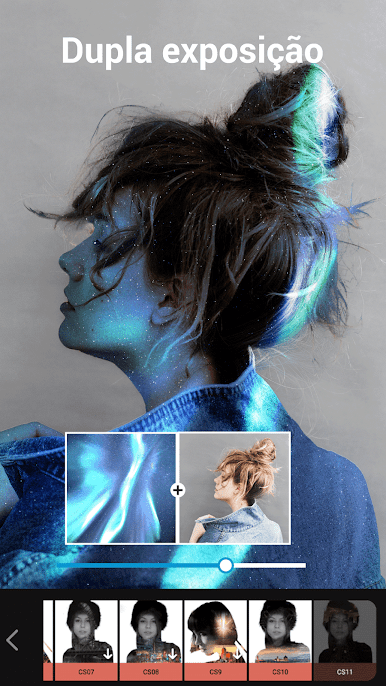
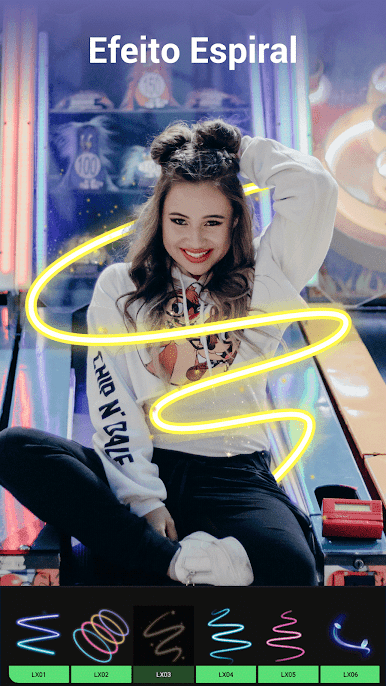
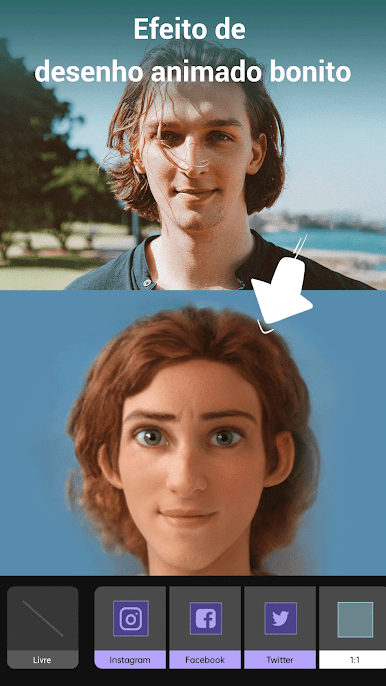
Ever wish you could swap out the background of a photo or stick yourself into a totally different scene? MagiCut – Cut Paste Photo Editor|Cutout Background by Cut Out Photo Editor & Photo Maker Studio lets you do just that—and a whole lot more. Whether you’re after quick fixes or want to get creative with memes and collages, this app packs a bunch of editing tools into a single space. It’s designed for anyone who wants to have fun with their photos, no prior editing experience necessary. If you try it out on BlueStacks, editing feels even more comfortable with a bigger screen and mouse.
App Features
- Smart CutOut
-
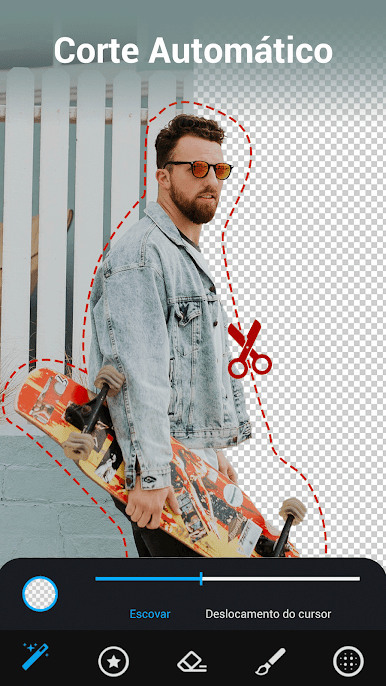
Just tap a few times to select and cut out people or objects. The app’s AI figures out what to keep (and what to ditch) so you can easily paste anything onto beautiful backgrounds—totally transforms regular pictures.
-
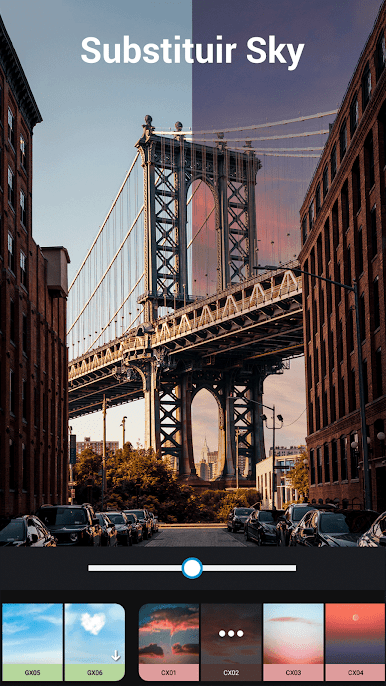
Background Changer
-
Instantly swap your photo background with one from the app’s collection or any image you like. Put yourself at the beach, on the moon, or next to anyone you want—it’s all possible.
-
Text & Meme Maker
-
Add captions, playful text, or funny thought bubbles. Tons of font styles and editing tweaks let you get that meme just right before sharing it.
-
Photo Puzzles & Collages
-
Pick multiple photos and combine them into a custom puzzle or collage. Great for telling stories or just showing off a snapshot of your best moments.
-
3D Backgrounds
-
Pop your photo into a 3D scene for a more textured, realistic feel—it’s like stepping right into another world.
-
Fine-Tuning Tools
-
Tweak exposure, color, and more. Crop, blur, or blend—there’s plenty of control whether you want quick fixes or more detailed adjustments.
-
Templates by Designers
-
Dive into a range of ready-made, stylish templates designed by professionals. Just drop in your photo and see it instantly upgraded.
-
Beauty & Retouch
-
Brighten up faces, smooth out skin, erase blemishes, or even get rid of background distractions—no Photoshop skills needed.
-
Creative Brushes & Graffiti
-
Unleash your artsy side with creative brushes for sketching or painting right on your images.
-
Remove & Repair
-
Out with the unwanted! Erase objects (or annoying photo-bombers), instantly fixing up pictures you thought were ruined.
-
Background Materials Store
- Explore a load of unique backgrounds—everything from “show off” luxury scenes to quirky, fun styles—so your creativity never runs dry.
Ready to experience MagiCut – Cut Paste Photo Editor|Cutout Background on a bigger screen, in all its glory? Download BlueStacks now.




Jogue AI Photo Editor Pic BG Eraser no PC. É fácil começar.
-
Baixe e instale o BlueStacks no seu PC
-
Conclua o login do Google para acessar a Play Store ou faça isso mais tarde
-
Procure por AI Photo Editor Pic BG Eraser na barra de pesquisa no canto superior direito
-
Clique para instalar AI Photo Editor Pic BG Eraser a partir dos resultados da pesquisa
-
Conclua o login do Google (caso você pulou a etapa 2) para instalar o AI Photo Editor Pic BG Eraser
-
Clique no ícone do AI Photo Editor Pic BG Eraser na tela inicial para começar a jogar

