


Tab Display - Portable Monitor
生產力 | ENFP Dev Master
在電腦上使用BlueStacks –受到5億以上的遊戲玩家所信任的Android遊戲平台。

Play Tab Display - Portable Monitor on PC
🔗 Please download the macOS or Windows application from the official website -- https://tab-display.enfpdev.com --
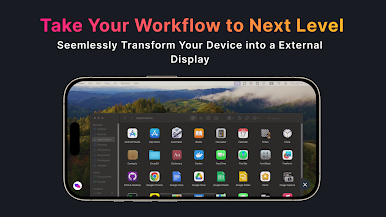
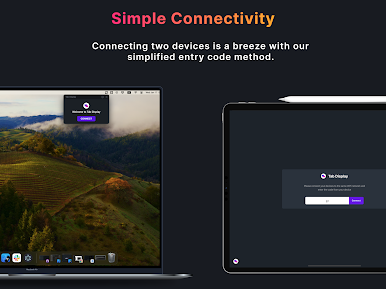
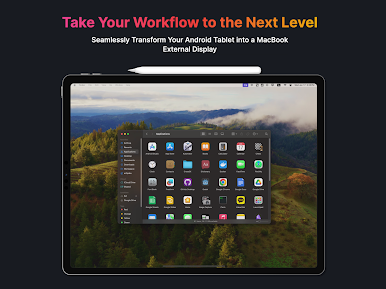
📲 Tab Display allows users to seamlessly transform their Android tablet into an external display for their MacBook or Windows desktop or laptop. With this app, users can extend their screen and receive video of the virtual display on their Android tablet. It supports both wireless connections using Wi-Fi and wired connections through USB tethering.
⚠️ Note: For macOS and Android combinations, USB tethering is not supported. However, Wi-Fi connections can still be used seamlessly. All Android devices are compatible, but devices that do not support USB tethering (Wi-Fi only devices) cannot use the wired connection feature.
💸 Pricing: Tab Display is free to download and use. However, an in-app purchase is available to remove advertisements.
🔄 Tab Display supports both portrait mode and landscape mode, giving users the flexibility to choose the orientation that best suits their needs. It also allows for customizable resolution settings, enabling users to adjust the display resolution freely for the optimal experience.
🎬 Additionally, Tab Display offers a remote video playback feature. By placing videos in a designated folder on your desktop, you can freely enjoy watching them on your tablet.
🖥️ Tab Display is designed to make the process of extending your MacBook screen as simple and seamless as possible. The app uses WebRTC technology internally to ensure that the video is streamed smoothly and without any lag. This means that users can enjoy a high-quality display experience without any interruptions or delays.
🎥 Check out the tutorial on how to use the Tab Display feature by watching the video at https://www.youtube.com/watch?v=qtSTy58u57E
📋 Similar apps: Duet Display, spacedesk, superdisplay, TwomonAir.
📲 Tab Display allows users to seamlessly transform their Android tablet into an external display for their MacBook or Windows desktop or laptop. With this app, users can extend their screen and receive video of the virtual display on their Android tablet. It supports both wireless connections using Wi-Fi and wired connections through USB tethering.
⚠️ Note: For macOS and Android combinations, USB tethering is not supported. However, Wi-Fi connections can still be used seamlessly. All Android devices are compatible, but devices that do not support USB tethering (Wi-Fi only devices) cannot use the wired connection feature.
💸 Pricing: Tab Display is free to download and use. However, an in-app purchase is available to remove advertisements.
🔄 Tab Display supports both portrait mode and landscape mode, giving users the flexibility to choose the orientation that best suits their needs. It also allows for customizable resolution settings, enabling users to adjust the display resolution freely for the optimal experience.
🎬 Additionally, Tab Display offers a remote video playback feature. By placing videos in a designated folder on your desktop, you can freely enjoy watching them on your tablet.
🖥️ Tab Display is designed to make the process of extending your MacBook screen as simple and seamless as possible. The app uses WebRTC technology internally to ensure that the video is streamed smoothly and without any lag. This means that users can enjoy a high-quality display experience without any interruptions or delays.
🎥 Check out the tutorial on how to use the Tab Display feature by watching the video at https://www.youtube.com/watch?v=qtSTy58u57E
📋 Similar apps: Duet Display, spacedesk, superdisplay, TwomonAir.



在電腦上遊玩Tab Display - Portable Monitor . 輕易上手.
-
在您的電腦上下載並安裝BlueStacks
-
完成Google登入後即可訪問Play商店,或等你需要訪問Play商店十再登入
-
在右上角的搜索欄中尋找 Tab Display - Portable Monitor
-
點擊以從搜索結果中安裝 Tab Display - Portable Monitor
-
完成Google登入(如果您跳過了步驟2),以安裝 Tab Display - Portable Monitor
-
在首頁畫面中點擊 Tab Display - Portable Monitor 圖標來啟動遊戲

