


Football Dream: Be A Pro
Jogue no PC com BlueStacks - A Plataforma de Jogos Android, confiada por mais de 500 milhões de jogadores.

Página modificada em: Dec 19, 2025
Jogue Football Dream: Be A Pro para PC
O jogo traz nomes reais e direitos de imagem de jogadores das principais seleções europeias — incluindo Inglaterra, Espanha, França, Itália e Portugal — além de diversos clubes das grandes ligas. Com 8 modos de jogo empolgantes, como Partidas Ranqueadas PvP, Modo Treinador, Desafios, Confrontos Semanais, Torneios por Convite, Copas de Evento, Ligas Competitivas e Partidas de Treino, você vivencia a atmosfera autêntica dos estádios e celebra a elite do futebol europeu.
✅ Narração local para uma experiência ainda mais imersiva
O jogo conta com dublagem e comentários feitos por profissionais locais, trazendo uma atmosfera autêntica e uma experiência futebolística totalmente adaptada ao público da região. Com conteúdo exclusivo para a Indonésia, você poderá sentir o orgulho da casa e mergulhar em partidas ainda mais envolventes.
✅ Licenciamento oficial com estrelas reais do futebol
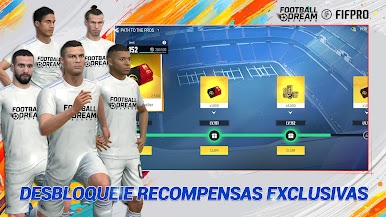
Colete e treine jogadores ativos, ídolos lendários e craques históricos. Mergulhe em um sistema autêntico e recompensador de coleção.
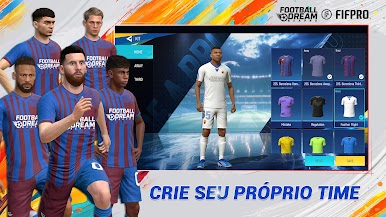
✅ Monte o seu time dos sonhos
Combine táticas, formações, evolução de jogadores e gestão de recursos. Desenvolva sua equipe e crie a escalação perfeita do seu jeito.
✅ Sinta a emoção da competição
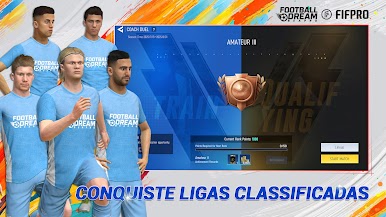
Seja você um jogador casual ou competitivo, o jogo traz batalhas PvP intensas com confrontos entre servidores, alianças de clubes, partidas em tempo real e um sistema social dinâmico.
✅ Controles intuitivos e jogabilidade suave
Comandos fáceis e mecânicas fluidas permitem executar dribles, passes e finalizações com precisão — brilhe em cada partida.
✅ Jogue a qualquer hora e curta futebol sem limites
Otimizado para todos os tipos de dispositivos e redes de baixa qualidade — aproveite o futebol quando e onde quiser.
Football Dream: Be A Pro estreia oficialmente na Indonésia — junte-se a nós para criar a próxima geração de lendas e viva seu sonho de futebol a qualquer momento.
Acordo do Usuário: https://www.estarplay.com/policy.html?type=2&lang=2
Política de Privacidade: https://www.estarplay.com/policy.html?type=1&lang=2
------------------------------------------------------
⚽ Curte a emoção do futebol? Quer ser o primeiro a saber das novidades e ganhar recompensas exclusivas?
Entre para nossa comunidade de fãs — atualizações em tempo real, dicas especiais e sorteios incríveis esperam por você!
Facebook: https://www.facebook.com/profile.php?id=61577323179597
Discord: https://discord.gg/jBEMVhKGxu
Não fique no banco — entre em campo! 🏆🔥






Jogue Football Dream: Be A Pro no PC. É fácil começar.
-
Baixe e instale o BlueStacks no seu PC
-
Conclua o login do Google para acessar a Play Store ou faça isso mais tarde
-
Procure por Football Dream: Be A Pro na barra de pesquisa no canto superior direito
-
Clique para instalar Football Dream: Be A Pro a partir dos resultados da pesquisa
-
Conclua o login do Google (caso você pulou a etapa 2) para instalar o Football Dream: Be A Pro
-
Clique no ícone do Football Dream: Be A Pro na tela inicial para começar a jogar

