


Ding Top-up: Mobile Recharge
在電腦上使用BlueStacks –受到5億以上的遊戲玩家所信任的Android遊戲平台。

Run Ding Top-up: Mobile Recharge on PC or Mac
Get freedom from your phone’s obvious limitations. Use Ding Top-up: Mobile Recharge, made by Ding ezetop, a Communication app on your PC or Mac with BlueStacks, and level up your experience.
About the App
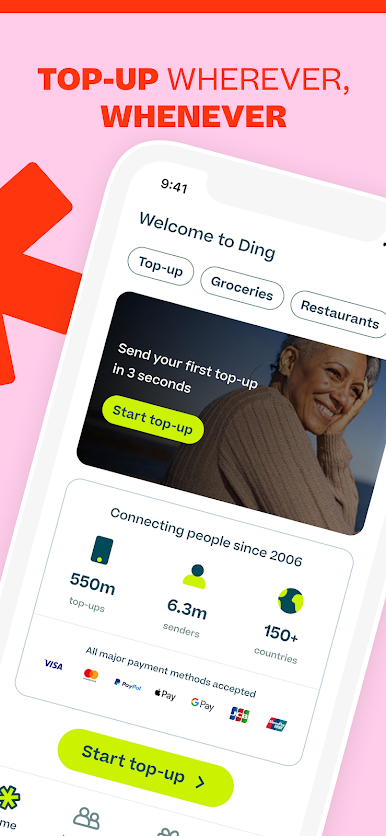
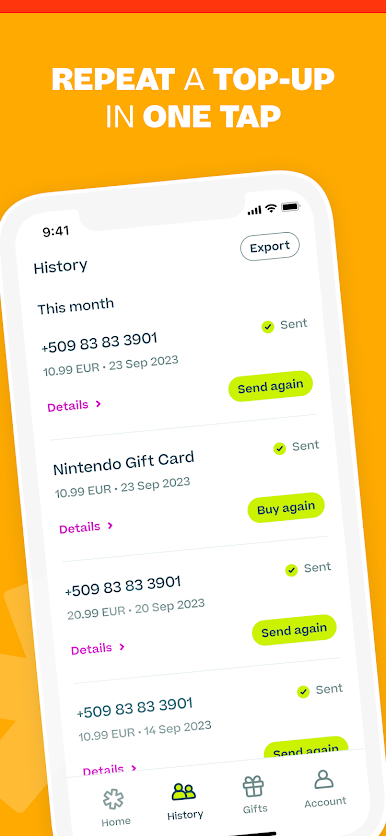
Ding Top-up: Mobile Recharge by Ding ezetop is an easy way to send airtime or credit to any phone number, no matter where you (or your friends and family) are. Trying to stay connected across the globe? With this Communication app, topping up takes just a few taps, and your recharge lands instantly—really, almost before you can blink. Whether you’re sending a quick “miss you” or helping someone back home, Ding Top-up lets you keep those important connections alive. You’ll even find a selection of popular gift cards, just in case you want to treat someone (or yourself) to a little something extra.
App Features
-
Lightning-Fast Top-Ups
Recharges get delivered in about 3 seconds—faster than you might think possible, so no one has to wait around for their balance to update. -
Global Reach
Add credit to phones in 150+ countries, whether you’re sending to yourself or to friends and family. Destinations stretch from India and Jamaica, to the USA, the Philippines, Ghana, and a whole lot more. -
All the Networks You Need
With access to more than 600 mobile carriers worldwide—like Globe, MTN, Movistar, Vodafone, and many others—you can easily pick your preferred operator. -
Gift Cards for Extra Choice
Besides phone credit, grab gift cards for favorite stores or services, all in one place. -
Easy Payment Options
Pay how you want, with support for Visa, MasterCard, American Express, PayPal, Apple Pay, and others. Everything’s protected by solid encryption and constant fraud monitoring. -
Simple, Straightforward Process
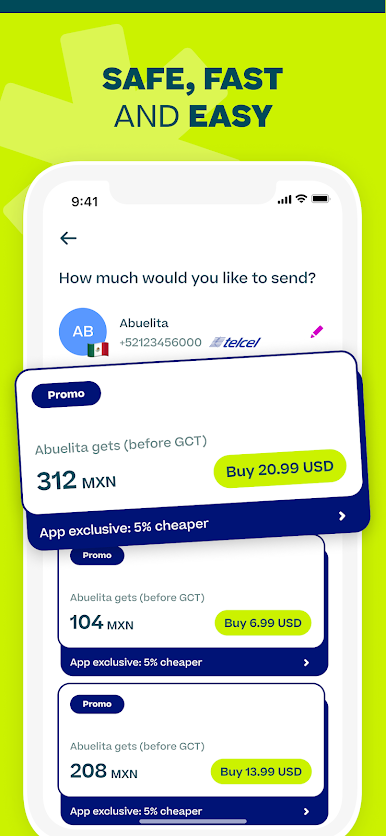
Just select a top-up amount, enter a number, confirm your details, and you’re set. It really takes just a few seconds. -
Schedule Auto Top-Ups
Set it up once and never worry about running out of credit. Schedule automatic recharges every week, two weeks, or monthly—totally up to you. -
Multilingual Support
Use the app in English, Spanish, French, Portuguese, Italian, German, or Russian—whatever makes things easiest. -
Constant Customer Support
Got a question, big or small? There’s customer support any time of day, in multiple languages. -
In-App Discounts & Promos
Exclusive offers and discounts pop up right in the app—sometimes a little extra value goes a long way.
P.S. If you try Ding Top-up: Mobile Recharge using BlueStacks, you’ll get all these features from the comfort of your computer screen.
Eager to take your app experience to the next level? Start right away by downloading BlueStacks on your PC or Mac.




在電腦上遊玩Ding Top-up: Mobile Recharge . 輕易上手.
-
在您的電腦上下載並安裝BlueStacks
-
完成Google登入後即可訪問Play商店,或等你需要訪問Play商店十再登入
-
在右上角的搜索欄中尋找 Ding Top-up: Mobile Recharge
-
點擊以從搜索結果中安裝 Ding Top-up: Mobile Recharge
-
完成Google登入(如果您跳過了步驟2),以安裝 Ding Top-up: Mobile Recharge
-
在首頁畫面中點擊 Ding Top-up: Mobile Recharge 圖標來啟動遊戲

