


이지플래너 - 일정관리 캘린더 메모 일기 달력
생산성 | ezplanner
5억명 이상의 게이머가 신뢰하는 안드로이드 게임 플랫폼 BlueStacks으로 PC에서 플레이하세요.

Play 이지플래너 - 일정관리 캘린더 메모 일기 달력 on PC
Intuitive and simple large screen not only schedules
It is also great as a calendar, notepad, and diary.
| Main features |
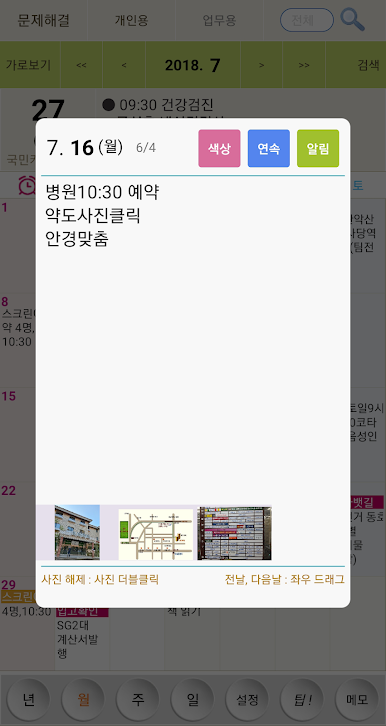
- Click: View schedule
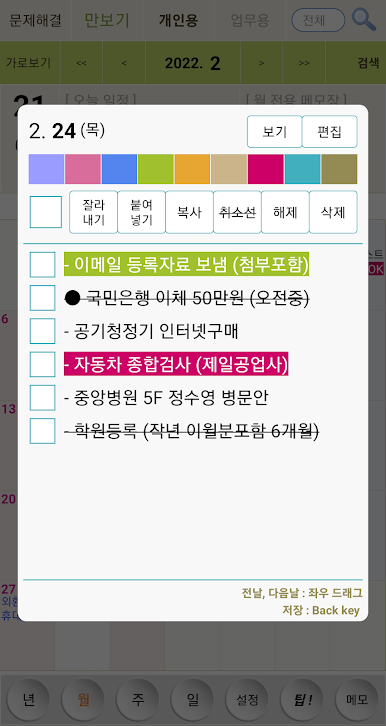
- Double click: Create schedule (500 Korean characters saved for each date)
- Long click: Set text color and strikethrough
- Status bar today’s schedule: When you pull down the status bar, today’s schedule is automatically displayed
-Status bar notepad: When you pull down the status bar, you can immediately take notes.
- D-1 Notification: Notification one day before birthday and payment date
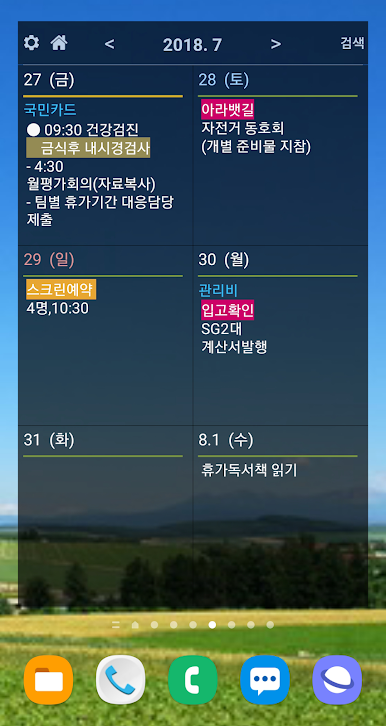
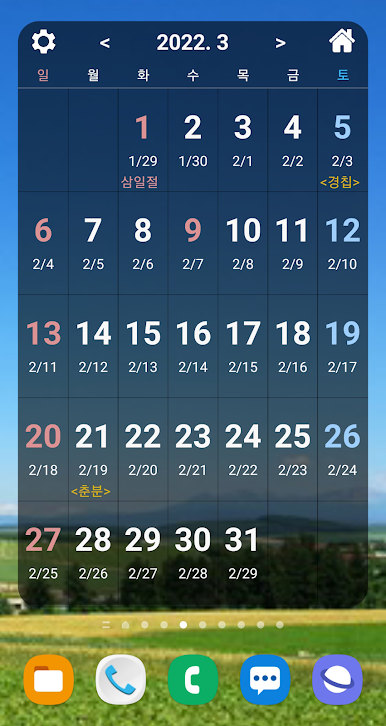
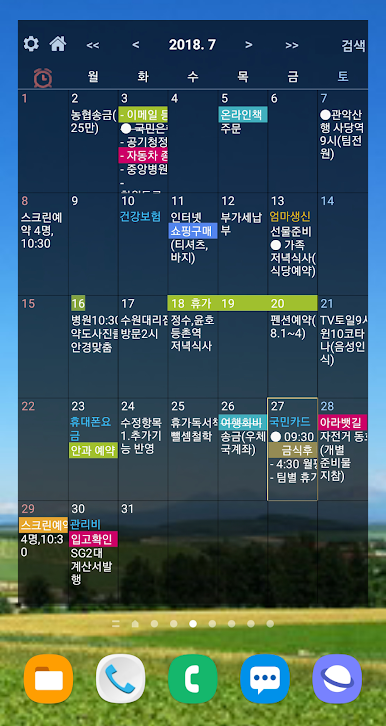
- Provided widgets: monthly, 6-day, 3-day, today's schedule, date and day display icon widgets
- Smartphone - PC synchronization function
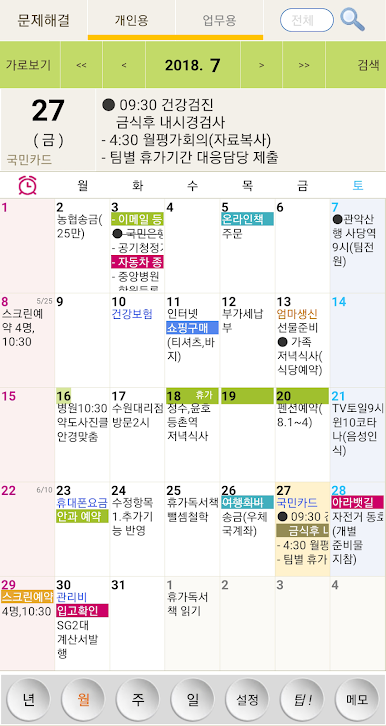
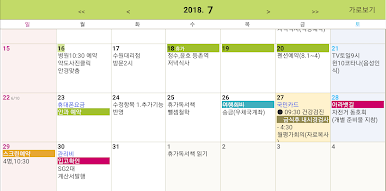
- View the monthly schedule on a large horizontal screen
- View the entire schedule for the month as a list
- Memo consists of 5 large text files
(Linked with status bar notepad)
- Individual font size and transparency settings for each screen and each widget
- Lunar calendar display, schedule, and memo search function
- Alarm function
※ Access permission information
[Optional access rights]
- Microphone: Used to enter schedules and notes using voice recognition
- Photos and videos: Used to attach photos to the schedule
- Physical activity: To read and display the number of steps (pedometer) recorded in your Google account
- Notification: To display alarm, D-1 notification, status bar notepad, status bar today's schedule
* You can use the app even if you do not agree to the optional access rights.
* If you do not agree to the optional access rights, normal use of some functions of the service may be difficult.
--------------------------------------------
● When the app does not run / When the data is not visible
http://www.ezplanner.kr/app/guide.htm
If you refer to this, it will be resolved.
It is also great as a calendar, notepad, and diary.
| Main features |
- Click: View schedule
- Double click: Create schedule (500 Korean characters saved for each date)
- Long click: Set text color and strikethrough
- Status bar today’s schedule: When you pull down the status bar, today’s schedule is automatically displayed
-Status bar notepad: When you pull down the status bar, you can immediately take notes.
- D-1 Notification: Notification one day before birthday and payment date
- Provided widgets: monthly, 6-day, 3-day, today's schedule, date and day display icon widgets
- Smartphone - PC synchronization function
- View the monthly schedule on a large horizontal screen
- View the entire schedule for the month as a list
- Memo consists of 5 large text files
(Linked with status bar notepad)
- Individual font size and transparency settings for each screen and each widget
- Lunar calendar display, schedule, and memo search function
- Alarm function
※ Access permission information
[Optional access rights]
- Microphone: Used to enter schedules and notes using voice recognition
- Photos and videos: Used to attach photos to the schedule
- Physical activity: To read and display the number of steps (pedometer) recorded in your Google account
- Notification: To display alarm, D-1 notification, status bar notepad, status bar today's schedule
* You can use the app even if you do not agree to the optional access rights.
* If you do not agree to the optional access rights, normal use of some functions of the service may be difficult.
--------------------------------------------
● When the app does not run / When the data is not visible
http://www.ezplanner.kr/app/guide.htm
If you refer to this, it will be resolved.
PC에서 이지플래너 - 일정관리 캘린더 메모 일기 달력 플레이해보세요.
-
BlueStacks 다운로드하고 설치
-
Google Play 스토어에 로그인 하기(나중에 진행가능)
-
오른쪽 상단 코너에 이지플래너 - 일정관리 캘린더 메모 일기 달력 검색
-
검색 결과 중 이지플래너 - 일정관리 캘린더 메모 일기 달력 선택하여 설치
-
구글 로그인 진행(만약 2단계를 지나갔을 경우) 후 이지플래너 - 일정관리 캘린더 메모 일기 달력 설치
-
메인 홈화면에서 이지플래너 - 일정관리 캘린더 메모 일기 달력 선택하여 실행

